RFID

NFC (Near Field Communication), RFID

It is all about NFC technology applications, RFID tags, ISO/IEC14443, ISO/IEC18092. Information about near field communication RFID technologies.

Edited by Lim Siong Boon, last dated 03-Mar-2012.

Topic Discussion Overview

  1. RFID Introduction
  2. RFID Tags
  3. Tag Packaging
  4. RFID Reader
  5. NFC
  6. Card Reader IC
  7. Magnetic materials


1. RFID Introduction


Having the Right Mindset for RFID technology.

RFID is known as Radio Frequency IDentification. The technology is able to wireless-ly picking up information from a RFID tag which can be embedded onto most object. Fast and reliable. RFID has helped to rise up our productivity.

The process starts with the RFID reader transmitting power and command wireless-ly. The RFID tag intecept the energy to power up itself. It starts to decode the request commanded and transmit the result back to the RFID reader. All these happen instantly with microseconds.

Many of the old technologies (bar-code, magnetic stripe, smart card) can be replaced by RFID system, but rate of adoption rate is slow. Examples of applications that the RFID have completely taken over are, security door access system and transportation payment card. Comparing RFID over the old technologies, it is perceive to be more expensive. The technology do has its advantages and disadvantages, which is why not all applications use RFID.

People likes to compare RFID to a bar-code system which is a cheaper alternative. The fact is, RFID tag will never be as cheap as a printed bar-code. It is more complex than bar-code. No matter how big the production volume will be, it will not be cheaper than the bar-code. Using a RFID to perform barcode application is analogy to hiring an engineer to do simple office cleaning work. No company would be in the right set of mind to invest in a expnsive solution to replace what a cheaper solution would solved.

People also think of RFID technology as a solution. RFID unique and good, but it can only solve part of the problem that we are facing in our life. You can analogy it to a very good engineer that you have hired. He/she has all the skills and know-how to design a quality system that no one else can, but there are no proper tools and equipments provided. Only a broom and a dustpan is provided. The engineer will be as good as a cleaner. RFID is designed to solve certain problem very efficiently. By itself, it cannot do any much. It has to work hand in hand with another good technology.

RFID has its own unique properties that no other technology is able replace it completely. Applying RFID technology to its advantage, to the right application will be the key to success adoption. If you want RFID system to be successful, you cannot think using a bar-code brain.

This site is dedicated to understand more about the properties of RFID technology, hence allowing us to apply its unique leading edge where no other technologies can replace. The focus will be mainly in the RFID for ISO/IEC14443 (HF 13.56MHz RFID system) which has a near perfect characteristic for interaction between humans and object; and also information on ISO/IEC18092 (NFC protocol implementation) which is the new trend on applying RFID technology. With the growing number of NFC mobile phones being launch, we can clearly see that the industry is committed in making our life more productive.

Let us start by a simple overview of various technologies that is related to RFID. We can easily see the advantages/disadvantages that the RFID can have in the application of tagging and identification.


Comparison chart of tagging/identification technologies

Description Form factor
can be like
like a thicker
credit card
Technology name LF RFID
(LF Passive)
HF RFID
(HF Passive)
UHF RFID
(UHF Passive)
Active RFID Tag
(UHF Active)
2D Barcode Barcode Smart Card Magnetic Stripe Light Sound
small in size
conceal easily
contain more information
attach to odd shaped object  
attach to object with metal surface or liquid content
store information
durable
passive (no need battery)
contactless
no need to be line of sight
retrieve data fast
secured communication
low cost
far reading distance
simple to manufacture
frequency
<135KHz
13.56MHz
868-950MHz
433-5.8GHz


read distance
low
0-15cm
low-medium
0-1.5m
0-15cm (NFC)
far
up to 10m
very far
more than 10m
to km


data rate
4-8kbps
6.7-848kbps


 Selecting guide your RFID technologies. Click here -> rfid-guide.pdf


www.pic-control.com, Singapore Network Ethernet WiFi RS232 RS485 USB I/O Controller


2. RFID Tags

HF RFID tag
125KHz / 13.56MHz

UHF RFID tag
860 – 960 MHz / 2.4Ghz

Click to enlarge the picture.


Basic RFID Tag

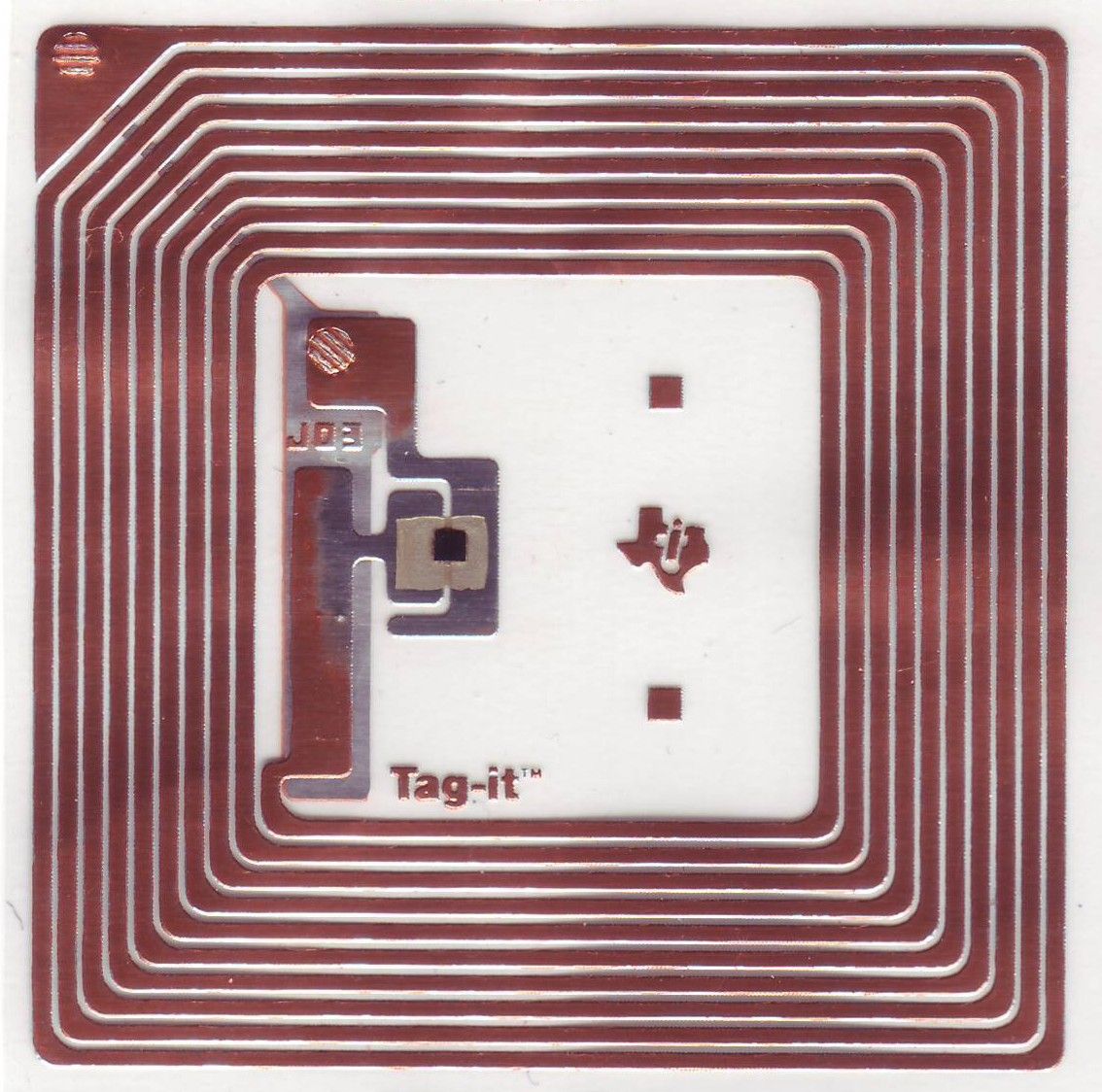
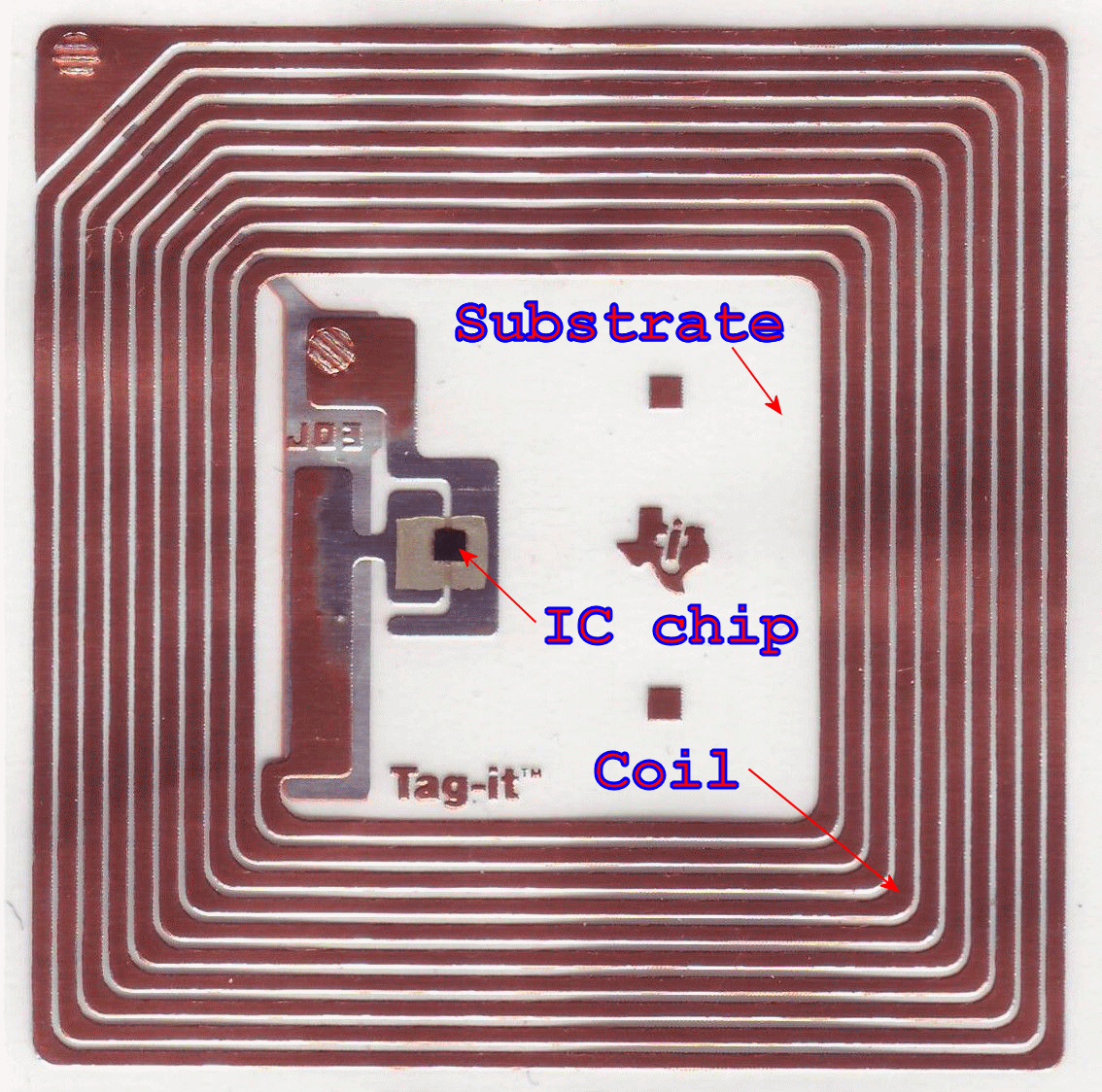
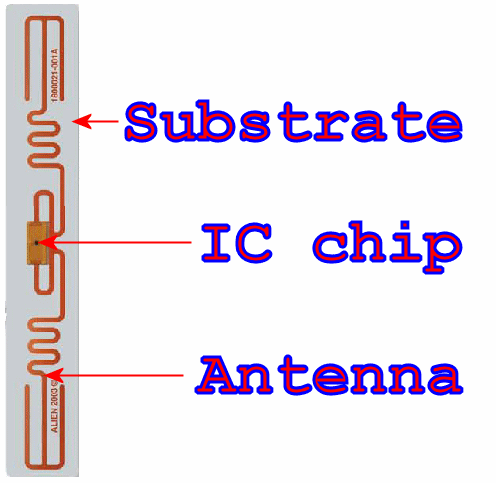
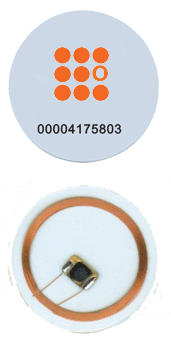
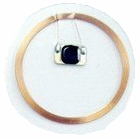
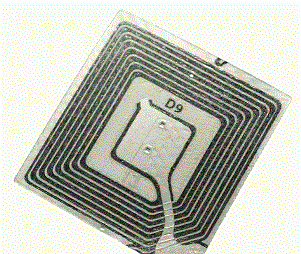
RFID tag, is also known as RFID Transponders. The tag is make up of three basic components. An IC chip, an antenna or coil, and a substrate that holds the chip and antenna/coil together.

The picture on the left shows two typical tag design. The one on the left is a coil design. It is mean for LF/HF RFID tag (low/high frequency) that operates in a low frequency range. The tag uses induction method as a means for power and communication. The UHF RFID tag (ultra high frequency) on the right uses a dipole antenna design. The tag uses RF transmission (radio frequency operating at a much higher frequency) method to obtain its power and achieve communication.

Higher frequency tag is able to transmit information faster, and need less energy to receive/transmit information compare to a tag that uses lower frequency; lower frequency takes more time. Antenna helps to transmit the signal can be smaller at higher frequency. With the signal transmitting out of the antenna, tag can be read at a further distance away.

At this stage in time, you may think that a UHF tag is better than a HF tag. You can be right and wrong. A tag that can be read at a far away distance can be good. The same property will not be good if you need to get hold of a specify tag but end up with all the rest of the tag nearby. There is little value in defining the good and bad. What is more important, is understanding the property of what it can or cannot do, and apply its properties to its advantage. This depends mainly on the application.

For the application of tagging an object, I have valued HF tags more than the other alternative technologies. Passive RFID tag using HF or NFC has a higher potential in solving problems relating to interraction betweeen living things and physical object. This which will be further presented as another topic in another site.


This is a finger that I have downloaded from the internet. Notice the black square dot on the middle of the finger. That is the RFID transponder IC chip which can be found on a RFID tag. You can hardly see it.


IC chip for RFID tag

The IC chip on the RFID tag is very very small; not much bigger than a gain of sand (see photo on the left). This makes the tag small enough for a lot of purpose. This IC contains memory which can store information. The cost of the chip is proportional to the memory size and functional it has. The IC chip needs power to operate. It will get its power from its antenna. The tag’s antenna will capture the energy transmitted by the RFID reader. The RFID reader will generate the RF energy from its own antenna when a read command is initiated.

There is a limit distance in which the antenna can effectively capture the RF energy for powering up the tag. This distance will depends on the transmitting power from the RFID reader, as well as the size of the tag’s coil. The bigger the coil on the tag, the further the distance. As a rule of thumb, a bigger tag is expected to achieve a further read distance than a smaller tag..

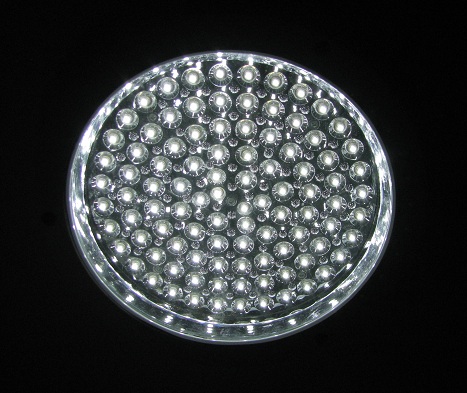
**pic of transmitting energy from induction stove, RFID reader. Coil with LED. big tag further distance. higher power further distance

When the tag received enough power to operate, the IC will immediately power up, and response to the command from the RFID reader. The tag will usually read the binary information contains in its memory and send them back to the reader. The basic form of read information will be the tag identification number. If the tag contains additional user data, the reader can issue command to read them all. All these process happens within micro seconds.

RFID tag is essentially similar to a memory card. Similar to the flash memory card that we have been using for our digital camera, the RFID tag is using wireless power/communication, and has much less memory. The memory available can be as little as a few bytes to store the tag ID, to about 8Kbyte to store other user’s data. Each alphabet letter takes about 1byte of space, so a 8Kbyte memory can store about 8000 characters. The higher memory capacity tag will usually cost a bit more.

The LF RFID tags that I have seen can only be read. HF tags can be read/write. It is also possible to protect the tag from data writing. Some IC chip is able to kill the tag, therefore prevent a read from the tag, rendering the tag useless.

Depending on the chip, tags can be pre-programmed during the manufacturing to contain the same or unique ID no. (identification number). An unique ID no. for each tags will enable the reader to differential the multiple tags read.

LF and HF tags uses induction method and has a short reading distance <10cm. UHF tags can go as far as 10m. The distance will varies with varies RFID reader’s transmitting power and antenna/coil size. A bigger size antenna will usually have a longer read distance.


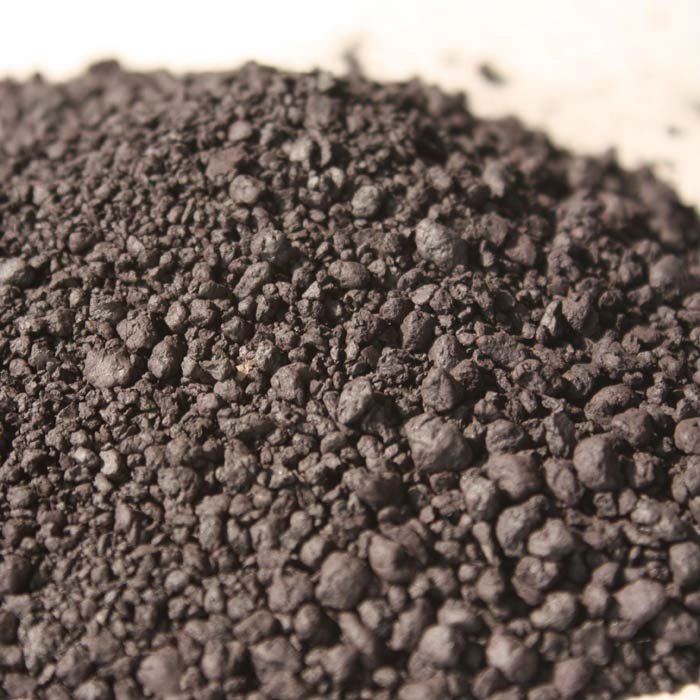
Ferrite raw material in powder form
Ferrite bead commonly used for EMI on cable.
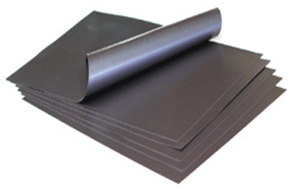
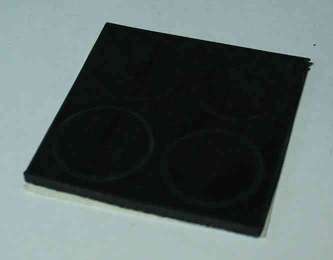
Ferrite sheet is form like a rubber mat and can be cut and place behind the RFID tag to improve readibility.


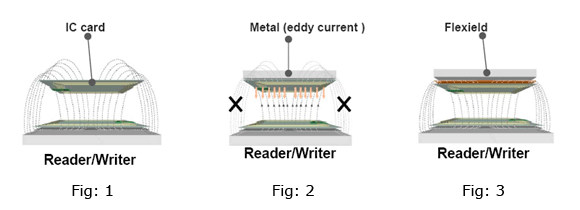
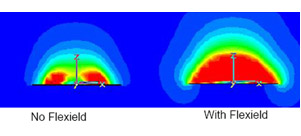
Fig 1. Magnetic field pattern of a typical RFID operation.
Fig 2. Magnetic field interference when RFID tag is stick close to a metal surface.
Fig 3. Improve magnetic field operation with a ferrite sheet between the tag and metal surface.

Fig 4. Cross section of the magnetic field detected


RFID operation with metalic or liquid objects

RFID has difficulty operating near metalic, liquid object (water bottle/ human body). Induction field around the tags will be collapse by these object. A minimum gap away from such object is required for proper operation. Metal surface can block/reflect RF signal, causing distortion to the signal, making it difficult to read the tag. There are special anti-metal tags (RFID Metal Pad) that allows RFID to operate under such tough condition. These tags are padded with a sheet of ferrite material behind the tag. The sheet actually forms the gap between the tag and the metal surface, allowing the tag to be read through the RF. The ferrite is itself a RF friendly material which permits the RF & field to sustain. With this padding, the tag readability can be improve slightly.


Ferrite sheet is available from:

TDK, FLEXIELD material

MARUWA, FLEX-u sheet

Active RFID tag

Active RFID tag with sensor attached
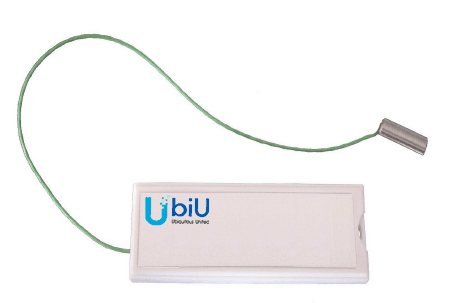
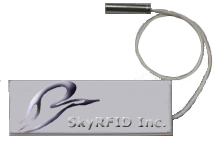


Active RFID tag with built-in sensor

Active RFID tag (sef powered, usually a battery) operates like a typically electronic transceiver device. Reading distance is a lot further than a passive RFID tag (not self power). The operations is similar to a passive tag where the reader will be able to retrieve the tag information when it is near enough. Some call the tag a signal beacon, where the tag keeps sending signal out. The tag can be read at a much further distance. This is because it has its own power source and do not need to harvest from the reader.

There are active tags that have built in sensor. The temperature/humidity sensor for example, will be operated by the RFID tag and send back the temperature read back to the reader. The battery usually last quite sometime, but it will definately need replacement one day.

Buy your NFC Tag Now at the PIC-store


Three typical standard among RFID tags
– LF tag (Low Frequency 125KHz) ISO11784 / ISO11785
– HF or NFC tag (High Frequency 13.56MHz) ISO/IEC 14443
– UHF tag (Ultra High Frequency EPC Class 1 Gen2)

Tag’s IC chip Standard Frequency Memory
EM4001   125KHz 64byte
EM4305 ISO11784/ ISO11785 125KHz 512byte
NXP Hitag 1   125KHz 2048bit
NXP Hitag 2 ISO11784/85 125KHz 256bit
NXP Hitag S ISO11784/85 125KHz 256/2048bit
Atmel Temic T5567 ISO11784/85 125KHz 363bit
Atmel Temic T5557 ISO11784/85 125KHz 363bit
       
NXP Mifare Ultralight, MF0 IC U1X

ISO/IEC14443A
NFC Forum Tag Type 2

13.56MHz

64byte
7 bytes tag ID
16pgx4b

NXP Mifare Ultralight C, MF0 IC U2X

ISO/IEC14443A,
NFC Forum Tag Type 2

13.56MHz 192byte
7 bytes tag ID
48pgx4b
NXP Mifare Classic Mini, S20 ISO/IEC14443A 13.56MHz 320byte
4 bytes tag ID
NXP Mifare Classic 1k, MF1 S50

ISO/IEC14443A

13.56MHz 1Kbyte
4 bytes tag ID
16 sectors x64b
NXP Mifare Classic 4k, MF1 S70

ISO/IEC14443A

13.56MHz 4Kbyte
4 bytes tag ID
32 sectors x64b
8 sectors x256b

NXP Mifare Plus S 2K, MF1 SPLUS 60
(replace Mifare Classic series )

ISO/IEC14443A 13.56MHz 2Kbyte
7 bytes tag ID
32 sectors x64b

NXP Mifare Plus S 4K, MF1 SPLUS 80
(replace Mifare Classic series )

ISO/IEC14443A
7 bytes tag ID
13.56MHz 4Kbyte
7 bytes tag ID
32 sectors x64b
8 sectors x256b

NXP Mifare Plus X 2K, MF1 PLUS 60
(replace Mifare Classic series )

ISO14443 13.56MHz 4Kbyte
7 bytes tag ID
32 sectors x64b
8 sectors x256b

NXP Mifare Plus X 4K, MF1 PLUS 80
(replace Mifare Classic series )

ISO14443 13.56MHz 4Kbyte
7 bytes tag ID
32 sectors x64b
8 sectors x256b

NXP Mifare DESFire EV1,
MF3 IC D21
MF3 IC D41
MF3 IC D81

ISO/IEC14443A
NFC Forum Tag Type 4

13.56MHz

2/4/8Kbyte
7 bytes tag ID
flexible file system

NXP SmartMX

ISO/IEC14443A
NFC Forum Tag Type 4

13.56MHz  
NXP MIFARE SAM AV2 ISO/IEC 14443A 13.56MHz  
Innovision Topaz

ISO/IEC14443A
NFC Forum Tag Type 1

13.56MHz 96byte
Sony FeliCa lite ISO 18092 13.56MHz  
Sony FeliCa

ISO 18092
NFC Forum Tag Type 3

13.56MHz 1/4/9Kbyte
TI TAG-IT lite   13.56MHz 256bit
TI TAG-IT ISO 15693 13.56MHz 2048bit
NXP ICODE EPC EPC 13.56MHz 136byte
NXP ICODE 1 ICODE 1 13.56MHz 512byte
NXP ICODE SLI-L ISO15693/ ISO18000/ EPC 13.56MHz 512bit
NXP ICODE SLI ISO15693/ ISO18000 13.56MHz 1024bit
NXP ICODE SLI-S ISO15693/ ISO18000/ EPC 13.56MHz 2048bit
Legic MIM256   13.56MHz 256byte
Legic MIM1024   13.56MHz 1024byte
Legic ATC-MV ISO15693 13.56MHz 128/256/1024byte
Legic ATC-MP ISO/IEC14443A 13.56MHz 0.5/2/4Kbyte
INSIDE PicoPass 2KS ISO14443B/ ISO15693 13.56MHz 2Kbyte
       
NXP UCODE HSL ISO18000-6B 2.4 GHz 2048 bit
NXP UCODE EPC Gen2 EPC Class 1 Gen2 860 – 960 MHz 512 bit
NXP UCODE G2XL EPC Class 1 Gen2 860 – 960 MHz 368 bit
NXP UCODE G2XM EPC Class 1 Gen2 860 – 960 MHz 880 bit
Alien Higgs 2   860 – 960 MHz  
Alien Higgs 3   860 – 960 MHz  
       
Innovision Jewel      
ISSI4442      
ISSI4428      
ISSIM1      
Infineon SLE5542      
Infineon SLE4428      
Infineon SLE4442      
Infineon SLE5528      
Infineon SLE6636      
Atmel 24C16/24      
Atmel 24C64/128      
Atmel 24C512/1024      
Atmel AT88SC0204C      
Atmel AT88SC0404C      
Atmel AT88SC1616C      
Atmel AT88SC3216C      
Atmel AT88SC0808C      
Atmel AT88SC1608      
       
Java      
JCOP      

Good RFID tag reference information, http://www.gorferay.com


RFID tag IC chip and standard

When dealing with RFID tags or reader, we will often come across various ISO standards. These ISO defines a common standard for the hardware or software to interact with one another.

The LF RFID (125Khz), ISO11784/ISO11785 is a common standard.

For UHF RFID, it is EPC Gen2 or EPCglobal UHF Class 1 Generation 2

For HF there are standard ISO15693, ISO14443 and ISO18092 (NFC). For NFC, we will focus on ISO14443 and ISO18092.


Some notes regarding NFC standards or ISO18092 (from website http://users.skynet.be/marc.sel/index-MTC.html)

In transport applications, cards suffer from daily use, for which reason contactless cards are preferred. Contact cards are more prone to hardware wear-out, hence contactless cards are better suited in the transport sector. This led to the creation of the RFID standard, ISO 14443, composed of 4 parts. It operates in the non-licensed 13.56 Mhz band. As there were two main “competitors”, there are two substandards:

  • ISO 14443 type A (origine: NXP)
  • ISO 14443 type B (origine: RATP)

Later under impetus from Sony, the NFC standard was established as ISO 18092. It’s a backward compatible extension to RFID, mainly aiming at use in mobile phones. It’s was actually proposed as ISO 14443 type C by Sony, based on FeliCa. It’s used e.g. in the Hong Kong Octopus and Singapore EZ-link systems. It did not make it to the 14443 standard, but came back as NFC.

Article for ISO/IEC 14443


Mifare Tag ID issues (tag ID unqiue?)

Mifare name comes from the “MIkron FARE Collection System”. Mikron was aquired by Philips (NXP) in 1998. Given the Mifare Classic tag ID of 4 bytes, will the tag ID run out of unique ID?


RFID tag/transponder IC manufacturer

NXP Semiconductors, Mifare RFID transponder IC manufacturer
Alien Technology, has many UHF tags
ST microelectronic
EM Microelectronic
Texas Instruments
Legic
Inside Contactless
Atmel
Siemens (infineon)
 

Innovation Research & Technology

  ISSI


www.pic-control.com, Singapore Network Ethernet WiFi RS232 RS485 USB I/O Controller


3. Tag Packaging


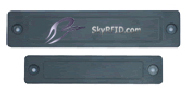
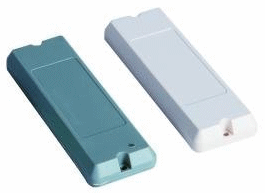
Common RFID tag packaging


**Packaging (find chinese terms)
– inlay (wet/dry)

Reference:
http://www.skyrfid.com/RFID_Tag_Inlays.php


Inlay (dry)

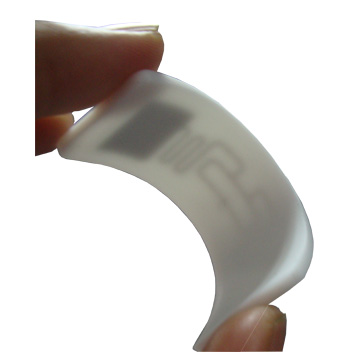
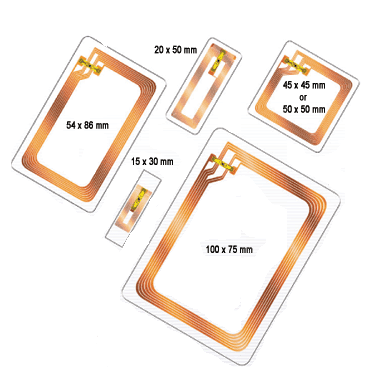
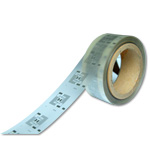
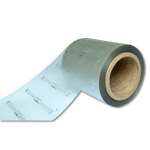
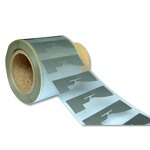
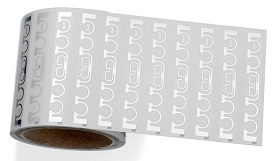
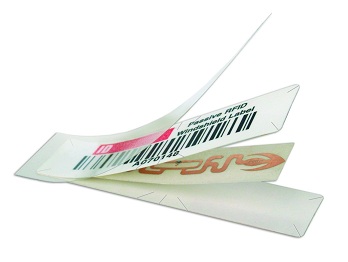
Dry inlay is the fundenmental building block for RFID tag. They are usually be further packaged into RFID tag products. The term “dry” means that it does not have adhesive on it’s tag surface. The inlay can comes in roll or sheet form.

RFID in roll form

RFID in sheet form


Common size:
35x35mm
43x26mm
50x30mm
85.5x54mm


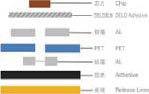
Inlay layer and thickness  
Layer:
IC:75um-150um
Al(TOP)30um
PET:38um
AL(Bottom):10um


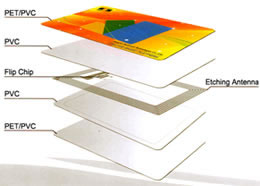
Layer within a RFID card  
Different layer of a package RFID card. The RFID inlay is sandwiched between the PVC (Polyvinyl chloride) and next with printed PET/PVC (polyethylene terephthalate) finishing.


Inlay (wet)

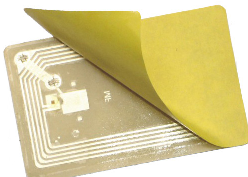
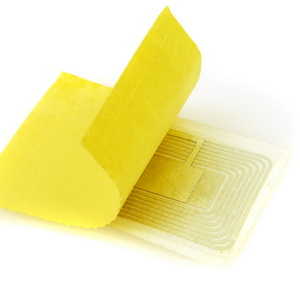
Wet inlay means that the inlay has adhesive on one of its side. The tag will be attached to a pressure sensitive liner base.

– sticker label


IDCard/Badge

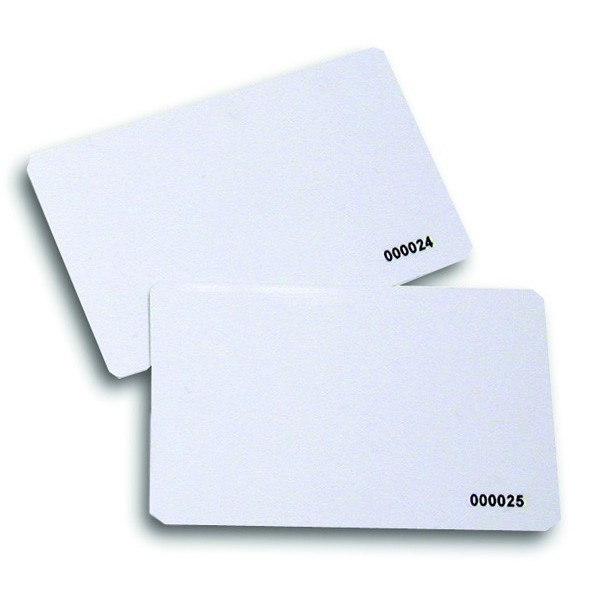
These are hard PVC card about 1mm thickness. The card printing can be customised. There is also a special printer that prints on these plain tags.

– PVC/Plastic card
– glossy, matt paper


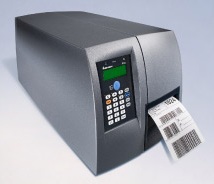
RFID Cards and tags printer  

Zebra

Intermec


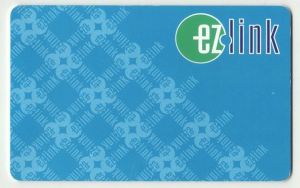
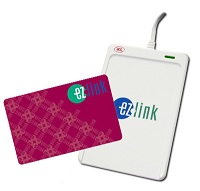
ezlink using CEPAS card

FlashPay using CEPAS card

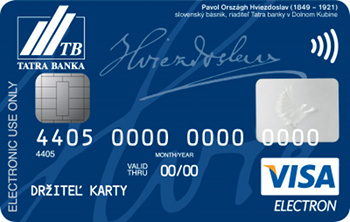
Visa Paywave

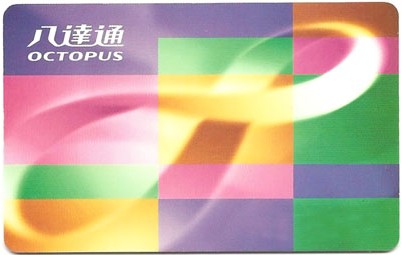
octopus card octopus cardwww.octopus.com.hk


Payment Card (Singapore)

Ezlink, based on the Sony FeliCa smartcard technology

Flash Pay

payWave

CEPAS = ISO/IEC 14443-4 + ISO/IEC 7816-4: 2005


Singapore Standard, specification for contactless e-purse application


Octopus card, based on the Sony FeliCa smartcard technology

base on MIFARE DESFire EV1 card

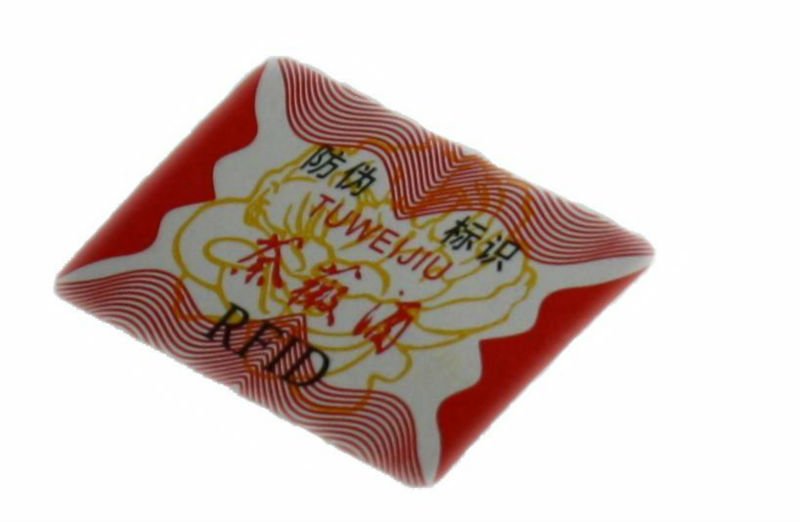
  Label Stickers
key chain rfidkey chain rfidkey chain rfidkey chain rfid   Key Chain, Key Fob
  Waterproof Rubber Bracelet, Wrist band
  Patient Tag
  Lugagge Tag
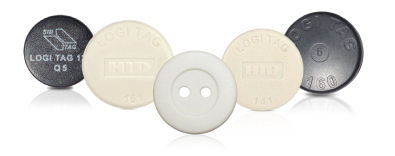
  Button Tag, Washing Tag
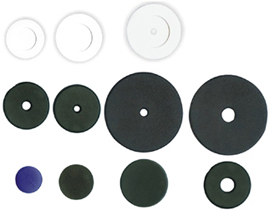
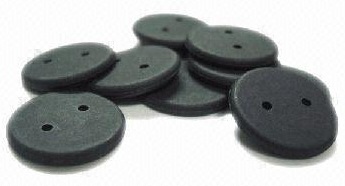
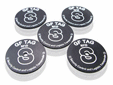
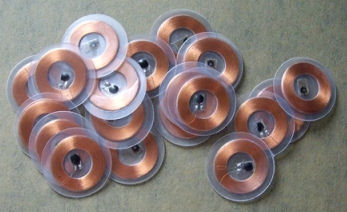
  Disc or Ring Tag, Laundry Tag, Pucks
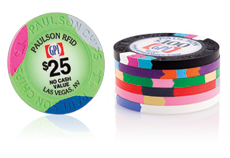
  Casino Game Token
  Fragile Tag, Security Tag
  Anti-Metal Tag
  Hard Tag
  Pill
  CD label

  UHF tags


RFID Tag manufacturer

HID


Intermec


Avery Dennison
Alien Technology, has many UHF tags


4. RFID Reader


RFID reader is getting more and more common. Nowsaday Windows & mobile phone OS has built in driver treating RFID reader as a standard device.

Common RFID interface
RS232
RS485
Wiegand
USB
Ethernet


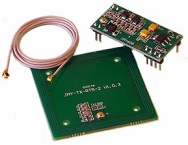
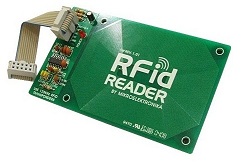
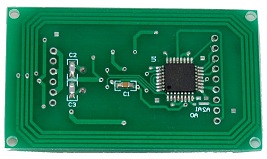
USB RFID reader kit

  OEM board
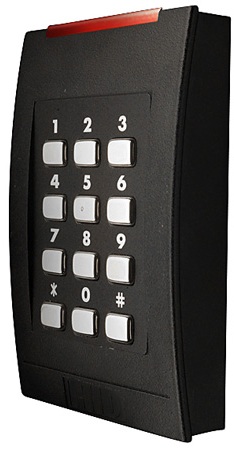
  Door Access Security
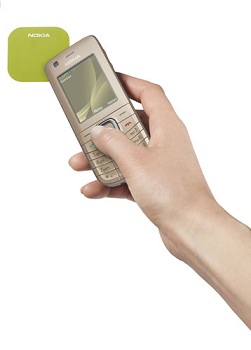
  Mobile phone NFC / RFID reader
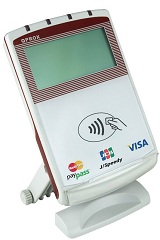
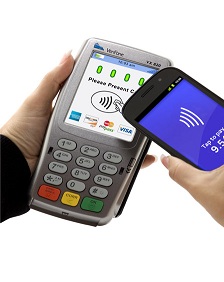
  Payment station
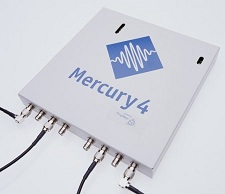
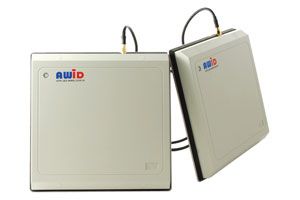
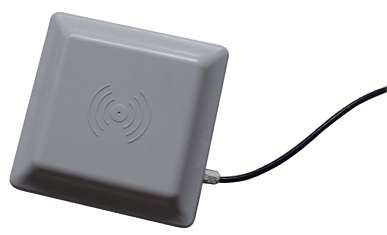
  UHF RFID reader and Antenna


RFID Reader manufacturer

HID


Intermec
Alien Technology, has many UHF tags
Motorola


5. NFC


NFC (Near Field Communication)


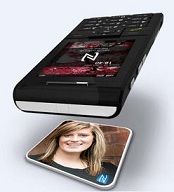
NFC phone to phone,

Phone to RFID tag


NFC currently use for Payment, transportation payment.

Instantly access to webpage,

Instant bluetooth/WiFi connectivity.


Reference:

NFC Tags A technical introduction, applications and products, R_10014

Understanding the Requirements of ISO IEC 14443

MIFARE Ultralight as Type 2 Tag, AN1303

NFC Type MIFARE Classic Tag Operation, AN1304

MIFARE Classic as NFC Type MIFARE Classic Tag, AN1305

MIFARE Type Identification Procedure, AN10833


6. Card Reader IC


13.56MHz RFID card reader IC

Reader IC Manufacturer Standards & Protocol Interface
CL RC663 NXP NFC Tag Type Reader
ISO14443A
ISO14443B
ISO15693
MIFARE Classic support
ICODE 1 protocol
HF EPC protocol
ISO 18092 (NFC)
SPI
2x IC
RS232
CL RC632 NXP NFC Tag Type Reader
ISO14443A
ISO14443B
ISO15693
MIFARE Classic support
ICODE 1 protocol
HF EPC protocol
SPI
8-bit parallel
MF RC531
NXP NFC Tag Type Reader
ISO14443A
ISO14443B
MIFARE Classic support
SPI
8-bit parallel
MF RC523 NXP NFC Tag Type Reader
ISO14443A
ISO14443B
MIFARE Classic support
SPI
IC
RS232
MF RC500
MF RC530
NXP NFC Tag Type Reader
ISO14443A
MIFARE Classic support
8-bit parallel
MF RC522 NXP NFC Tag Type Reader
ISO14443A
MIFARE Classic support
SPI
IC
RS232
CR95HF ST microelectronics   SPI
UART
TRF7970A Texas Instruments    
TRH033M-S 3ALogics    


Getting to understand RFID was quite a confussing experience, with so many technical jargon. This was the reason why this website is setup; to sort out all the technical stuff into bits and pieces.

Card Reader is another interest topic to looking. A card reader helps to read out the information in a tag. An RFID reader is not a different device to understand, but not the card reader.

What is the difference between an RFID reader and a card reader? The RFID reader reads RFID tag. There are many variety of RFID standards in the industry. This means that there are also many type of RFID reader to read each type of card. (The type of cards was already presented above).

The variety of reader is going to make things complicated for developer who are developing application. This call for an universal solution known as ISO 7816. This is a standard defined for interfacing application with all smart card devices.

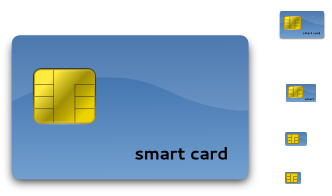
From what I read in the internet, this standard goes way back to the smart card technology. The smart card unlike RFID card is using wired communication to read the information on the card. You can identify it by the contact pins as shown in the following pic.

It is possible that a card has both the smart card as well as RFID card.

With the introduction of new form of card like RFID, the ISO 7816 evolve over time. ISO 7816 defines a standard interface for the card reader. The communication standard to a card reader device becomes a standard.

Article for ISO 7816 (specification for interfacing with card reader)

AN4029, The DS8007 and Smart Card Interface Fundamentals

PCSC Personal Computer Smart Card is a standard framework for Smart Card access on Windows Platforms. This will make the job easier for application developers to interface to a card reader. To the developer, all card reader seems to work the same way.

The window operating system will automatically detects.

Interoperability Specification for ICCs and Personal Computer Systems

PCSC_Part1, Introduction and Architecture Overview.pdf.pdf
PCSC_Part2, Interface Requirements for Compatible IC Cards and
Readers.pdf

PCSC_Part3, Requirements for PC-Connected Interface Devices.pdf
PCSC_Part4, IFD Design Considerations and Reference Design
Information.pdf

PCSC_Part5, ICC Resource Manager Definition.pdf
PCSC_Part6, ICC Service Provider Interface Definition.pdf
PCSC_Part7, Application Domain and Developer Design
Considerations.pdf

PCSC_Part8, Recommendations for ICC Security and Privacy
Devices.pdf


My card reader

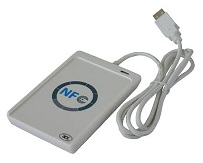
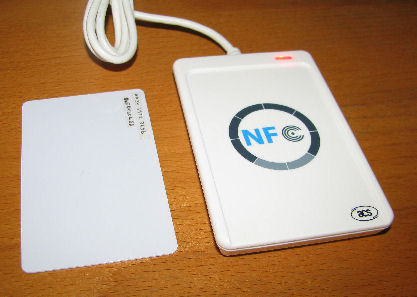
ACR122 NFC card reader from ACS.

Documentation
PPE_ACR122, presentation.pdf
API_ACR122U, Application Programming Interface.pdf
TSP_ACR122U_v2.5, Technical Specification.pdf

Win7 64bits driver
DIG_ACR122, Driver Installation Guide.pdf
ACR122U_MSI_Winx64_1120_P


This is the first NFC card reader that I have brought. I have purchased this reader without any development kit, and was struck wondering how I can read a RFID tag without any software.

After understand about ISO 7816 and PCSC, I managed to find a number of free software that can communication with this NFC card reader. They are designed to work with PCSC compliants card reader.

SCardToolSet, Smart Card ToolSet PRO v3.4
sq2075-ba, SpringCard PCSC Diag
online PCSC card reader program

The software are able to detect my card reader immediately. When my RFID tagis placed on the reader, the software detects it and display the tag information.

The very first unqiue string that was captured when I read the RFID tag is this string call ATR (Answer To Reset). It is a very weird name, because I was thinking that this should be the unqiue ID of the RFID tag. No it is not. This ATR string (as defined in ISO 7816) is telling us how we can communicate with the current tag found on the card reader.

This is the ATR string that I read when the tag (picture on the left) is on the reader

ATR = 3B 8F 80 01 80 4F 0C A0 00 00 03 06 03 00 03 00 00 00 00 68

So what does this hexidecimal string of number means?

Byte Name Comments
0x3B TS Direction convention
0x8F T0  
0x80 TD1 Higher nibble 8 means: no TA2, TB2, TC2, only TD2 is following. Lower nibble 0 means T=0
0x01 TD2 Higher nibble 8 means: no TA3, TB3, TC3, only TD3 is following. Lower nibble 1 means T=1
0x80 T1 Category indicator byte, 80 means A status indicator may be present in an optional COMPACT-TLV data object.
0x4F Tk Application identifier Presence Indicator
0x0C Length Length = 12 data byte (from next byte to check sum byte)
0xA0 0x00 0x00 0x03 0x06 RID PC/SC Workgroup
0x03 Standard ISO14443A, part 3
0x00 0x03 Card Name

Mifare Ultralight

00 01 Mifare 1K
00 02 Mifare 4K
00 03 Mifare Ultralight
00 26 Mifare Mini
F0 04 Topaz and Jewel
F0 11 Felica 212K
F0 12 Felica 424K

FF [SAK] undefined

0x00 0x00 0x00 0x00 RFU RFU # 00 00 00 00
68 TCK Check Sum. Ex-OR of all the bytes T0 to Tk


With this ATR string provided by my card reader, I will know more about the RFID tag that I am actually dealing with. The RFID tag that I have place is using the Mifare Ultralight tag’s IC chip. ISO14443A is use for communication between the reader and the tag. The rest of the information seems not so useful to me.


To communicate with the card reader we will have to send a string of bytes to the card reader. The data format to communicate with the reader is known as APDU (Application Protocol Data Unit).

I have refered to the API (Application Programming Interface) datasheet provided by the card reader manufacturer. The first command to try is the command “Get Data”. The command will fetch the unique ID of the tag.

data send -> FF CA 00 00 04
where CA is the <Get Data> command.

The following response bytes are received.

data received <- 04 06 CD E2 90 00
where “90 00” is the response code (The operation completed sucessfully)
” 04 06 CD E2″ is the unique tag ID.


Next I tried to get the card reader firmware version.

data send -> FF 00 48 00 00
data received <- 41 43 52 31 32 32 55 32 31 30

The data received is “ACR122U210” in ascii format


Reading Mifare Ultralight tag 1, tag ID  

Another Mifare Ultralight tag1 was read for its ATR and tag ID

ATR = 3B 8F 80 01 80 4F 0C A0 00 00 03 06 03 00 03 00 00 00 00 68
APDU send -> FF CA 00 00 04 (read tag ID)
APDU received <- 04 AA 2C 79 90 00


Reading Mifare Ultralight tag 2, tag ID  

Another Mifare Ultralight tag2 was read for its ATR and tag ID

ATR = 3B 8F 80 01 80 4F 0C A0 00 00 03 06 03 00 03 00 00 00 00 68
APDU send -> FF CA 00 00 04 (read tag ID)
APDU received <- 04 2D 44 79 90 00


Reading Singapore Ezlink card (CEPAS card)


Next I tried another RFID tag. Our Singapore Ezlink card, which stores transportation logs in CEPAS format.

ATR = 3B 8C 80 01 50 72 23 AA 5E 1C 2D 94 11 F7 71 85 4F

When the tag is removed and placed on the reader again, the ATR string changes. This is unlike the previous tag where the ATR will remains the same for the same tag.

ATR = 3B 8C 80 01 50 21 0A 96 CF 1C 2D 94 11 F7 71 85 98
ATR = 3B 8C 80 01 50 B5 AE 55 A7 1C 2D 94 11 F7 71 85 03
ATR = 3B 8C 80 01 50 6D 83 67 F0 1C 2D 94 11 F7 71 85 93

The ATR tells us that it uses the application identifier 0x50. I don’t know what it means.


Next I proceed to send read tag ID command.

ATR = 3B 8C 80 01 50 5D 83 48 22 1C 2D 94 11 F7 71 85 5E
APDU send -> FF CA 00 00 04 (read tag ID)
APDU received <- 5D 83 48 22 90 00

ATR = 3B 8C 80 01 50 FE 15 0F A4 1C 2D 94 11 F7 71 85 AA
APDU send -> FF CA 00 00 04 (read tag ID)
APDU received <- FE 15 0F A4 90 00

The tag ID changes with the ATR string. A closer look review that the tag ID is the same data as the substring in the ATR.


Reading DESFire EV1 2K tag  

A DESFire EV1 card ATR string is unexpectedly short.

ATR = 3B 81 80 01 80 80

The ATR string remains the same when the tag is

APDU send -> 90 0A 00 00 01 00 00
APDU received <- 84 D9 62 65 A2 3C A7 C8 91 AF

APDU send -> 90 0A 00 00 01 00 00
APDU received <- 91 CA

APDU send -> 90 0A 00 00 01 00 00
APDU received <- F3 A2 3C CC 2A 89 6E 51 91 AF

APDU send -> 90 0A 00 00 01 00 00
APDU received <- 91 CA

APDU send -> 90 0A 00 00 01 00 00
APDU received <- EB F4 A2 15 88 41 0C 3C 91 AF

APDU send -> 90 0A 00 00 01 00 00
APDU received <- 91 CA

APDU send -> 90 0A 00 00 01 00 00
APDU received <- FF 15 CD 6C 73 F0 28 D5 91 AF

APDU send -> 90 0A 00 00 01 00 00
APDU received <- 91 CA

APDU send -> 90 0A 00 00 01 00 00
APDU received <- BA B1 7A 2A 9C 23 C8 B7 91 AF

APDU send -> 90 0A 00 00 01 00 00
APDU received <- 91 CA

Loading a key to Mifare Ultralight  

Load
APDU send -> FF 82 00 00 06 FF FF FF FF FF FF
APDU received <- 90 00 (90 00 means ok)


Reading Mifare Ultralight memory (64 bytes)  

Read binary Page 0x04, 4 bytes
APDU send -> FF B0 00 04 04
APDU received <- 31 39 30 39 90 00

Read binary Page 0x04, 16 bytes
APDU send -> FF B0 00 04 10
APDU received <- 31 39 30 39 2D 2D 53 49 4F 4E 47 20 42 4F 4F 4E 90 00 (each page consist of 4 bytes)

Read binary Page 0x00, 256 bytes
APDU send -> FF B0 00 00 FF
APDU received <- 63 00 (no information given)

Read binary Page 0x01, 256 bytes
APDU send -> FF B0 00 01 FF
APDU received <- 63 00 (no information given)

Read binary Page 0x00, 16 bytes
APDU send -> FF B0 00 00 10
APDU received <- 04 06 CD 47 E2 87 28 81 CC 48 00 00 00 00 00 00 90 00

Read binary Page 0x01, 16 bytes
APDU send -> FF B0 00 01 10
APDU received <- E2 87 28 81 CC 48 00 00 00 00 00 00 31 39 30 39 90 00

Read binary Page 0x04, 16 bytes
APDU send -> FF B0 00 04 10
APDU received <- 31 39 30 39 2D 2D 53 49 4F 4E 47 20 42 4F 4F 4E 90 00

Read binary Page 0x08, 16 bytes
APDU send -> FF B0 00 08 10
APDU received <- 20 4C 49 4D 00 00 00 00 00 00 00 00 00 00 00 00 90 00

Read binary Page 0x0C, 16 bytes
APDU send -> FF B0 00 0C 10
APDU received <- 00 00 00 00 00 00 00 00 00 00 00 00 00 00 00 00 90 00

Read binary Page 0x10, 16 bytes
APDU send -> FF B0 00 10 10
APDU received <- 63 00 (no information given)

Read binary Page 0x10, 1 bytes
APDU send -> FF B0 00 10 01
APDU received <- 63 00 (no information given, memory bank stop at page 0x0F)

Read binary Page 0x0F, 1 bytes
APDU send -> FF B0 00 0F 01
APDU received <- 00 90 00

Read binary Page 0x0F, 16 bytes
APDU send -> FF B0 00 0F 10
APDU received <- 00 00 00 00 04 06 CD 47 E2 87 28 81 CC 48 00 00 90 00 (16 bytes of data can be read from the last page 0x0F. There is no page 0x10, the data is actually from page 0x00)

Mifare tag memory data from page 0x01 to 0x0F read:

04 06 CD 47 E2 87 28 81 CC 48 00 00 00 00 00 00
31 39 30 39 2D 2D 53 49 4F 4E 47 20 42 4F 4F 4E20 4C 49 4D 00 00 00 00 00 00 00 00 00 00 00 0000 00 00 00 00 00 00 00 00 00 00 00 00 00 00 00

Total memory is 64 bytes.

Ascii message contains “1909–SIONG BOON LIM”

This tag is a Mifare Ultralight tag with memory of 64 bytes

byte 00 SN0 (serial number)
byte 01 SN1 (serial number)
byte 02 SN2 (serial number)
byte 03 BCC0
byte 04 SN3 (serial number)
byte 05 SN4 (serial number)
byte 06 SN5 (serial number)
byte 07 SN6 (serial number)
byte 08 BCC1
byte 09 Internal
byte 10 Lock0
byte 11 Lock1
byte 12 OPT0
byte 13 OPT1
byte 14 OPT2
byte 15 OPT3
byte 16 Data0
….
….
byte 64 Data47

Reading the tag ID full 7 byte serial number
APDU send -> FF CA 00 00 07 (read full tag ID 7 byte)
APDU received <- 04 06 CD E2 87 28 81 90 00

Actual Tag ID is in the following sequence (high address, high byte),
SN6 SN5 SN4 SN3 SN2 SN1 SN0
 81  28  87  E2  CD  06  04

Try read tag ID 8 byte, not a correct read
APDU send -> FF CA 00 00 08
APDU received <- 04 06 CD E2 87 28 81 90 90 00
Able to read a 0x90 data for the last byte but this data cannot be found within the tag’s memory.

Reading Mifare Ultralight C memory (168 bytes)  

Read binary Page 0x29, 4 bytes
APDU send -> FF B0 00 29 04
APDU received <- 00 00 00 00 90 00 (ok)

Read binary Page 0x2A, 4 bytes
APDU send -> FF B0 00 2A 04
APDU received <- 63 00 (not ok)

Total available page is 42 from 0x00 to 0x29.
Total memory is 42 pg x 4 bytes = 168 bytes

Reading Mifare Ultralight C memory (176 bytes)  

Read binary Page 0x2B, 4 bytes
APDU send -> FF B0 00 2B 04
APDU received <- 00 00 00 00 90 00 (ok)

Read binary Page 0x2C, 4 bytes
APDU send -> FF B0 00 2C 04
APDU received <- 63 00 (not ok)

Total available page is 44 from 0x00 to 0x2B.
Total memory is 44 pg x 4 bytes = 176 bytes

Reading Mifare 1K memory, part 1  

Reading tag ID
APDU send -> FF CA 00 00 04 (read tag ID, 4 bytes)
APDU received <- 2B 2C 1E 95 90 00

APDU send -> FF CA 00 00 07 (read full tag ID, 7 bytes)
APDU received <- 2B 2C 1E 95 07 00 00 90 00

APDU send -> FF CA 00 00 08 (try read incorrect tag ID length)
APDU received <- 2B 2C 1E 95 07 00 00 90 90 00

Read from block 0x04, 16ytes
APDU send -> FF B0 00 04 10
APDU received <- 63 00
Reading from location fails

Authentication with a type A (0x60), key number 0x00 for memmory block 0x04
APDU send -> FF 86 00 00 05 01 00 04 60 00
APDU received <- 90 00

Read from block 0x04, 16ytes
APDU send -> FF B0 00 04 10
APDU received <- 00 00 00 00 00 00 00 00 00 00 00 00 00 00 00 00 90 00
Read ok.

Read from block 0x04, 16ytes
APDU send -> FF B0 00 04 10
APDU received <- 00 00 00 00 00 00 00 00 00 00 00 00 00 00 00 00 90 00
Read again ok.

Card is removed and place back on the reader.
Read from block 0x04, 16ytes
APDU send -> FF B0 00 04 10
APDU received <- 63 00
Reading from location fails. The card will need to go through authentication again.

Reading Mifare 1K memory, part 2  

Authentication with a type A (0x60), key number 0x00 for memmory block 0x04
APDU send -> FF 86 00 00 05 01 00 04 60 00
APDU received <- 90 00

Read from block 0x04, 16ytes
APDU send -> FF B0 00 04 10
APDU received <- 00 00 00 00 00 00 00 00 00 00 00 00 00 00 00 00 90 00
Read ok.

Read from block 0x05, 16ytes
APDU send -> FF B0 00 05 10
APDU received <- 00 00 00 00 00 00 00 00 00 00 00 00 00 00 00 00 90 00
Read ok.

Read from block 0x06, 16ytes
APDU send -> FF B0 00 06 10
APDU received <- 00 00 00 00 00 00 00 00 00 00 00 00 00 00 00 00 90 00
Read ok.

Read from block 0x07, 16ytes
APDU send -> FF B0 00 07 10
APDU received <- 00 00 00 00 00 00 00 00 00 00 00 00 00 00 00 00 90 00
Read ok.

Read from block 0x08, 16ytes
APDU send -> FF B0 00 08 10
APDU received <- 63 00
Reading not ok.

Read from block 0x03, 16ytes
APDU send -> FF B0 00 03 10
APDU received <- 63 00
Reading not ok.

Authentication on block 0x04 can only allows reading of data for block 0x04 to 0x07 (which is on the same sector 1) for as many times without the tag leaving the card reader. Memory block 0x03, 0x08 cannot be read.

Mifare 1K tag memory block
Sector 00, Block 0x00 – 0x03 (16 bytes/block)
Sector 01, Block 0x04 – 0x07
….
….
Sector 14, Block 0x38 – 0x3B
Sector 15, Block 0x3C – 0x3F


Reading Mifare 1K memory, part 3  

Authentication with a type A (0x60), key number 0x00 for memmory block 0x3F
APDU send -> FF 86 00 00 05 01 00 3F 60 00
APDU received <- 90 00
Ok, reading the last block.

Read from block 0x3F, 16ytes
APDU send -> FF B0 00 3F 10
APDU received <- 00 00 00 00 00 00 00 00 00 00 00 00 00 00 00 00 90 00
Read ok.

Authentication with a type A (0x60), key number 0x00 for memmory block 0x40
APDU send -> FF 86 00 00 05 01 00 40 60 00
APDU received <- 63 00
Not ok. (out of the 1K zone)

Reading Mifare 4K memory  

Reading Mifare 4K is the same as Mifare 1K. Only the memory map is different.

  Mifare 4K tag memory block
1K Sector 00, Block 0x00 – 0x03 (16 bytes/block)
Sector 01, Block 0x04 – 0x07
….
Sector 14, Block 0x38 – 0x3B
Sector 15, Block 0x3C – 0x3F
1K Sector 16, Block 0x40 – 0x43
Sector 17, Block 0x44 – 0x47
….
Sector 30, Block 0x78 – 0x7B
Sector 31, Block 0x7C – 0x7F
1K Sector 32, Block 0x80 – 0x8F
Sector 33, Block 0x90 – 0x9F
Sector 34, Block 0xA0 – 0xAF
Sector 35, Block 0xB0 – 0xBF
1K Sector 36, Block 0xC0 – 0xCF
Sector 37, Block 0xD0 – 0xDF
Sector 38, Block 0xE0 – 0xEF
Sector 39, Block 0xF0 – 0xFF


Writing Mifare Ultralight   Writing to block 0x04 with 4 bytes of data 00 01 02 03
APDU send -> FF D6 00 04 04 00 01 02 03
APDU received <- ?? ??
Reading Mifare Ultralight tag 1, containing NFC data  

Read binary Page 0x00, 16 bytes
APDU send -> FF B0 00 00 10
APDU received <- 04 AA 2C 0A 79 62 02 80 99 48 00 00 00 00 00 00 90 00 (ok)

Read binary Page 0x04, 16 bytes
APDU send -> FF B0 00 04 10
APDU received <- FF FF FF FF 00 00 00 00 00 00 00 00 00 00 00 00 90 00 (ok)

Read binary Page 0x08, 16 bytes
APDU send -> FF B0 00 08 10
APDU received <- 00 00 00 00 00 00 00 00 00 00 00 00 00 00 00 00 90 00 (ok)

Read binary Page 0x0C, 16 bytes
APDU send -> FF B0 00 0C 10
APDU received <- 00 00 00 00 00 00 00 00 00 00 00 00 00 00 00 00 90 00 (ok)

Read binary Page 0x10, 16 bytes
APDU send -> FF B0 00 10 10
APDU received <- 63 00 (not ok)

Data Memory in the tag
04 AA 2C 0A 79 62 02 80 99 48 00 00 00 00 00 00
FF FF FF FF 00 00 00 00 00 00 00 00 00 00 00 00
00 00 00 00 00 00 00 00 00 00 00 00 00 00 00 00
00 00 00 00 00 00 00 00 00 00 00 00 00 00 00 00

Seems like no NFC data inside.


www.pic-control.com, Singapore Network Ethernet WiFi RS232 RS485 USB I/O Controller


6. Magnetic Materials    

Any material can influence magnetic, it is a matter of the intensity.

Strong Magnetic Materials (Ferromagnetic materials)
– Iron
– Nickel
– Cobalt

Not Strong (Paramagnetic materials)
– Aluminum
– Magnesium
– Platinum

Weak (Diamagnetic materials)
– Copper
– Lead
– Sliver


Abbreviations

AID Application ID
APDU Application Protocol Data Unit
ATR Answer to Reset
ATS
Answer to Select
AFI Application Family Identifier
CBC
Cipher Block Chaining
CID Card Identifier (logical card address, ISO 14443-4)
DES
Data Encryption Standard, for more details about DES refer to [3].
DSFID Data storage format identifier
EDC
Error Detection Code
EGT Extra Guard Time
EOF
End of Frame
ETU Elementary time unit
KTT Key Transfer Transponder
NAD Node Address (ISO 14443-4)
NDEF NFC Data Exchange Format
OSI Open System Interconnection
OTP One time programmable
PCB Protocol Control Byte (ISO 14443-4)
PCON Protocol Configuration byte of the reader
PPS Protocol and Parameter Selection
RATS

Request for Answer to Select
R-block Receive ready block
REQA Request ISO Type A
REQB Request ISO Type B
S-block Supervisory block
SID Station ID
SFGT Guard time after RATS
SN Serial Number of a tag (a 32 bit number)
SOF Start of frame
TDES Triple DES
Value block 32 bit data block format. Used in ticketing application


**Tag making video (or machine)


Reference:

Keyword: NFC (near field communication), RFID (radio frequency identification), RFID Reader/Writer, Internet of Things, Productivity

RF Transceiver

Written by Lim Siong Boon, last dated 06-Jul-08.


KRF-DTR401 FM Transceiver


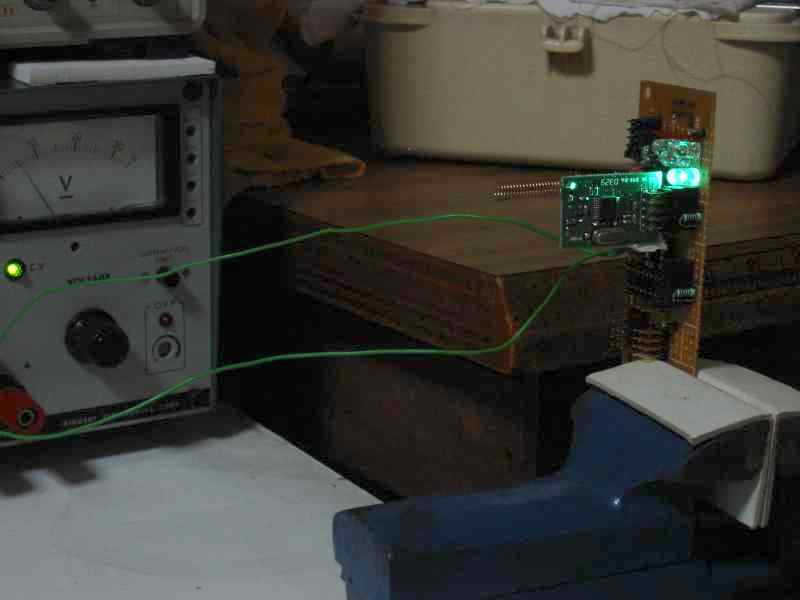
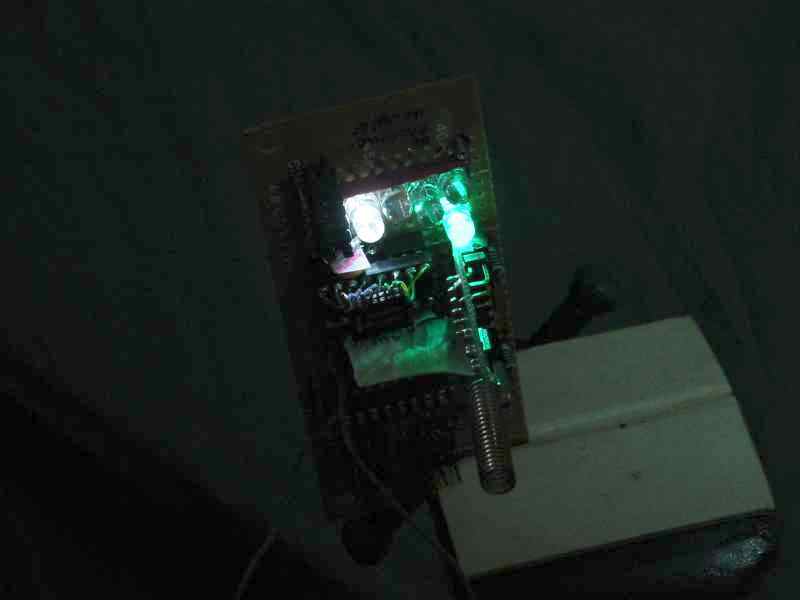
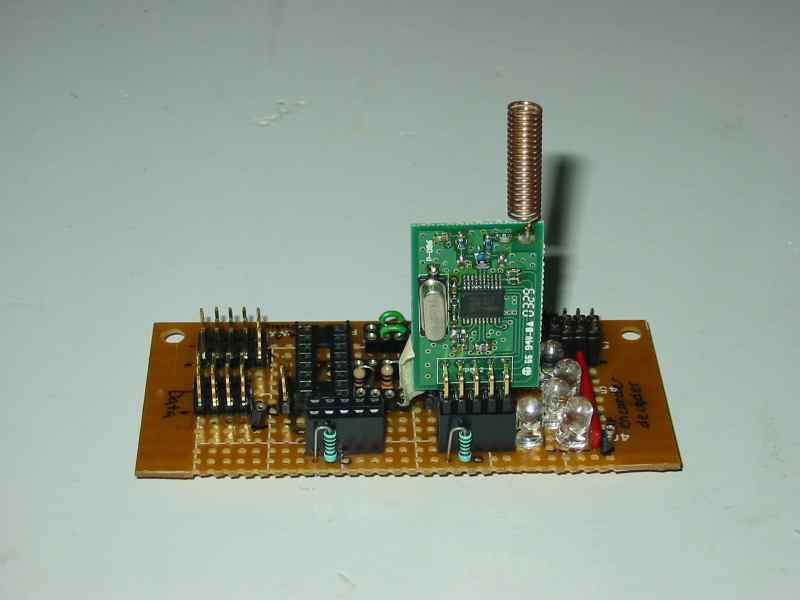
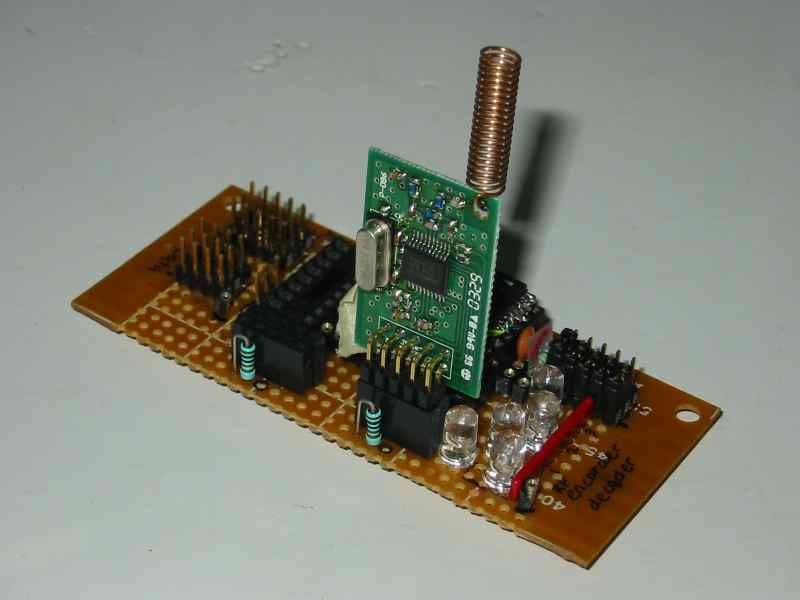
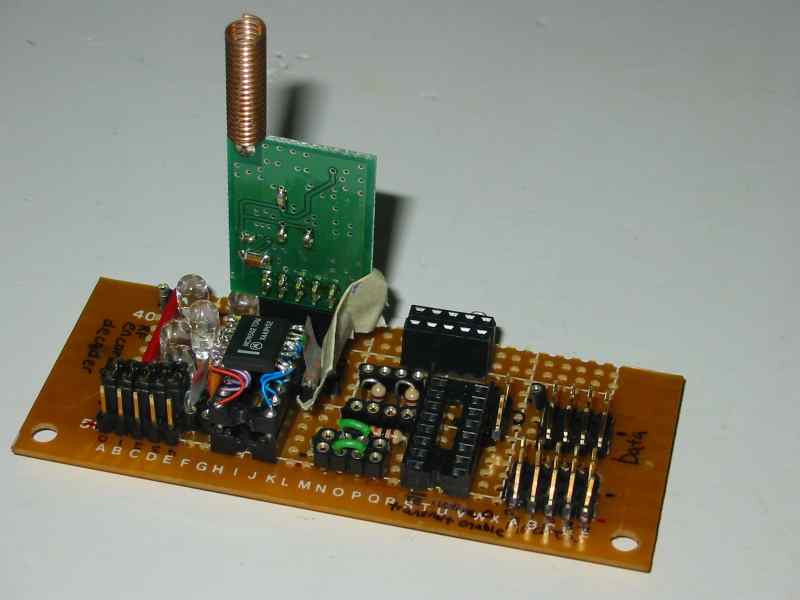
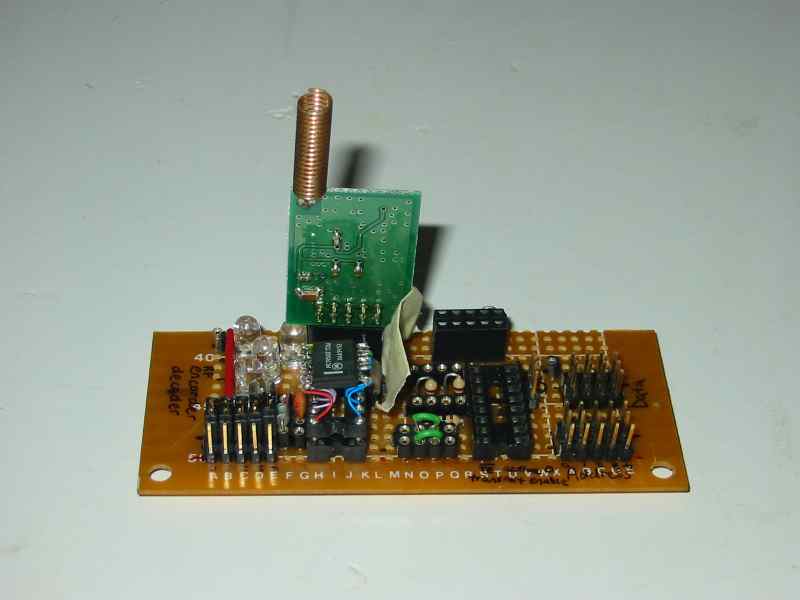
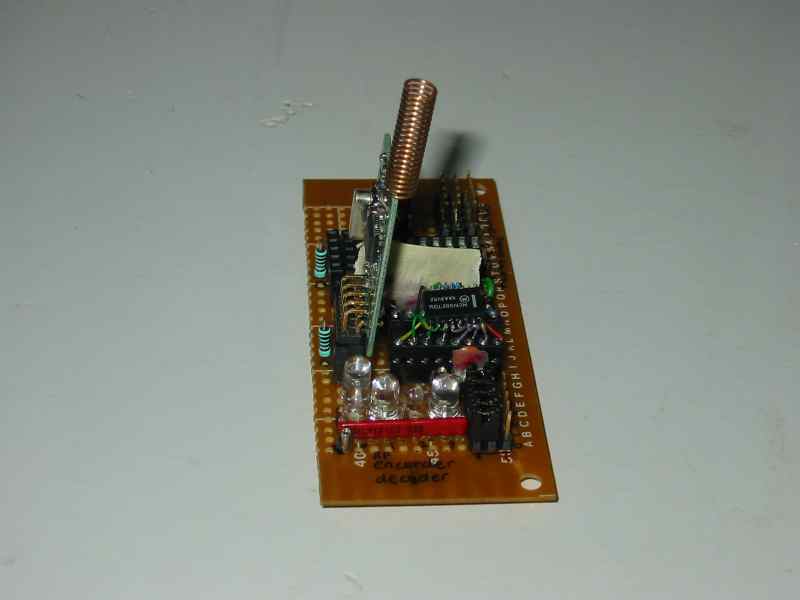
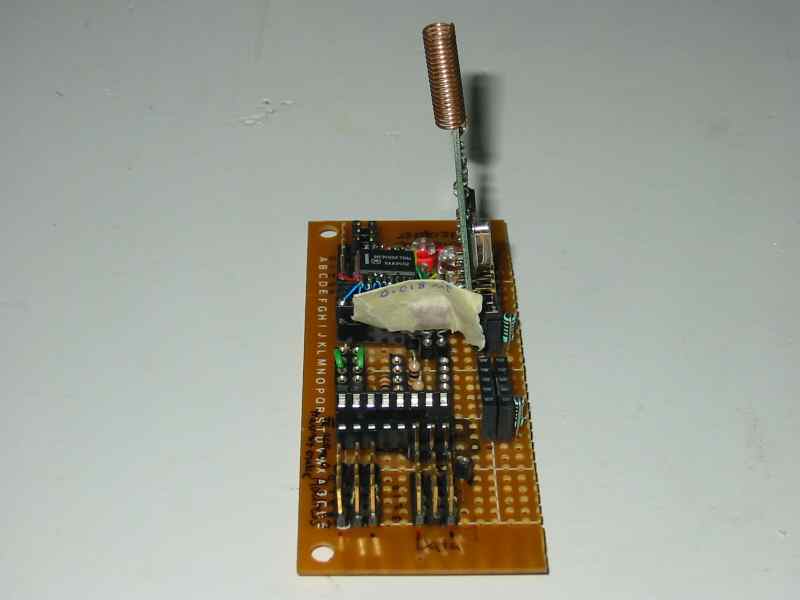
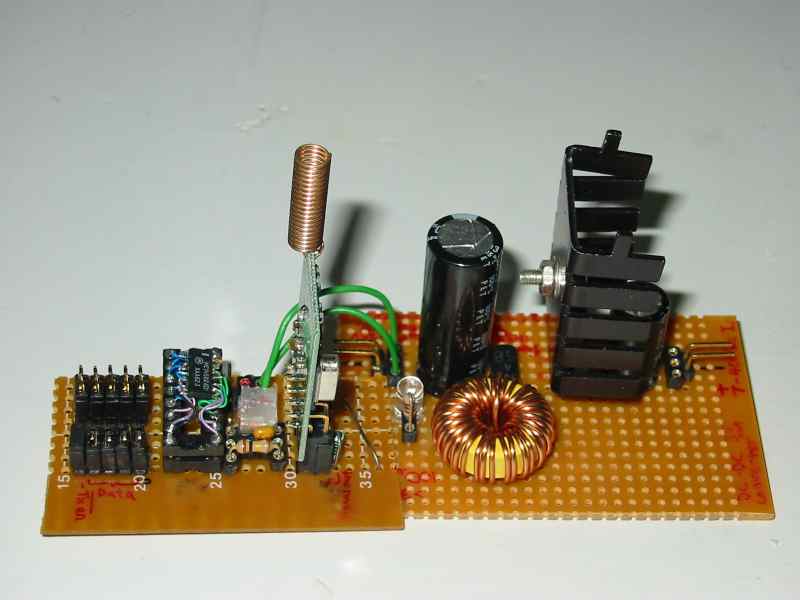
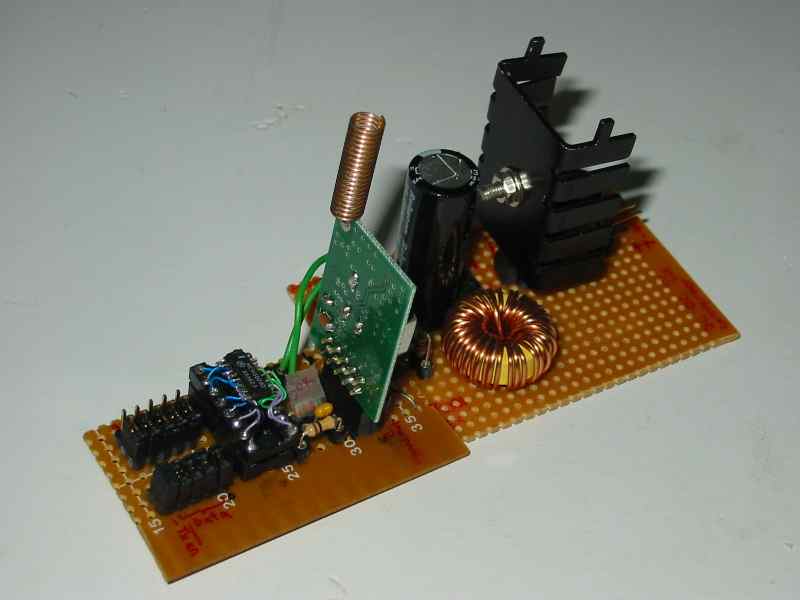
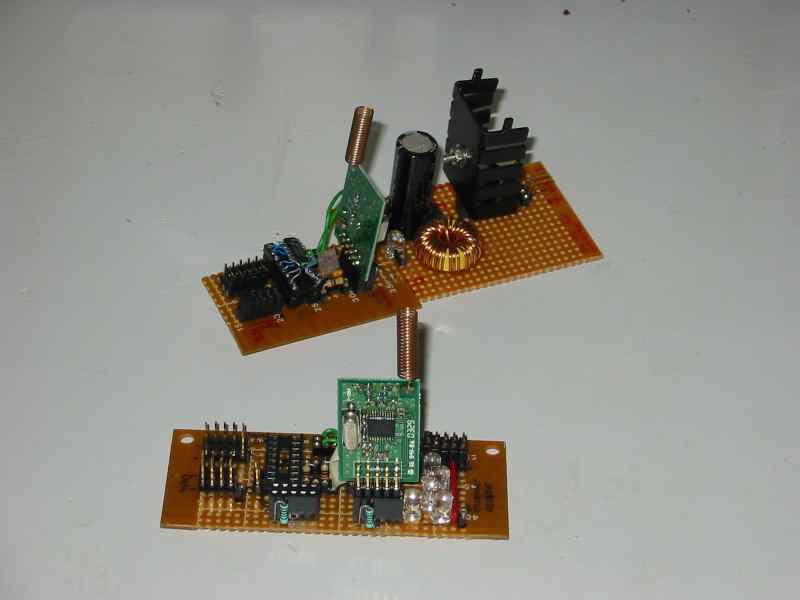
My KRF-DTR401 is a low cost FM transceiver brought from Kingtronic RF Corp. It is brought together with the AM transceiver that I use for research in Teleradio Engineering. The AM transceiver seems working well with the signal generator, but I had never get to implement it to sent digital data. My test on KRF-DTR401 was a failure because I cannot get it to work. It was the discovery of the RF encoder and decoder IC, that motivated me to test my FM transceiver again. Subsequent transceiver test were successful and RF encoder/decoder were eventually used as a medium to send digital bits. In another term, RF encoder/decoder is like a modem. A modulation and demodulation for digital signal.

After working successfully on my first transceiver, I started souring for other transceiver for research purpose. It is at that time, I have noticed that some of the transceiver have similar specification. The circuit layout is compared and found very similar in various area. After further investigation, the IC chip they used in the PCB is the key to building this transceiver.


The circuit is simple and is mainly operated by the IC on the PCB board. It is actually originated from nRF401 IC from Nordic Semiconductor ASA.

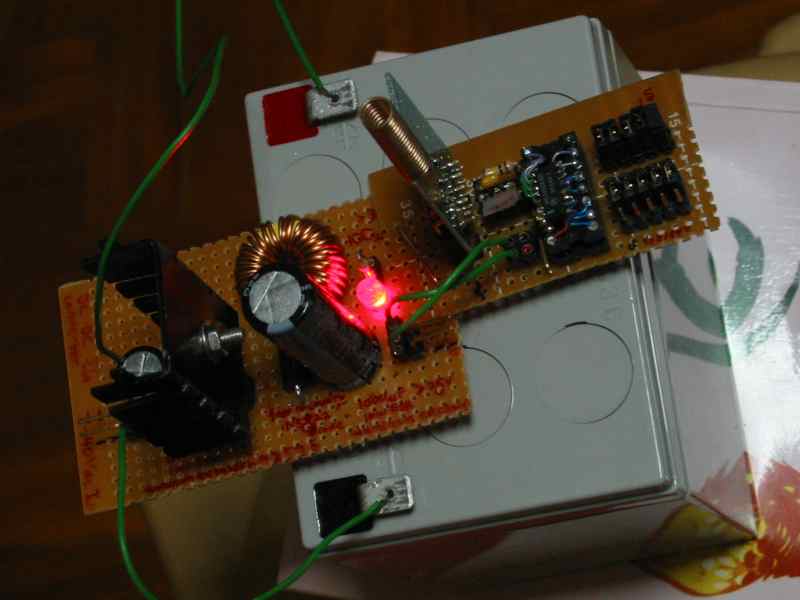
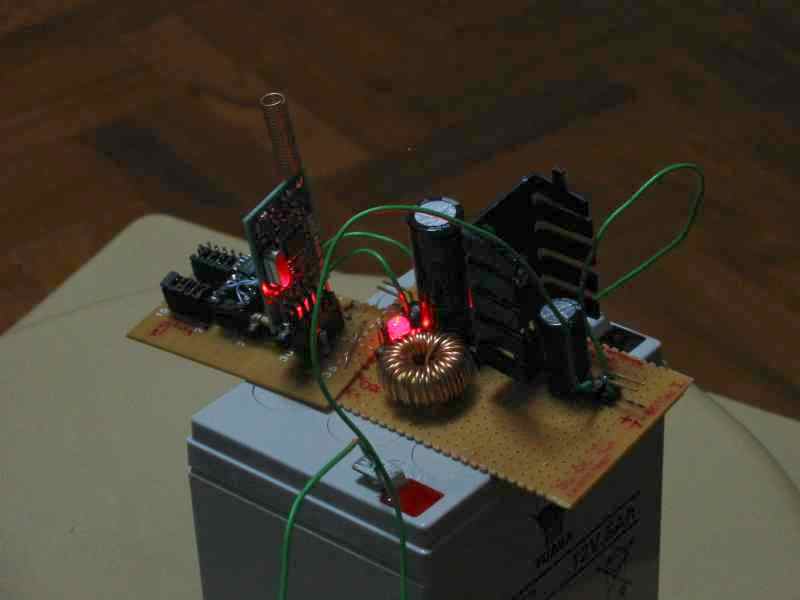
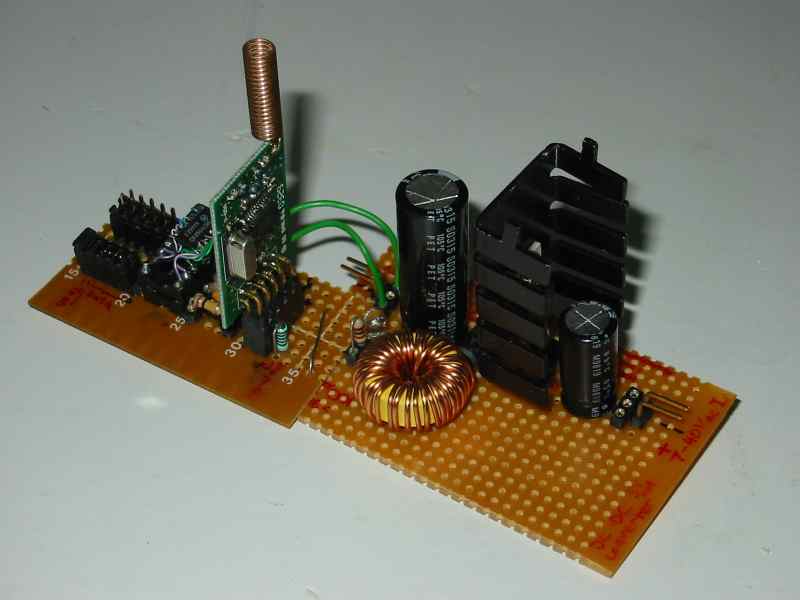
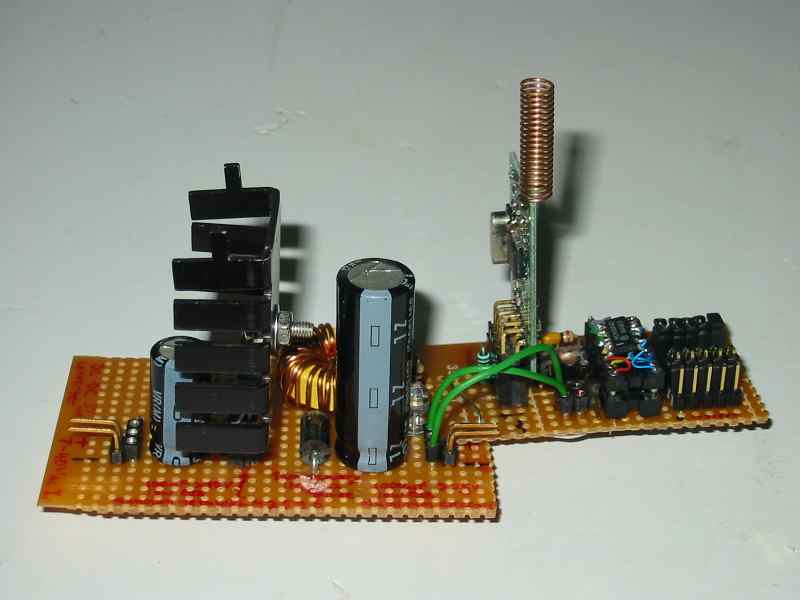
The testing of the RF module couldn’t have taken place without the development of my own dc-dc converter. Commercial module is available but cost is high. Voltage regulator is necessary for most electronics circuits project. Therefore learning to build a dc-dc circuit from discrete components is worth the effort.


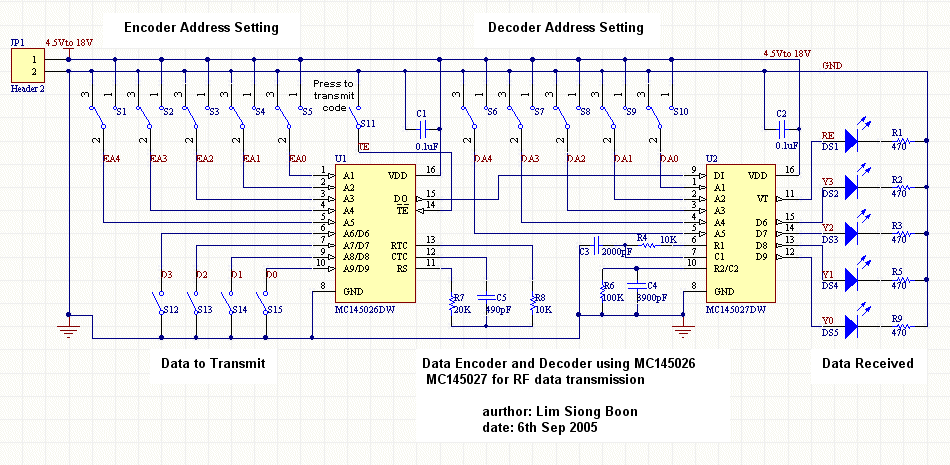
Schematic for Data Encoder MC145026, Decoder MC145027.

Problem

2006-03-xx: There is a problem that was found during the attempt to use this design on my robot. The wire link from the transceiver and the decoder IC cannot be too far apart. Data error rate seems to be very high, and reception is very poor. It could be due to the weak signal strength, which should be resolve by using a digital buffer. The signal is digital from the output of the transceiver. If it is a transmission issue, then it will be quite difficult to troubleshoot without proper equipment.


www.pic-control.com, Singapore Research & Development R&D

Singapore Customized, custom made Electronics Circuits & Kits


433Mhz AM Transceiver


433Mhz Transmitter

433Mhz Receiver

Dated: 2012-05-18

There are many RF transceiver module in the market. When the transmitting distance is a concern, my preference will be transceiver in the range of 80 ~ 500Mhz. Wireless module in the gigahertz range can achieve higher data transmission rate but transmission distance will be shorter, especially when deployed indoor.

433Mhz is a good choice for distance communication. These pair of wireless module form a one way communication. You can get these from PIC-STORE. Working in this frequency range, the antenna may be slightly long. The antenna can be just a simple wire. The interfacing can be easy as what is presented in this experiment, but in order to transmit useful information, data modulation will be recommended. Data modulation is a process which changes the physical signal to another format so that it is less prone to noise/error and is easier to decode.

The data rate for such a wireless setup is quite low, about 1~4Khz, but it is enough for most of the simple applications.

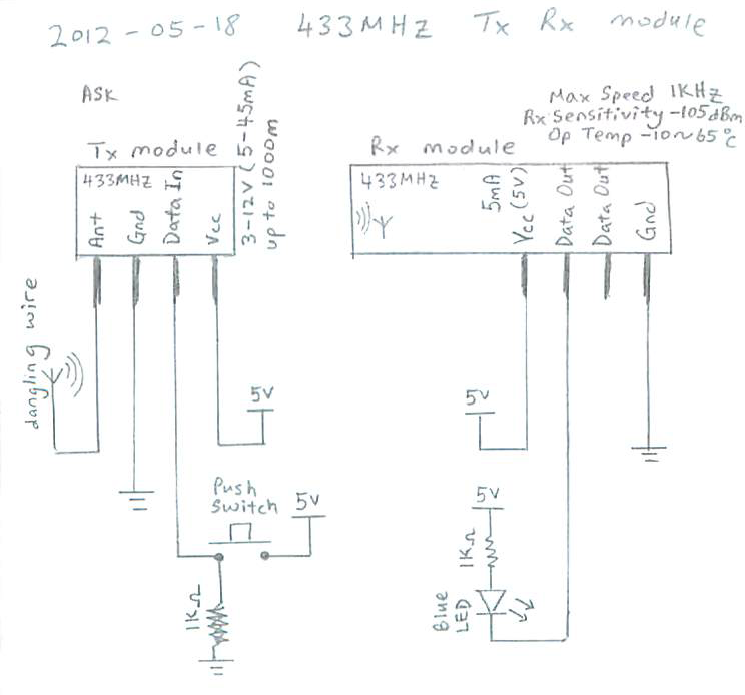
I have managed to setup a simple transmitter and receiver circuit. The schematic is attached below. The objective is to understand how the signal looks like. This will allows us to understand and make use of these raw transmitter/receiver for sending useful data. It is not so direct using these raw module. Pre-processing will be required in order to send information.

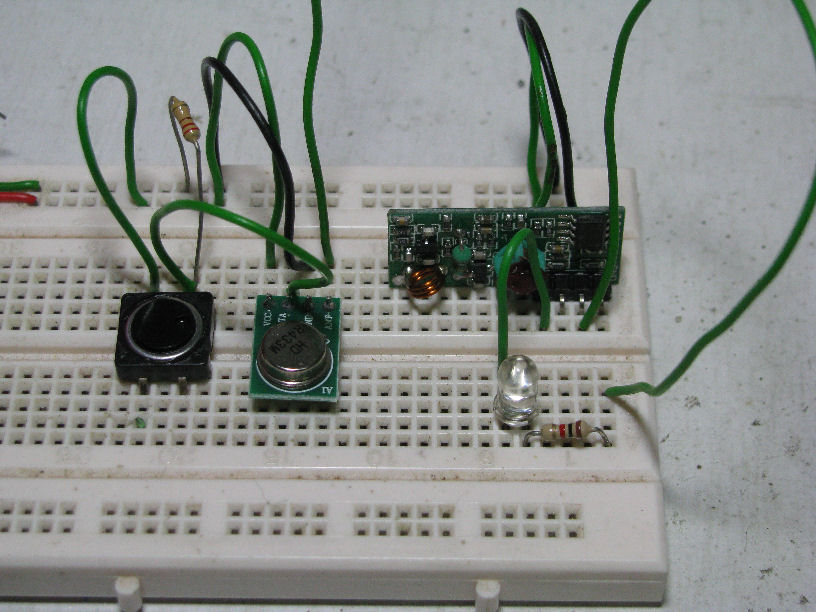
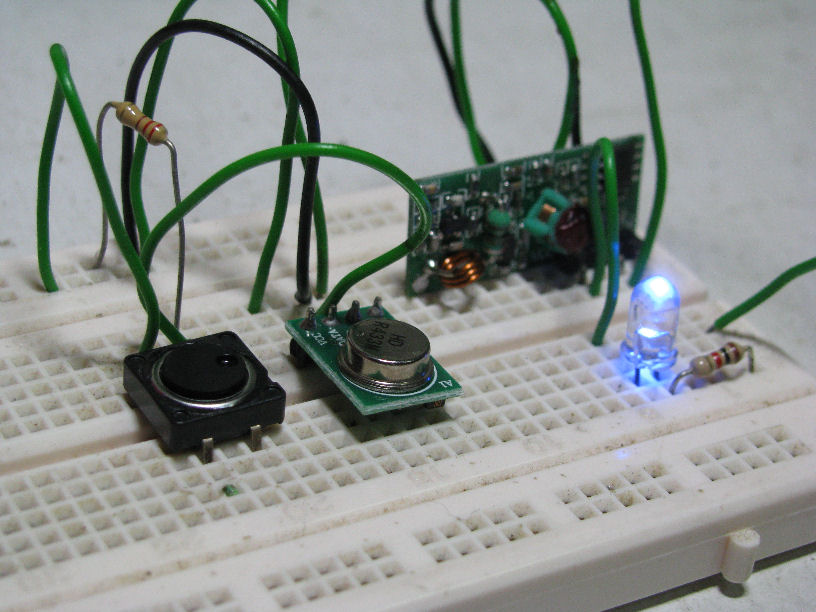
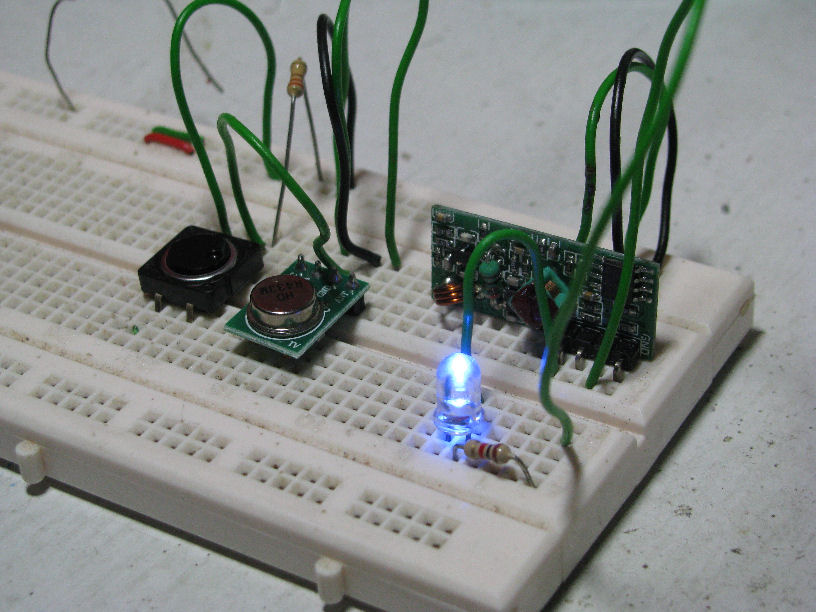
The picture shows two portion of the circuit. The left side is the 433Mhz transmitter, and a push switch (black). The right portion is the receiver which consist of the 433Mhz receiver and a LED indicator.

This is the schematic details of the simple setup. When the button is not pressed, the transmitter will send out logic 0. When the button is pressed, it will transmit logic 1.

The receiver will have a LED indicator which allows me to see the response when the button is pressed. When the receiver’s data output is low, the LED will light up. When it is high, the LED will be off.

I have attached a video of how the response is when the button is pressed.

Video of this setup. MVI_0275.AVI

In the video, you will be able to see that when the switch is not pressed (logic 0), the LED will blink continuously. When the button is pressed (logic 1) the LED will constantly light up (low output).

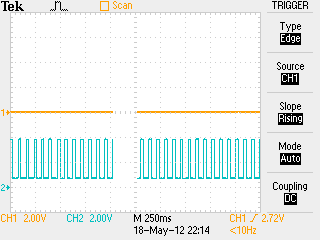
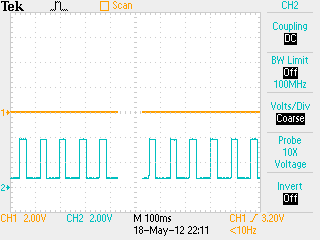
How the actual signal looks like? I managed to probe the data in of the transmitter, and data out of the receiver with my digital oscilloscope. They are presented in the following section.

Signal 1 (Transmitter, TTL input logic 0), Signal 2 (Receiver, TTL output pulsing signal)

The yellow line at the top is the signal input to the transmitter module (Signal 1). The blue line below is the signal output from the receiver module (Signal 2). The left scope display is the zoom out view, while the right is the zoom in view.

The transmitter is transmitting a logic 0. The output shows the periodic pulses indicating logic 0 or no transmission detected. This is the reason why the LED indicator keeps blinking. The receiver output is pulsing on and off.

The running pulse width is not consistent, ranging from 20ms to 30ms. The pulse period of 80ms is rather constant when I measure the falling edge.

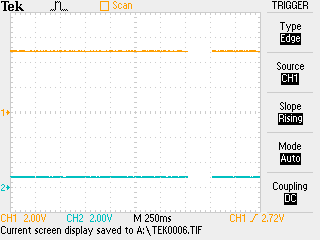
Signal 1 (Transmitter, TTL input logic 1), Signal 2 (Receiver, TTL output signal pull down to 0.8V)

Now the transmitter is transmitting logic 1. The output signal is now constantly pull to 0.8V (I will consider it as logic 0). The logic 0 output will drive the LED constantly on, which is what we have observed earlier.

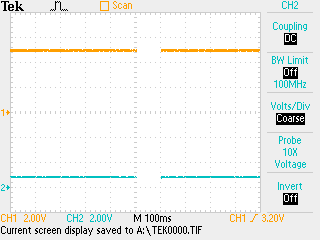
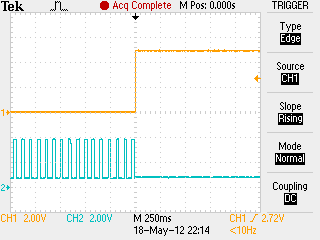
Signal 1 (Transmitter, transition from logic 0 to 1), Signal 2 (Receiver, output signal response)

This is how the transition looks like when the transmitter transmits from logic 0 to logic 1.

The response is pretty simple and within my expectation.

Signal 1 (Transmitter, transition from logic 1 to 0), Signal 2 (Receiver, output signal response)

This is how the transition looks like when the transmitter transmits from logic 1 to logic 0.

The response is a bit tricky. The receiver took some time to pulse it’s output periodically. There is a consistent delay between the first pulse and the subsequent pulse. First pulse width is able 50ms, followed by a 150ms delay, before the periodic pulses return.

The pulsing period of 80ms (12.5Hz) is going to cause some issue when decoding the transmitting data. It will be very slow differentiating logic 0 and 1 from the transmitter.


2012-05-19

The setup is further tested. The transmitter and receiver module is now 2m apart using separate power supply.

The experiment fails. The receiver did not response. Even when both circuit is place very near each other (10cm apart), the receiver fails to response. The pulsing signal is more random than the experiment above.

The antenna was then pulled very near the receiver module, the receiver starts to function properly as before.

I have came to read a relating article online. The symptom is very similar to what I have describe. The issue is due to improper tuning of the receiver. The module should works after proper tuning. I may have to verify this for my next experiment.


Experience on working with RF and magnetic field technology

During my work in Teleradio Engineering, I am task to research in the area of magnetic field. Eventually some ideas were came up with to test out on radiated electromagnetic field. Electromagnetic field is simply the energy form by magnetic and electric field. The theory details on electromagnetic field is very mathematically intensive as what I had go through during my diploma and degree courses. However the concept is actually quite simple. Mathematics is simply one of our human language which can accurately be used to describe the physical property of electromagnetic. The deriving of the mathematics has gone through a lot of work. Eventually electromagnetic can be accurately predicted by the famous Maxwell Equations.

Wow, you may think, four simple equation and they have describe almost over 90% of electrical and magnetic phenomenon. These four equation are headache to study.

Electromagnetic theory is a form of geometry mathematics. If you can understand the concept of volume, area and vector in school, you have the potential to master this subject. It is not as difficult as it seem to be. You will have to apply some imagination and interpret the electromagnetic concept because these thing is physically not visible.

A book that have great influence in my understanding in electromagnetic is “Electromagnetism for Engineers (An Introductory Course) 3rd Edition by by P.Hammond (University of Southampton, Southampton UK)“. This book is fully recommended for beginners like me, as it has minimum mathematics which is very easy to read and understand. Most importantly, the book is thin and have sufficient pictures illustration.

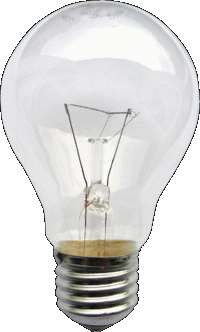
Electromagnetic theory is a very useful in practice. The learning experience is applicable to a lot of engineering problem. I had manage to apply the knowledge to resolve lightings issue during my research work in Teleradio Engineering. It all started when I was confronted with my first commercial system (UV3, Under Vehicle Surveillance System) that I build for the company. A new chassis design were already in place before I join the company. After a test run, it is found to have lighting problem. The lighting positioning is wrong, resulting in dark images captured. We have to resolve this immediately because the delivery date to our oversea buyer is near. I am confronted by a problem which I was not trained to resolve in school. Number of simple reflector were made for testing but it does not seems to work well. I decided calm down and rethink the problem all over again. All our office’s fluorescence lighting were switch off. The bulb is being switched on, as I observed the bulb glow, the radiation pattern of the bulb. Within the next few moment, electromagnetic concept surface in front of my mind. I had come up with a simple custom reflector design base solely on the radiation pattern and managed to resolve the lighting issue for delivery. Although the concept of reflector is quite simple, it took me over a year to be able to understand and explain the lighting’s intensity distribution from all the various reflectors I have designed. I have spent much of my time in Teleradio doing reflector design and lightings research for camera vision.

The illustration of the light radiation from a bulb is very much similar in a way to electromagnetic theory.


www.pic-control.com, Singapore Research & Development R&D

Singapore Customized, custom made Electronics Circuits & Kits


email:    contact->email_siongboon  

website: http://www.siongboon.com


RF reference:


RF IC chip manufacturer

http://www.nvlsi.no/


Encoder/decoder controller

MC145026 (encoder), or SC41343

MC145027 (decoder), or SC41344

MC145028 (decoder)

HT-12E (encoder)

HT-12D (decoder)

HT-12A, HT-640, HT-648L, DPC-64, DPC-2400

Kingtronic

http://www.kingtronic.com/


Hobby Website

http://www.glolab.com/encdec/mothol/mothol.html

http://jap.hu/electronic/codec.html

http://www.telecontrolli.com/eng/default-wproducts.htmlhttp://www.rfsolutions.co.uk/acatalog/Hybrid_Transmitter_Receiver_Modules.html


Shops

http://www.rfsolutions.co.uk/acatalog/Radio_Transceiver_Modules.html


RF transceiver (Transmitter & Receiver)

RXLC-434, TXLC-434, TR-900-SC-PA, TR-xxx-SC-P,

TWS-434A $6.60 each, RWS-434, TX-99 $9.00 each, RX-99

RF01TXRX1, RF01TX1, RF01RCX1
http://www.usbdeveloper.com/RFKit/USBDeveloper.RFKit.html#RF%20Communications%20Receiver%20-%20RF01RCX1

RXQ1, TRXQ1

http://www.telecontrolli.com/eng/default-wproducts.html

http://www.rfsolutions.co.uk/acatalog/Hybrid_Transmitter_Receiver_Modules.html


Keyword: FM transceiver, nRF401 IC, KRF-DTR401, Transmission RF radio frequency, communication, encoder, decoder, MC145026 MC145027, Electromagnetic, wireless remote control


LM2576 DC-DC Converter

DC-DC converter, switching regulator using
LM2576, LM2575 and more.

Written by Lim Siong Boon, last dated 08-Dec-09.


Kit Research History


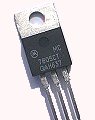
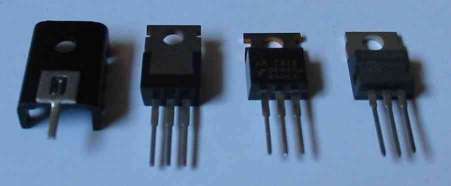
LM7805, TO220 package


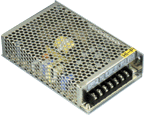
SD-50A-5

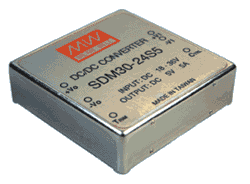
  SDM-30

PMA8811SF

UT70A


Various type of voltage regulator design


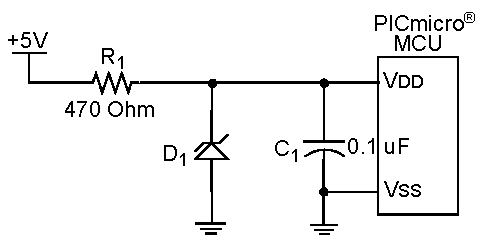
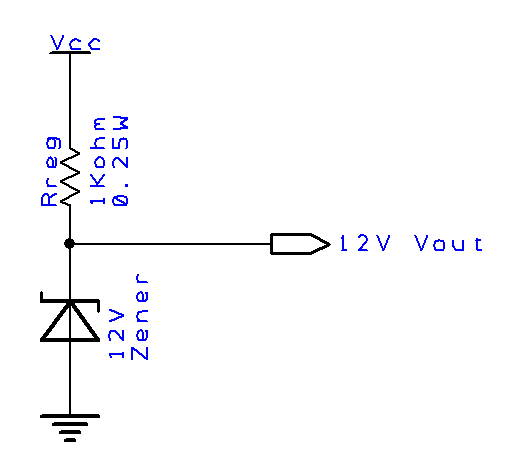
a) Zener diode voltage regulator.

Suitable only for very low power application.


For Vcc 24V
– Zener (Vout) = 12V 240mW, Iout(max) = 20mA, Rreg = 600ohm 240mW
– Zener (Vout) = 12V 120mW, Iout(max) = 10mA, Rreg = 1200ohm 120mW
– Zener (Vout) = 5V 100mW, Iout(max) = 20mA, Rreg = 950ohm 380mW

For Vcc 12V
– Zener (Vout) = 5V 100mW, Iout(max) = 20mA, Rreg = 350ohm 140mW
– Zener (Vout) = 3.3V 66mW, Iout(max) = 20mA, Rreg = 435ohm 174mW

Refer to the following website to compute zener, resistor value for a required Vout/Iout.
http://www.reuk.co.uk/Zener-Diode-Voltage-Regulator.htm


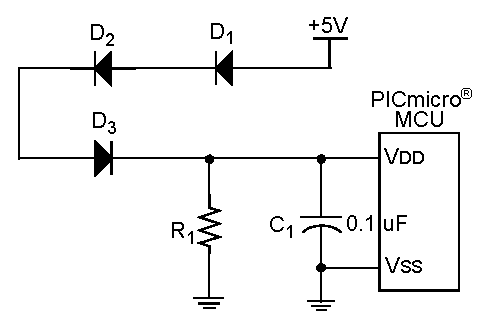
b) 3 rectifier diodes as voltage regulator.

Suitable only for very low power application.


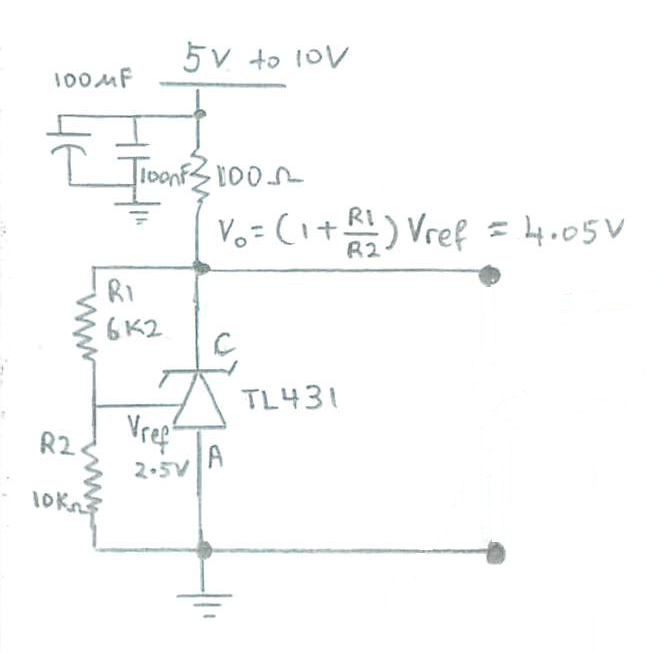
c) Using voltage reference TL431 as a voltage regulator.

This is a very simple and useful adjustable voltage regulator. If the load is <100mA, this is a very attractive solution. For 5V output, R1=R2=10Kohm. TL431 datasheet.

LT431 voltage reference as regulator


d) Linear voltage regulator.

Suitable for application that requires low noise.


e) Switching voltage regulator.

Suitable for application that requires high power.


Circuit diagram taken from,

Power Supply Design for electronic circuit

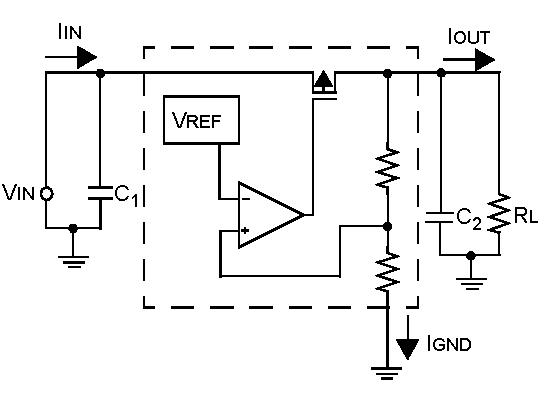
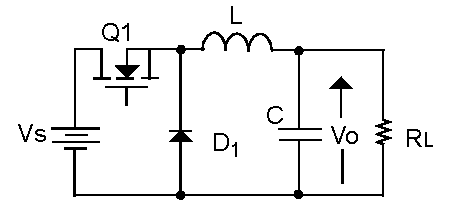
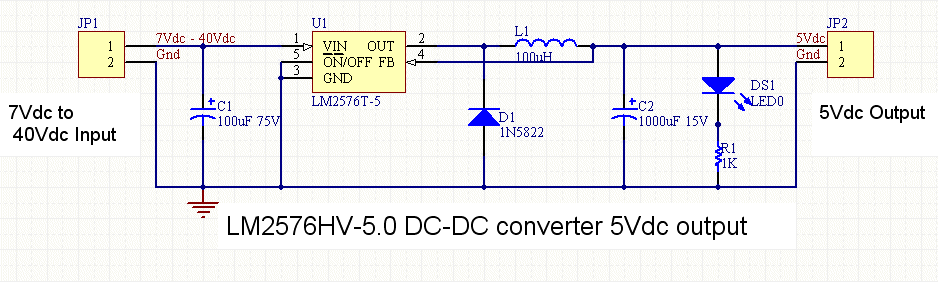
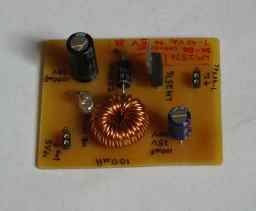
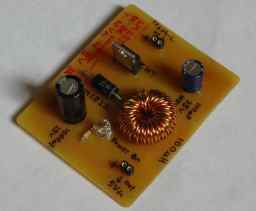
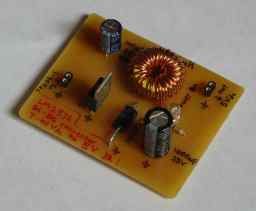
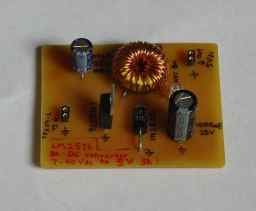
A dc-dc regulator/converter or another name known as buck regulator or switching regulator, provides stable regulated output voltage to supply electronic circuits. Schematic, PCB layout and component list are available on this page.

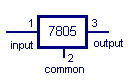
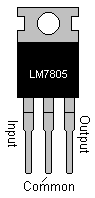
LM2576 circuits perform same function as the commonly known voltage regulator LM7805 from National Semiconductor. The 7805 voltage regulator dissipates a lot heat. The higher input voltage, the more heat is generated. The extra input energy is converted to heat, keeping the output voltage regulated at 5V.

LM78XX series is available to regulate 5, 6, 8, 9, 12, 15, 18, 24V. If you want the output voltage adjustable, there is also a adj model. For -negative voltage supply, you can use LM79xx series. These regulator is able to support up to a maximum of 1A current rating.

LM7805 IC requires input voltage to be higher than output in order to regulate the output voltage. Input voltage needs to be at least 7V (up to a maximum of 20V) in order for LM7805 to regulate at an output of 5V. It is advisable to supply a voltage input range from 7.5V to 10V. Any higher input voltage is consider inefficiency, generating a lot of  heat.

A switching mode power supply such as LM2576 dc-dc converter, uses switching control to reduce the input dc voltage on average. This is equivalent to a lower input voltage resulting in minimum heat dissipated. The control results in better regulated output, less energy wasted through heat and the use for high current application. Nowadays dc-dc converter are getting smaller and comes in the TO-220 package too. You can simply change your LM7805 to dc-dc converter without any change in your design.

The first commerical module I tried is the SD-50A-5 from Meanwell rated at 5V 10A. It is very good and easy to use. However it is very big and bulky. If size is a constraint, you might consider the model SDM-30. It is able to handle up to 5V 5A and is a lot smaller than SD-50A-5. However it generates a lot of heat through its metal casing.

The best dc-dc I have tried before is PMA8811SF from Ericsson. It is by far the most compact (smaller than SDM-30) and most efficient dc-dc. Heat is also dissipated through it ceramic package, however it does not scalded your finger as much as SDM-30 do.  The IC package is surface mount however soldering is relatively easy because the IC leads are quite broad. It is rated at output 5Vdc 16A and generate far less heat. Each pieces cost about S$60, a lot more than the other converter model.

Through some research, I get to learn about commercial standard dc-dc IC that perform with only a few external components. The following article discuss on LM2576 IC with rating up to 5V 3A. LM2576 is one of the dc-dc IC product range from National Semiconductor. There are also various brand of dc-dc regulator IC available.

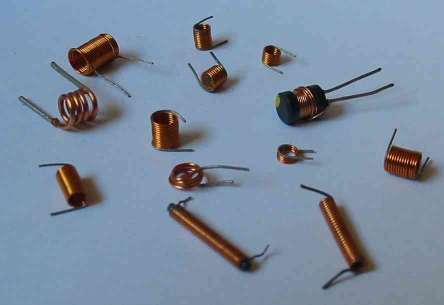
The interfacing of most dc-dc IC requires the use of inductor. This is the case for LM2576 too. Try sourcing your local electronics shop for one if possible. I am not stopping you to make your own inductor. Just that making your own inductor takes up time and it is very likely to cost you more than what a shop might be selling.

If you are interested in making your own coil, you might interested in this website, http://www.skylab.org/~chugga/mpegbox/coil/. The aurthor Jeff Mucha had demonstrated a simple and creative way to make inductive. One Long screw, 2 board flat washer, 2 nut, 1 ring spacer, glue, and XXX is all the tools that is require to make your own air core inductor. It is really interesting.

More article: home brew your own inductors

Jens Moller has contributed a program which generate a table of information for building air core inductor. Simply input the inductance value you need, the program will display a table containing the wire coil height radius and number of turns required. You need not have to understand formula to make your own inductor. Take a look at the following website, http://www.colomar.com/Shavano/inductor_info.html

A greenhorn when I first attempt to use inductor. It is a tough job building circuits using inductor. I do not have proper equipment to measure the inductor on hand. Never able to find out the inductance value I have. Fortunately, there is this inductance measurement product selling at an affordable price. UT70A from Uni-Trend Technology. It also function as a multi-meter, and can be used to measure voltage, current, etc… . Even with an inductance meter, it is not a easy task to measure inductance accurately.


Other reference:

The practical basic of building a power supply.

The Power Supply.pdf

http://www.talkingelectronics.com/

projects/ThePowerSupply/Page79PowerSupplyP1.html


www.pic-control.com, Singapore Research & Development R&D

Singapore Customized, custom made Electronics Circuits & Kits


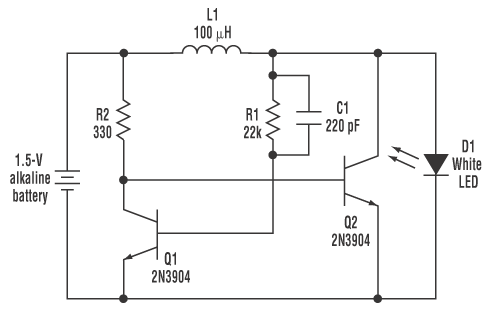
2009-09-13 dc-dc step up, LED driver using 1.5V alkaline battery

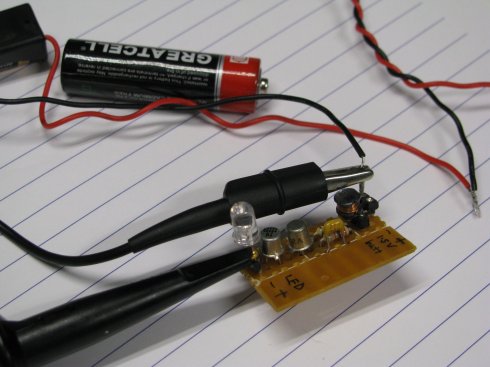
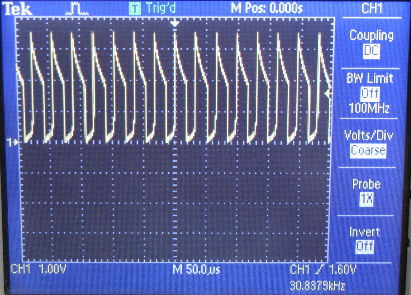
The simplest DC-DC step up converter I have done. Typical LED requires about 2V to operate. This ciruict is able to drive the LED from a 1.5V battery. The transistor forms the oscillating circuit generating pulsing output. Although the output is pulsing, we can’t actually see it on the LED, as the switching is quite fast.

Click the picture to enlarge.


The voltage output is about 3Vpeak oscillating at about 33kHz.


Schematic


Singapore Electronic Kits, PIC-CONTROL

Singapore Customized, custom made Electronics Circuits & Kits


LM2576 dc-dc Circuits


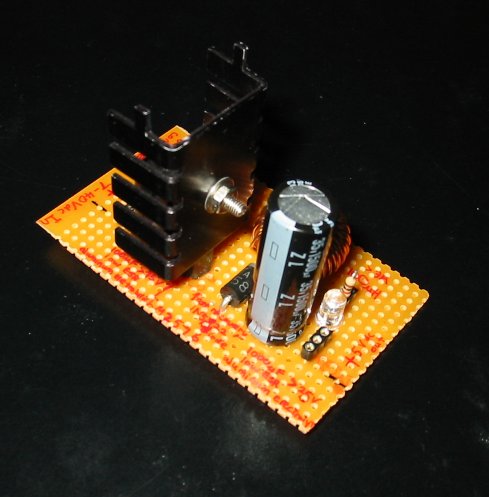
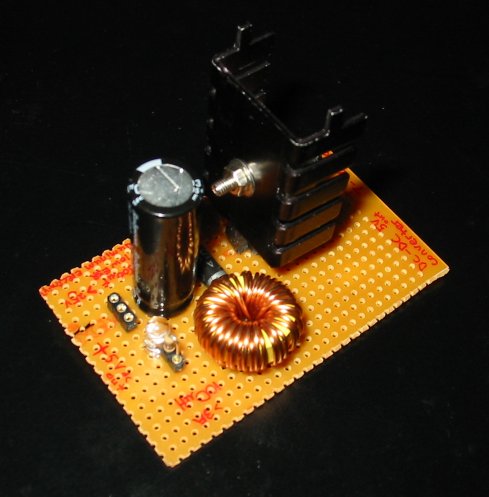
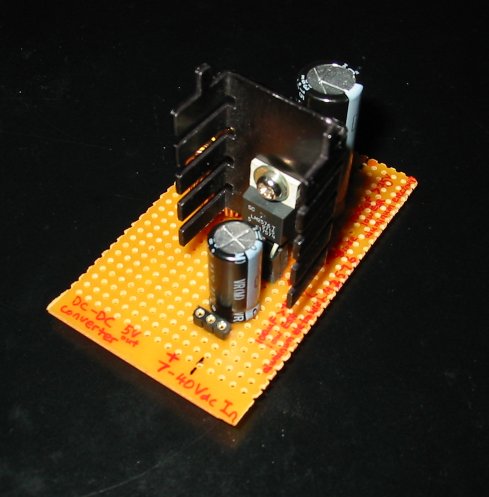
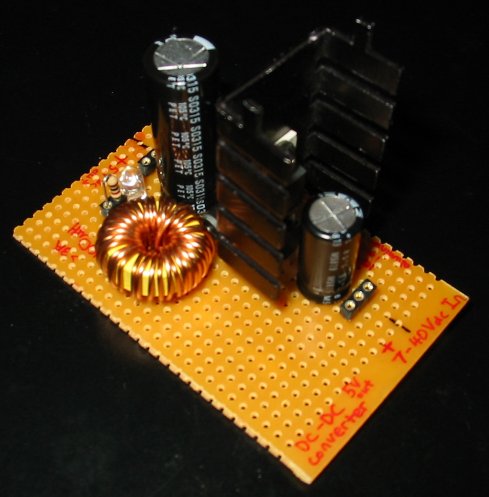
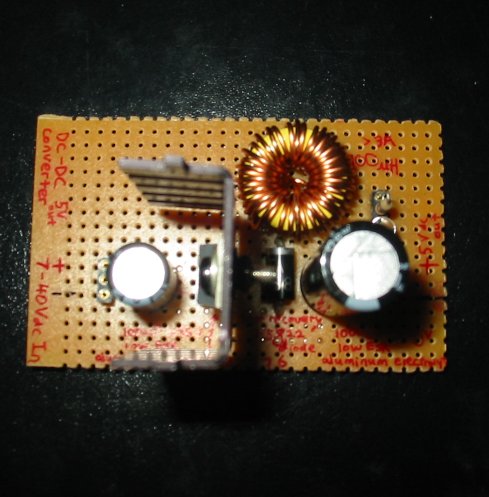
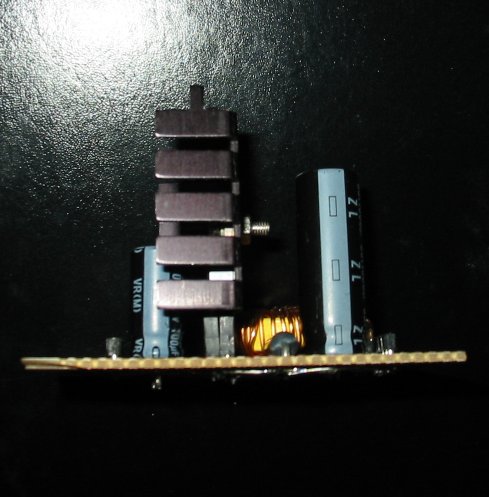
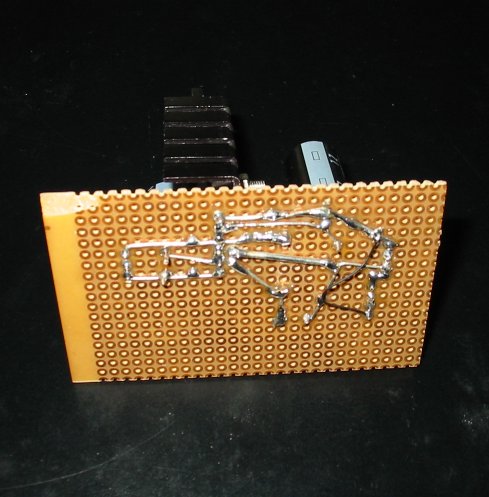
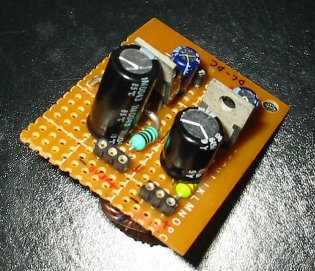
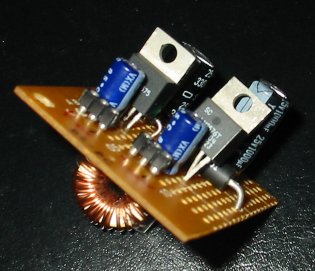
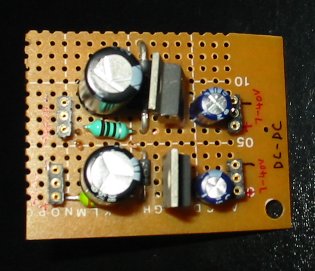
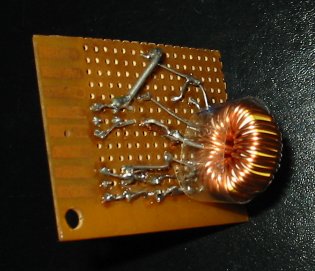
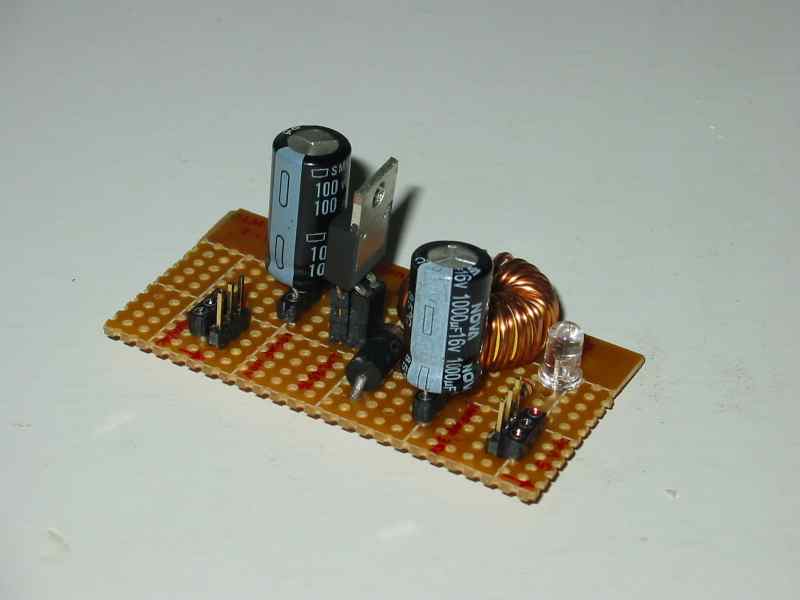
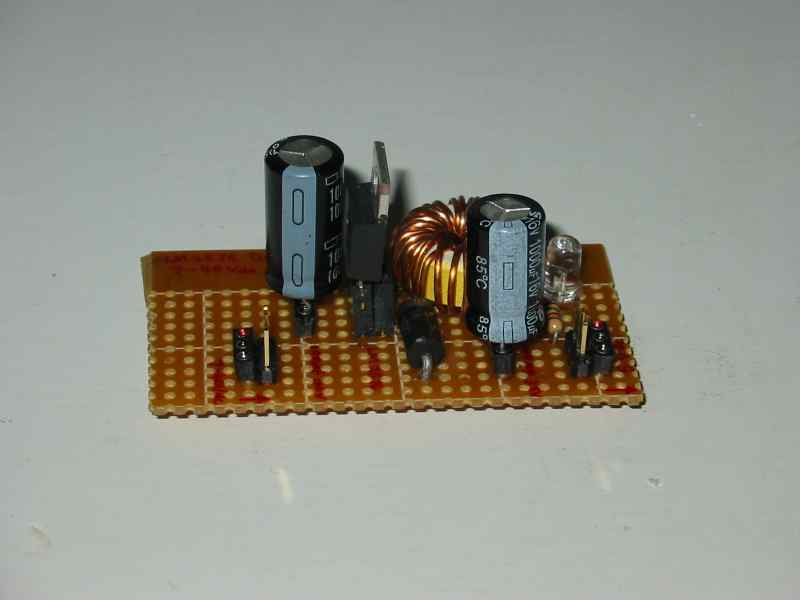
Photos of DC-DC circuit built


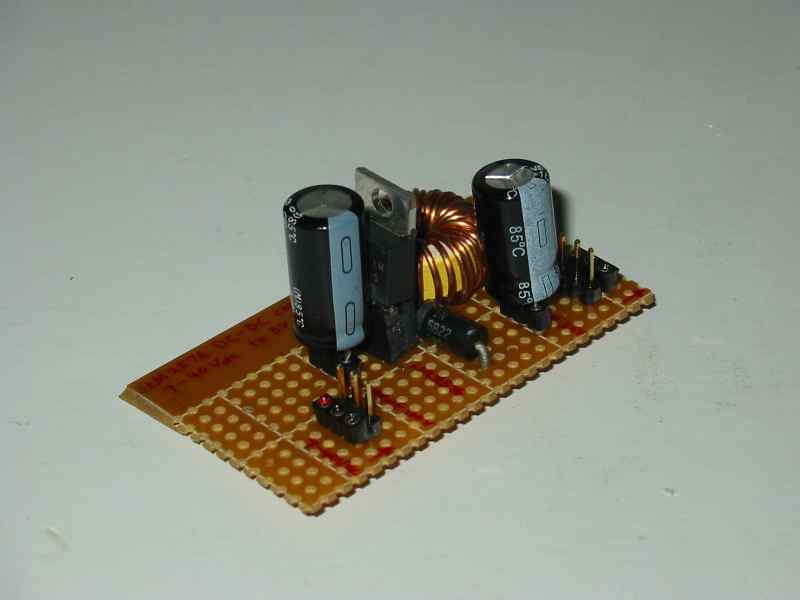
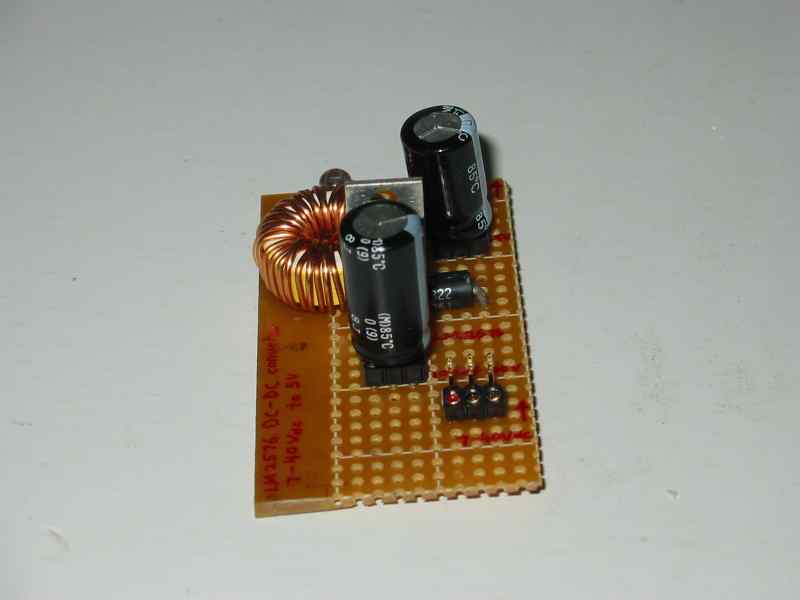
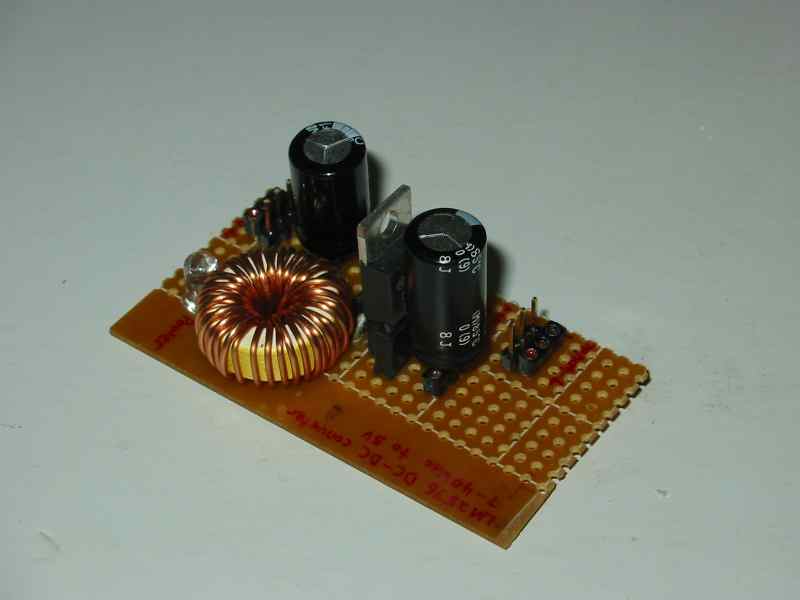
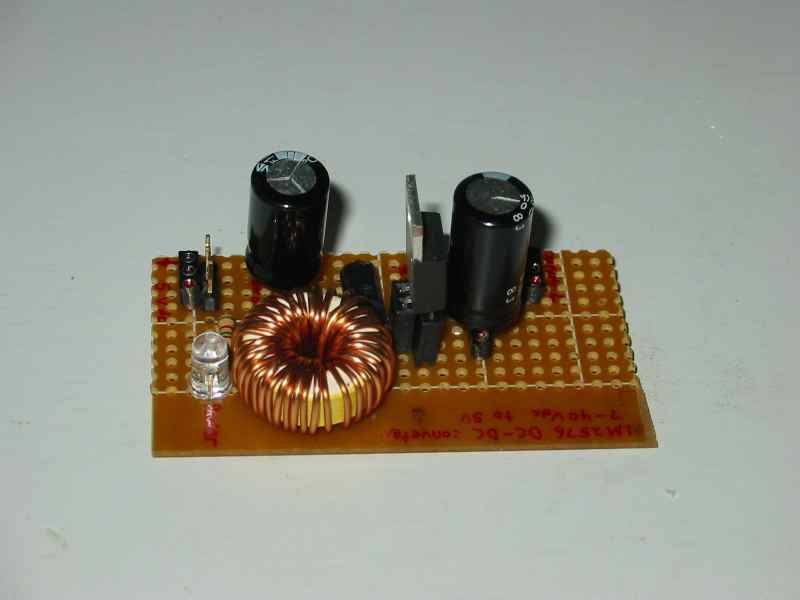
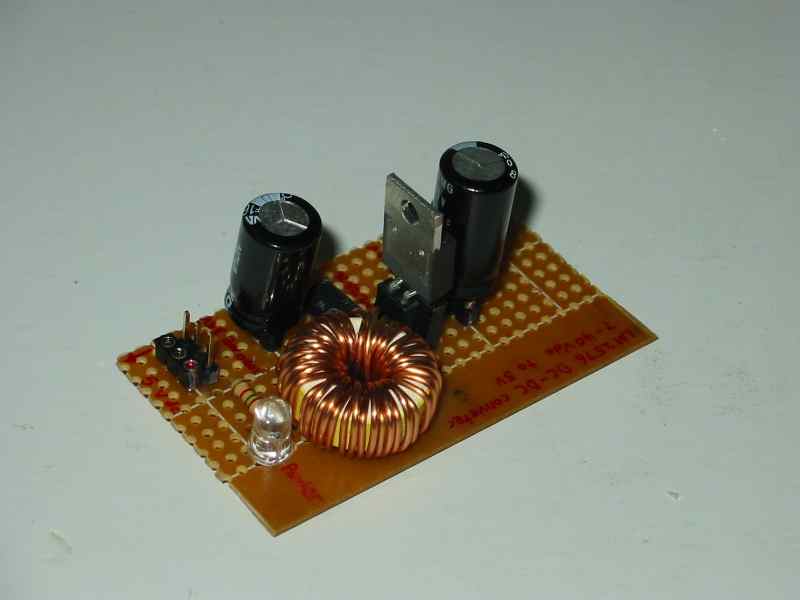
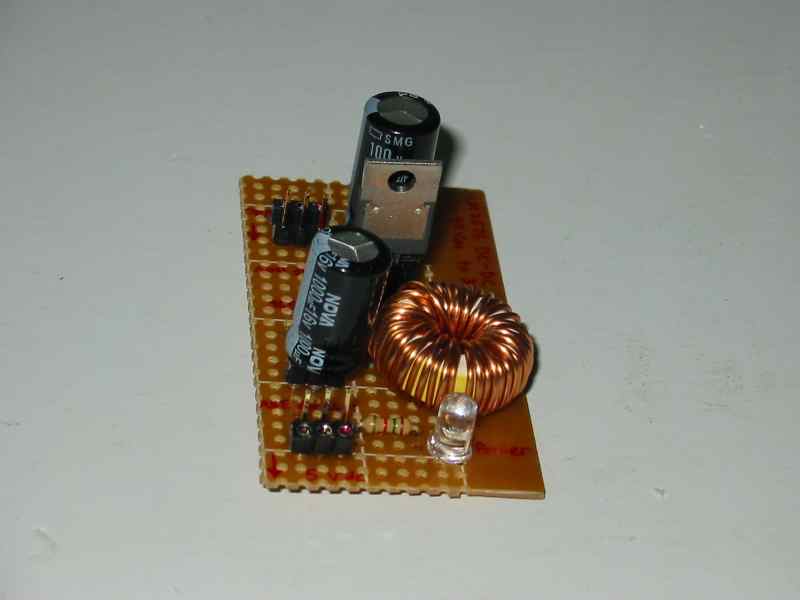
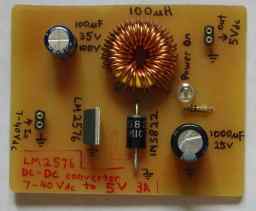
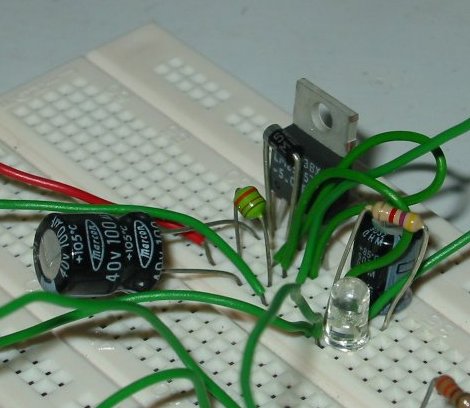
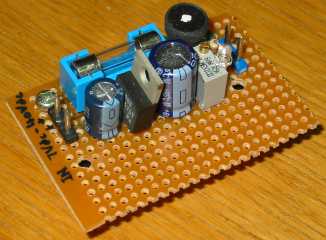
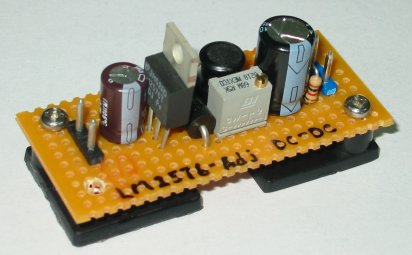
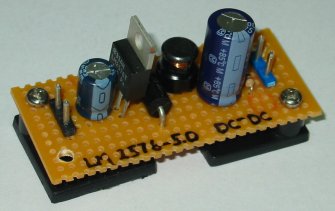
This is the 1st successful DC-DC circuit I built.

There a variety of capacitors out there in the market. Capacitance, voltage rating, dielectric material, etc… . Choose a suitable voltage rating across the capacitor. The circuits deals with high current, therefore it will be better to choose a low ESR (equivalent series resistance) Aluminum electrolytic capacitor. As a general guide, a higher voltage rating has lower ESR rating.

The inductor coil use should be able to handle the current passing through the inductor coil. If the wire is too thin, the coil may be burn or just fail. My previous circuit uses small wattage inductor (package like a big resistor). The circuit couldn’t work and was later found to be IC problem. I have not yet do a test to check on the possibility of the inductor contributing to the failure.

Using a inductor meter to measure the inductance will be easier. Inductance value can be observe immediately for any modification to the coil of wire. The inductance value can also be calculated, depend on the coil size, number of turns, wire size used, dielectric of the core etc… .

The 1N5822 is a high current, high speed, schottky diode and is suitable for this digital switching circuit. Schottky diode (Schottky Barrier Rectifier), means that the forward voltage drop is low. For this application, a low forward voltage diode is necessary.


Schematics


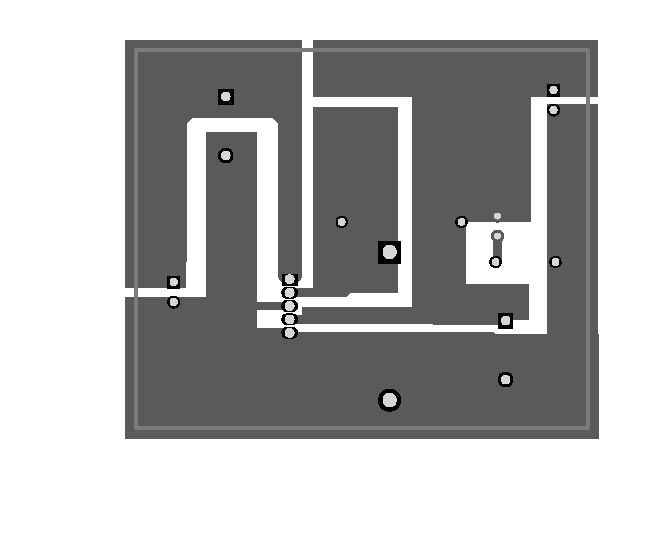
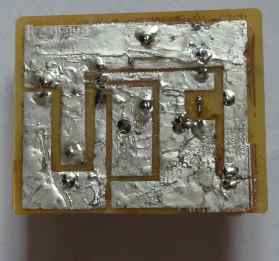
PCB Bottom Layer (PCB trace)

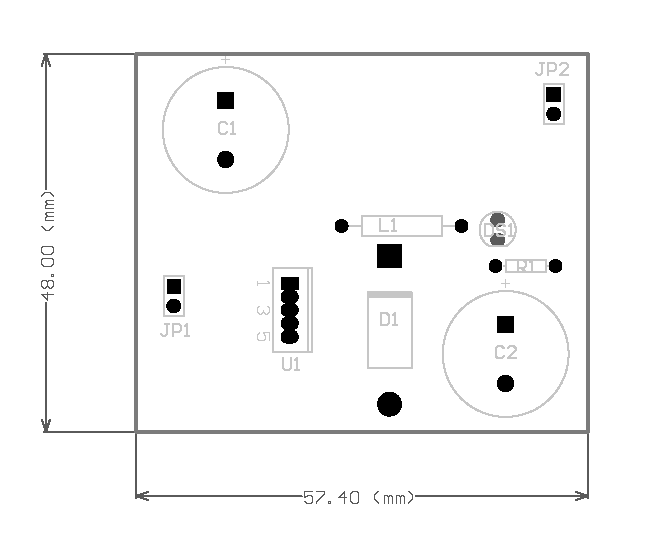
Component Layout (Silkscreen)


Bill of Material (BOM) for LM2576 circuit

Part# Description Value Qty
C1 Electrolytic Capacitor (Axial) 100uF 75V x1
C2 Aluminum Electrolytic Capacitors (Axial) 1000uF 16V x1
D1 Schottky Diode (high current) 1N5822 x1
L1 Inductor 100uH x1
U1 7-40V to 5V DC-DC 3.0A LM2576T5 x1
R1 Resistor 1K x1
DS1 Typical INFRARED GaAs LED   x1
JP1 Header, 2-Pin   x1
JP2 Header, 2-Pin   x1
PCB PCB board 60x50mm 1 oz x1


LM2576 circuits that failed  
 

Failure, my first prototype circuit to test out the performance of LM2575, LM2576.


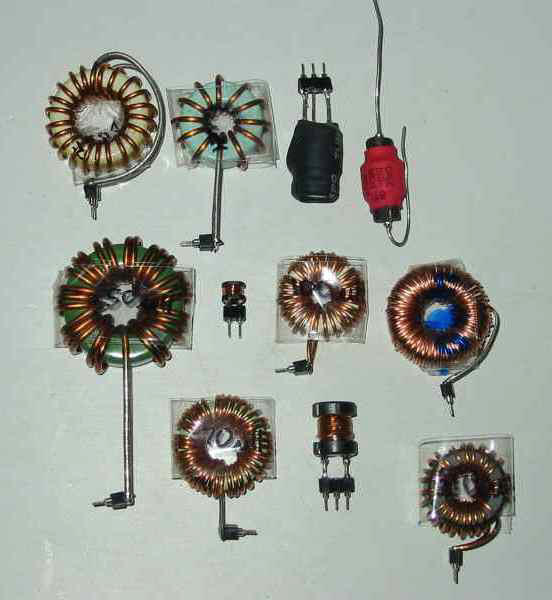
Some of the various sizes of inductor tested and seems to be working with LM2576.


Initially I thought that I had use the wrong type of inductor, resulting in the circuit malfunction. Initially I had used a smaller type of inductor (looks like a resistor). Realizing that this circuit drive high current load, I should use a thicker inductor coil. That’s why I modified the circuit with an inductor (enamelled wire, wound around the ferrite core).

Still it doesn’t work. I guess that both IC LM2575, LM2576 must have been damage by my previous attempt. The capacitor used is suspected because the datasheet call for low ESR capacitor. It is very difficult to find these in the local shops, therefore I use a normal capacitor instead.

One day, I visited a shop selling ready made inductors and brought LM2576 at the same time. The circuit was rebuild and it finally works. My deduction at that time was either the inductor or the capacitor is giving me the problem. After further testing, I find out that ordinary capacitor works as well. There is hardly any difference in performance. Various type of inductor were tested (except the resistor like type). All inductor works too, big or small. Quite weird actually, and I couldn’t figure it out the actual problem I had in my previous attempt.

The mystery is resolve finally. One fine day I went back to the shop where I first purchase my LM2576 and brought 2 additional LM2576 for more testing. A new circuit was build and the familiar failure was observed. The output voltage of 5V cannot be sustain and eventually drop when more than 1A of current is draw by the load. The lab power supply display a current loading limit warning. IC becomes very hot. The datasheet specify that LM2576 should be able to supply 3A without any  problem. Both brand new IC are tested to have the same problem.

This is weird, as the same inductor and capacitor previously tested do not result in this same old problem. However the circuit shows the same failure symptom. The next thing that comes to mind, is the IC. The IC LM2576 from the previous working circuit is then transfer over the new circuit board for testing. Everything works fine. It is then clear that the problem comes from the IC itself.

Checking up on the previous IC, I notice that they are from the same manufacturing batch number and believe that they are already damage in some way.


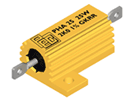
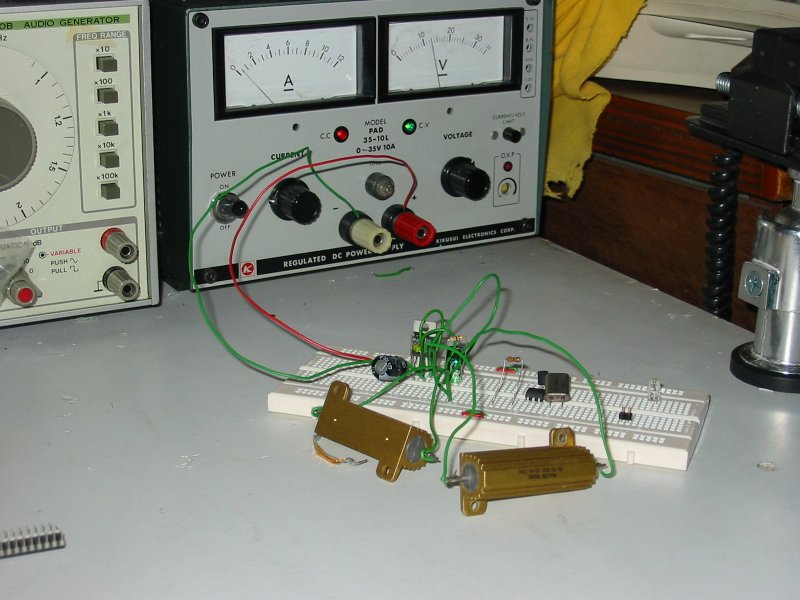
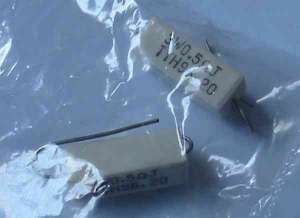
Sample of the 5Ω 50W aluminum house resistor used for testing 1A current performance.

Using various type of inductor and capacitor. The circuit is tested to draw 1A using a 5Ω 50W resistor as the load. Current drawn can be observe on my lab power supply current meter. It should shows 1A being drawn, since the LM2576 supply a constant 5V to the 5Ω load.


General tester for LM series dc-dc IC chip.

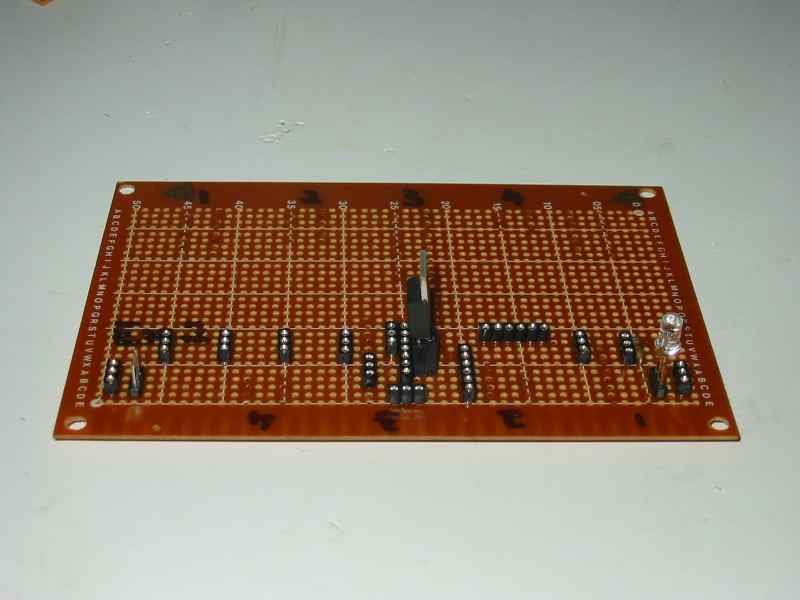
A multi purpose board is created to allow me to test various LM series IC chip. e.g. LM2575, LM2576, LM2596, LM2678, LM2679. Various combination of inductor, capacitor and diode can also be tested under this board.


More LM2576 Circuits built  


Some of the newly fabricated board built to support other prototype projects. It has been tested to support a RF transceiver operating at 5V without any issue observed.


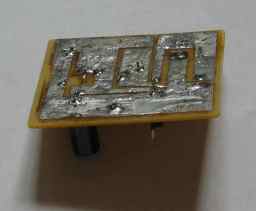
This is the same dc-dc circuit shown above. The circuit is fabricated from photo-resist PCB board. For more information on making your own PCB board, you may like to visit, website “..\2005-09-07_home_pcb_fabrication“.

Home fabricated circuit board


Working on LM2575


It has been some time since I learn to use LM2576. The circuitry is able to handle a higher current at 3A 5V output. This translate to a higher cost and circuit size, since all component must be able to handle that high power capacity. These component include the LM2576, inductor and the diode. Since most electronics kit requires less than 1A power supply, it is wise learning how to apply a low power dc-dc regulator like LM2575. Cost can be reduce by 50%.

There is one day that I happen to come across this IC LM2575 while searching high and low for LM2576. LM2576 is actually quite difficult to find. There is only 2 shop I know of, but I have rule out one shop because they are selling a faulty batch of LM2576 IC. LM2575 seems very common from shops around and I decided to find out more about this chip. Indeed it is what I have been looking for, a low power regulator. So I purchase the IC and its component to try it out. When I started writing this acticle, only did I realize that I have actually tried it about 6 months ago. The experiment was forgotten after a series of failure.

But now, it is working once more. The experience in working with LM2576 has provided the confident to built LM2575. It is so fortunate that I managed to get this circuit working once again.

The following experiment is done during the 1st test on LM2575 circuit. The experiment compare between the performance of using different inductor. One using a wire coil inductor, and the other smaller one inductor that looks like a resistor with it’s color bands..

The photos on the left column shows the LM2575 circuit using the correct inductance value at 330uH but the inductor is low power rated. It is small and looks like a color coded resistor.

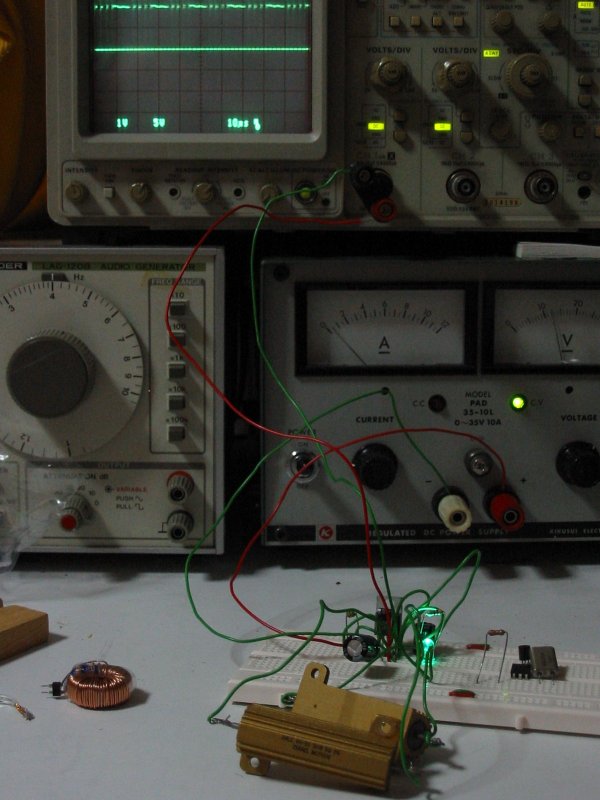
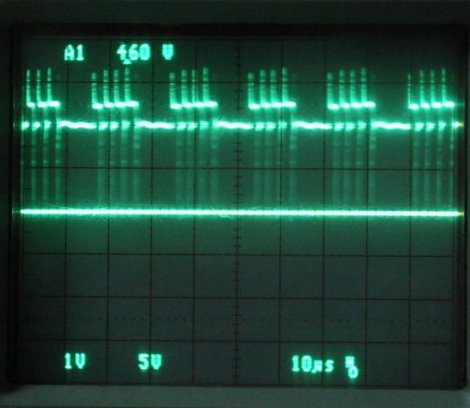
A few second after the left circuit is powered up, the small inductor turns very hot. The waveform observed at the output of the dc-dc regulator, contains a high amount of noise/ripple energy.

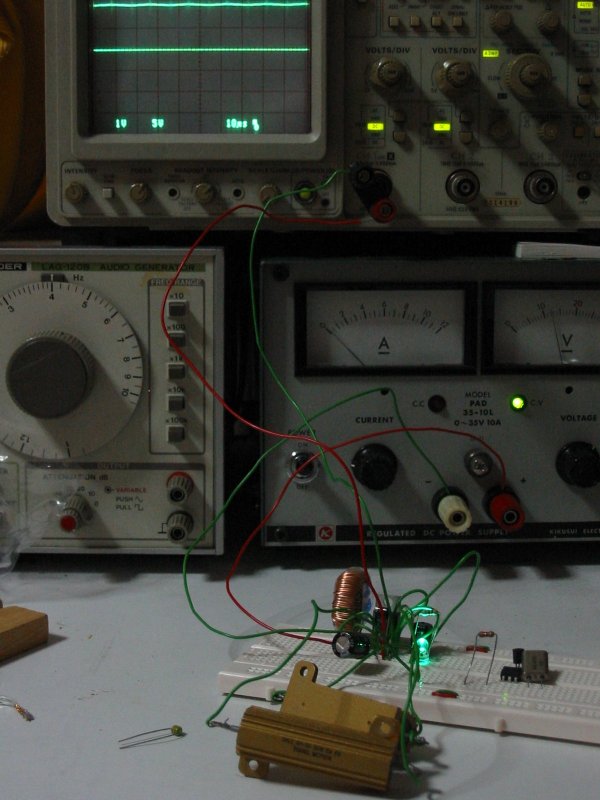
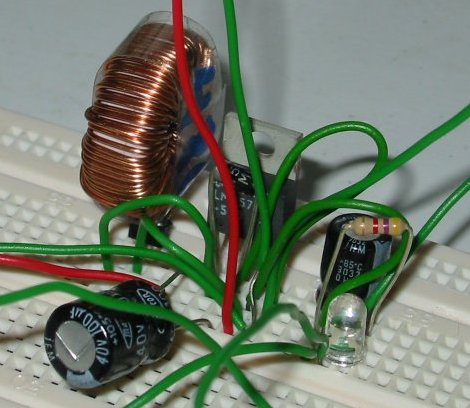
The photo on the right column shows the same circuit using a slightly higher inductance at 480uH but the coil is thicker and bigger in size.

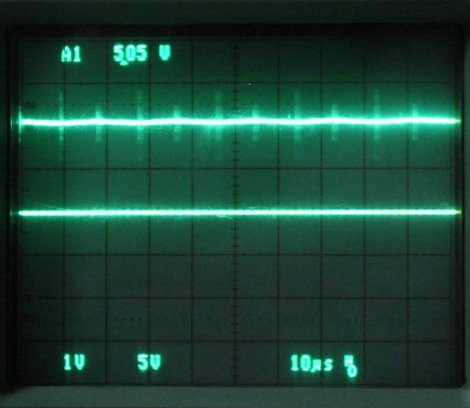
The circuit using a high power rating inductor on the right shows a cleaner DC supply, although the inductance value is different from the design. There is still ripple at it’s output but I guess it will be minimum using an inductance value of 330uH with higher power rating. Too bad, I do not have the right inductor to experiment further. It is either coil one myself or buy one from shop.

12 June 2006, Lim Siong Boon


I have found this article regarding about the property of inductor Isat (current saturation) and Irms (continuous current). They are usually one of the important specification to take note while selecting inductor from datasheet.

Current saturation means the amount of current required that flow through the inductor, in order to reduce the inductance of the component.

Continuous current means the amount of current required to heat up the inductor to a certain temperature. If the amount current continue to flow through the inductor, the inductor is basically becoming a heater. The temperature depends on the amount of current flowing through it.

The following contains information that I learn from.

Isat_Irms explain.pdf

02 Dec 2008, Lim Siong Boon


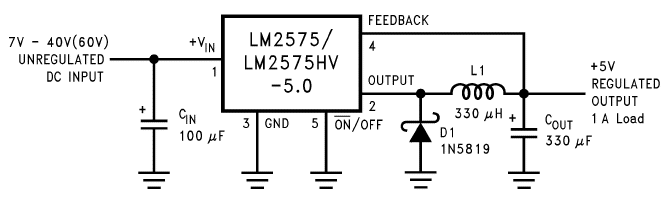
LM2575 Schematic taken from National Semiconductor LM2575 datasheet


Bill of Material (BOM) for LM2575 circuit

Part# Description Value Qty
C1 Electrolytic Capacitor (Axial) 100uF 75V x1
C2 Aluminum Electrolytic Capacitors (Axial) 330uF 16V x1
D1 Schottky Diode (low current) 1N5819 x1
L1 Inductor 330uH x1
U1 7-40V to 5V DC-DC 1.0A LM2575T5 x1
R1 Resistor 1K x1
DS1 Typical INFRARED GaAs LED   x1
JP1 Header, 2-Pin   x1
JP2 Header, 2-Pin   x1
PCB PCB board 60x50mm 1 oz x1


click here to
Buy DC-DC Converter
Available Now at the PIC-store


Dealing with power supply noise

I happen to see this very good website, teaching about handling noise. There are many illustration which are easy to understand.

http://www.williamson-labs.com/480_byp.htm


04 Oct 2011, Lim Siong Boon


www.pic-control.com, Singapore Network Ethernet WiFi RS232 RS485 USB I/O Controller

Singapore Customized, custom made Electronics Circuits & Kits


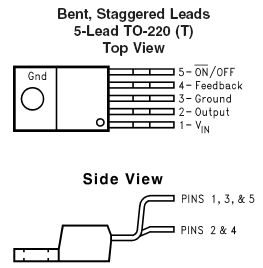
Quick Design Guide to

Switching Power IC


LM2575, LM2576, LM2596, LM2678


The following table provides a quick reference for power supply circuit. The circuit schematic and component list are selected from the manufacturer’s datasheet.

For exact component value design, you need to the datasheet. The following component value is design for typical input voltage of 12Vdc or 24Vdc drawing power at 75% of the current rating.


LM2575 (1A)

DC to DC step down voltage regulator.

Wide input voltage 8Vdc to 40Vdc.


Part number:

– LM2575-3.3 (3.3Vdc output)

– LM2575-5.0 (5Vdc output)

– LM2575-12 (12Vdc output)

– LM2575-15 (15Vdc output)

– LM2575-ADJ (1.23Vdc to 37Vdc output)


Alternative:

NJM2367


Package: TO-220(T)


click here to
Buy DC-DC Converter Available Now at the PIC-store


LM2575 datasheet

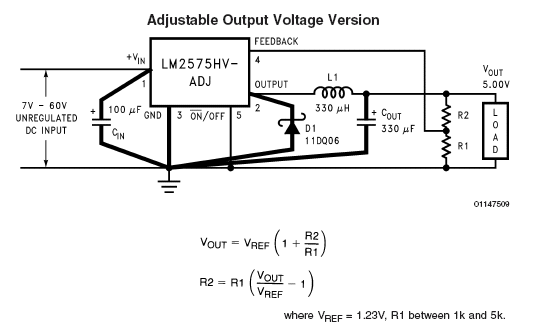
Click for LM2575-adj circuit

Component list

Symbol

Component  

C1

100uF (50V aluminium electrolytic)  

C2

330uF (16V aluminium electrolytic, low ESR)  
D1 1N5819 (schottky diode 1A)  
L1

330uH, 1A  <for LM2575-3.3, LM2575-5.0>

680uH, 1A  <for LM2575-12, LM2575-15>

 
R1, R2 “for LM2575-adj IC” 5kΩ multi-turn variable resistor, set to ratio to R1=1.25kΩ, R2=3.75kΩ for voltage output of 5Vdc before soldering.  


For 3.3V output


Commercial Resistor value

Actual Output

R1

R2


R1

R2

Vout

1.00kΩ

1.68kΩ


1.0kΩ


3.30kΩ

5.55kΩ


3.3kΩ

(3.24kΩ)

5.6kΩ

(5.49kΩ)

3.32V

4.70kΩ

7.91kΩ


4.7kΩ


1.96kΩ

3.30kΩ


3.3kΩ


2.79kΩ

4.70kΩ


4.7kΩ


3.33kΩ

5.60kΩ


3.3kΩ

(3.24kΩ)

5.6kΩ

(5.49kΩ)

3.32V


For 5.0V output


Commercial Resistor value

Actual Output

R1

R2


R1

R2

Vout

1.00kΩ

3.07kΩ


1.0kΩ


3.30kΩ

10.10kΩ


3.3kΩ

(3.24kΩ)

10.0kΩ

(10.00kΩ)

4.96V

4.70kΩ

14.40kΩ


4.7kΩ


1.08kΩ

3.30kΩ


3.3kΩ


1.53kΩ

4.70kΩ


4.7kΩ


1.83kΩ

5.60kΩ


5.6kΩ


3.26kΩ

10.00kΩ


3.3kΩ

(3.24kΩ)

10.0kΩ

(10.00kΩ)

4.96V


please refer to the table for resistors in parallel for more resistance design options.


Other voltage output base on commercial available resistors


Commercial Resistor value

Actual Output


R1

R2

Vout


1.0kΩ

4.7kΩ

7.011V


1.18kΩ

18kΩ

19.9927V


    Vout, R1 & R2 design selection calculator

    Vout=, R1=, R2=          where R1 between 1kΩ to 5kΩ.

    Design calculator might not work on some web browser.


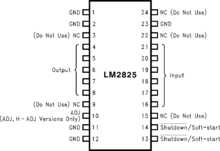
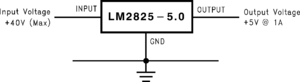
LM2825 (1A)

DC to DC step down voltage regulator.

Wide input voltage up to 40Vdc.


Part number:

– LM2825-3.3 (3.3Vdc output)

– LM2825-5.0 (5Vdc output)

– LM2825-12 (12Vdc output)

– LM2825-ADJ (1.23Vdc to 37Vdc output)


Package: MDIP24

LM2825 datasheet


no external component required


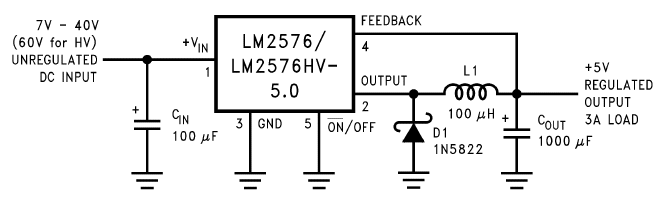
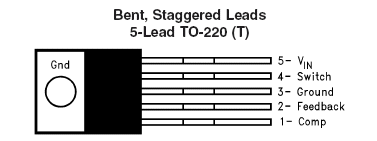
LM2576 (3A)

DC to DC step down voltage regulator.

Wide input voltage 8Vdc to 40Vdc.


Part number:

– LM2576-3.3 (3.3Vdc output)

– LM2576-5.0 (5Vdc output)

– LM2576-12 (12Vdc output)

– LM2576-15 (15Vdc output)

– LM2576-ADJ (1.23Vdc to 37Vdc output)


Alternative:

NJM2367


Package: TO-220(T)


tested working on 2007-06-26

tested working on 2007-06-26

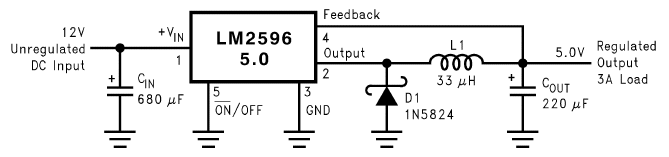
LM2576 datasheet

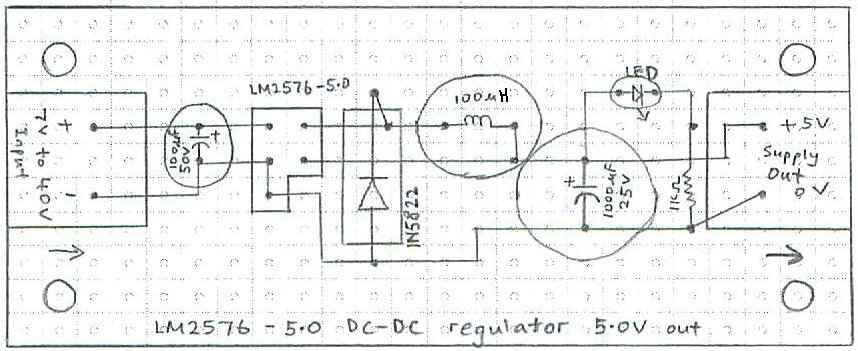
Click for LM2576-5.0 layout


Click for LM2576-adj circuit

Click for LM2576-adj layout

Reference:

AN-946, lm2576 as a charger


Component list

Symbol

Component  

C1

100uF (50V aluminium electrolytic)  

C2

1000uF (16V aluminium electrolytic, low ESR)  
D1 1N5822 (schottky diode 3A)  
L1

100uH, 3A  <for LM2576-3.3, LM2576-5.0>

220uH, 3A  <for LM2576-12, LM2576-15>

 
R1, R2 “for LM2576-adj IC” 5kΩ multi-turn variable resistor, set to ratio to R1=1.25kΩ, R2=3.75kΩ for voltage output of 5Vdc before soldering.  


Resistor value for Adj (adjustable version). Voltage reference is 1.23V

For 3.3V output


Commercial Resistor value

Actual Output

R1

R2


R1

R2

Vout

1.00kΩ

1.68kΩ


1.0kΩ


3.30kΩ

5.55kΩ


3.3kΩ

(3.24kΩ)

5.6kΩ

(5.49kΩ)

3.32V

4.70kΩ

7.91kΩ


4.7kΩ


1.96kΩ

3.30kΩ


3.3kΩ


2.79kΩ

4.70kΩ


4.7kΩ


3.33kΩ

5.60kΩ


3.3kΩ

(3.24kΩ)

5.6kΩ

(5.49kΩ)

3.32V

1.1kΩ 1.851kΩ   1.1kΩ 1.87kΩ 3.32V
1.2kΩ 2.020kΩ   1.2kΩ 2.05kΩ 3.33V
1.3kΩ 2.187kΩ   1.3kΩ 2.20kΩ 3.31V
1.5kΩ 2.524kΩ   1.5kΩ 2.55kΩ 3.32V


For 5.0V output


Commercial Resistor value

Actual Output

R1

R2


R1

R2

Vout

1.00kΩ

3.07kΩ


1.0kΩ


3.30kΩ

10.10kΩ


3.3kΩ

(3.24kΩ)

10.0kΩ

(10.00kΩ)

4.96V

4.70kΩ

14.40kΩ


4.7kΩ


1.08kΩ

3.30kΩ


3.3kΩ


1.53kΩ

4.70kΩ


4.7kΩ


1.83kΩ

5.60kΩ


5.6kΩ


3.26kΩ

10.00kΩ


3.3kΩ

(3.24kΩ)

10.0kΩ

(10.00kΩ)

4.96V


    please refer to the table for resistors in parallel for more resistance design options.

    please refer to above for design calculator for resistance value selective


LM2594 (0.5A)

DC to DC step down voltage regulator.

Wide input voltage 8Vdc to 37Vdc (up to 60V for HV version).


Part number:

– LM2594-3.3 (3.3Vdc output)

– LM2594-5.0 (5Vdc output)

– LM2594-12 (12Vdc output)

– LM2594-ADJ (1.23Vdc to 37Vdc output) (57V for HV version)


Package: SOIC8, DIP8

LM2594 datasheet


Component list

Symbol

Component  

C1

68uF (50V aluminium electrolytic)  
C2

120uF (16V aluminium electrolytic, low ESR)

 
D1 1N5817 (schottky diode 1A)  
L1

100uH, 0.5A


LM2596 (3A)

DC to DC step down voltage regulator.

Wide input voltage 8Vdc to 40Vdc.


Part number:

– LM2596-3.3 (3.3Vdc output)

– LM2596-5.0 (5Vdc output)

– LM2596-12 (12Vdc output)

– LM2596-ADJ (1.23Vdc to 37Vdc output)


Package: TO-220 (T)

LM2596 datasheet


Component list

Symbol

Component  

C1

680uF (50V aluminium electrolytic)  
C2

330uF (100V aluminium electrolytic, low ESR) <for LM2596-3.3, LM2596-5.0>

180uF (100V aluminium electrolytic, low ESR)<for LM2596-12>

 
D1 1N5824 (schottky diode 4A)  
L1

33uH, 3A  <for LM2596-3.3, LM2596-5.0>

68uH, 3A  <for LM2596-12>


LM2678 (5A)

DC to DC step down voltage regulator.

Wide input voltage 8Vdc to 40Vdc.


Part number:

– LM2678-3.3 (3.3Vdc output)

– LM2678-5.0 (5Vdc output)

– LM2678-12 (12Vdc output)

– LM2678-ADJ (1.2Vdc to 37Vdc output)


Package: TO-220

LM2678 datasheet


Component list

Symbol

Component  

C1

45uF (50V aluminium electrolytic) + 0.47uF  

C2

10nF (50V ceramic, low ESR)  
C3

360uF (100V aluminium electrolytic, low ESR) <for LM2678-3.3, LM2678-5.0>

220uF (100V aluminium electrolytic, low ESR)<for LM2678-12>

 
D1 6TQ045S (schottky diode 6A)  
L1

15uH, 5A  <for LM2678-3.3, LM2678-5.0>

22uH, 5A  <for LM2678-12>


LM2574 (0.5A)

DC to DC step down voltage regulator.

Wide input voltage 4.5Vdc to 42Vdc.


Part number:

– LM2574-5.0 (5Vdc output)

– LM2574-ADJ (1.2Vdc to Vin output)


Alternative:

NJM2369A, NJM2374A


Package: Wide-SOIC14

wide_soic14

 lm2574-adj circuit
LM2574 datasheet


Component list

Please see the section for LM2574, LM2576. They are similar.


LM22674 (0.5A)

DC to DC step down voltage regulator.

Wide input voltage 4.5Vdc to 42Vdc.


Part number:

– LM22674-5.0 (5Vdc output)

– LM22674-ADJ (1.2Vdc to Vin output)


Package: PSOP8

LM22674 datasheet


Component list

Symbol

Component  

C1

22uF (50V aluminium electrolytic) + 1uF (50V ceramic, low ESR)  

C2

10nF (50V ceramic, low ESR)  
C3 22uF (50V aluminium electrolytic) + 1uF (50V ceramic, low ESR)  
D1 1N5819 (schottky diode 1A)  
L1 39uH (>0.5A)  
R1, R2 <For 3.3Vout> R1=976Ω, R2=1.54kΩ (1/8watt)  

for Vout R1 R2 computation reference, refer to LM22676 section


LM22675 (1A)

DC to DC step down voltage regulator.

Wide input voltage 4.5Vdc to 42Vdc.


Part number:

– LM22675-5.0 (5Vdc output)

– LM22675-ADJ (1.285Vdc to Vin output)


Package: PSOP8

LM22675 datasheet


Component list

Symbol

Component  

C1

22uF (50V aluminium electrolytic) + 1uF (50V ceramic, low ESR)  

C2

10nF (50V ceramic, low ESR)  
C3 120uF (16V aluminium electrolytic) + 1uF (50V ceramic, low ESR)  
D1 1N5822 (schottky diode 2 to 3A)  
L1 22uH (>1A)  
R1, R2 <For 3.3Vout> R1=976Ω, R2=1.54kΩ (1/8watt)  

for Vout R1 R2 computation reference, refer to LM22676 section


LM22676 (3A)

DC to DC step down voltage regulator.

Wide input voltage 4.5Vdc to 42Vdc.


Part number:

– LM22676-5.0 (5Vdc output)

– LM22676-ADJ (1.285Vdc to Vin output)


Package: PSOP8

TO-263 thin (7 pin)

LM22676 datasheet


Component list

Symbol

Component  

C1

22uF (50V aluminium electrolytic) + 2.2uF (50V ceramic, low ESR)  

C2

10nF (50V ceramic, low ESR)  
C3 120uF (50V aluminium electrolytic) + 2.2uF (50V ceramic, low ESR)  
D1 50WQ03 (schottky diode 5.5A)  
L1 8.2uH (>5.5A)  
R1, R2 <For 3.3Vout> R1=976Ω, R2=1.54kΩ (1/8watt)  
  <For 5.0Vout> R1=1kΩ, R2=2.89kΩ  


The following guide uses typical resistor value.


<For 3.21Vout> R1=1kΩ, R2=1.5kΩ
<For 3.26Vout> R1=1kΩ, R2=1.54kΩ
<For 3.31Vout> R1=976Ω, R2=1.54kΩ
<For 3.34Vout> R1=1kΩ, R2=1.6kΩ
<For 3.39Vout> R1=1.1kΩ, R2=1.8kΩ
<For 3.41Vout> R1=2kΩ, R2=3.3kΩ
<For 3.47Vout> R1=3.3kΩ, R2=5.6kΩ
<For 5.06Vout> R1=1.6kΩ, R2=4.7kΩ
<For 5.14Vout> R1=1kΩ, R2=3kΩ
<For 5.14Vout> R1=1.1kΩ, R2=3.3kΩ
<For 5.16Vout> R1=1.54kΩ, R2=4.64kΩ
<For 5.21Vout> R1=1.54kΩ, R2=4.7kΩ
<For 5.23Vout> R1=976Ω, R2=3kΩ


Formula for LM22676-ADJ version (for Vout < 5V)
R1=(R2/((Vout/VFB)-1))
R2=R1((Vout/VFB)-1)
Vout=VFB((R2/R1)+1),     where VFB=1.285V,
                                         R1+R2 is about 3kΩ & must be <10kΩ


www.pic-control.com, Singapore Network Ethernet WiFi RS232 RS485 USB I/O Controller


LM22678 (5A)

DC to DC step down voltage regulator.

Wide input voltage 4.5Vdc to 42Vdc.


Part number:

– LM22678-5.0 (5Vdc output)

– LM22678-ADJ (1.285Vdc to Vin output)


Package: TO-263 thin (7 pins)


LM22678 datasheet


Component list

Symbol

Component  

C1

22uF (50V aluminium electrolytic) + 2.2uF (50V ceramic, low ESR)  

C2

10nF (50V ceramic, low ESR)  
C3 180uF (16V aluminium electrolytic) + 2.2uF (50V ceramic, low ESR)  
D1 50WQ03 (schottky diode 5.5A)  
L1 4.7uH (8.5A)  
R1, R2 <For 3.3Vout> R1=976Ω, R2=1.54kΩ (1/8watt)  

for Vout R1 R2 computation reference, refer to LM22676 section


MC34063 (1.5A)

DC to DC step down/up.invert voltage regulator.

Wide input voltage 3.0Vdc to 40Vdc.


Part number:

– MC34063A, MC33063A

– SC34063A, SC33063A

– NCV33063A


Package: SOIC-8, PDIP-8, DFN8 (8 pins)


mc34063 pinout

mc34063 package


mc34063 pic

mc34063 pic

Load regulation performance measured seems poor. Ideally, this is a 5V 0.5A voltage regulator.

1) Vin=10V, Vout=4.92Vdc, Load=opened circuit (0A)

R2=10kΩ, R1=3.3kΩ, Rsc=0.33Ω 0.5W, L=330uH

2) Vin=10V, Vout=4.10Vdc, Load=15Ω (0.27A)

3) Vin=10V, Vout=3.00Vdc, Load=10Ω (0.3A)


Seems that the circuit can only handle 0.1-0.2A load. The voltage regulation is quite poor. According to the document, it is ok for the inductance to be higher. Could it be that my R1 & R2 value being too high? I need to check it up.


Circuit 1: Step down dc-dc 25Vin -> 5Vout (0.5A) mc34063 circuit1

Current rating can be boost by using external transistor to drive the load.

Adjustable Vout computation (very similar to LM2576, LM2575) with Vref = 1.25V

Vout = 1.25 [1+(R2/R1)]

R2 = R1 [(Vout/1.25)-1)]

<For 3.3Vout> R1=3.3kΩ, R2=5.6kΩ
<For 5.0Vout> R1=3.3kΩ, R2=10kΩ

<For 0.5A Iout> Rsc = 0.3 / (2*Iout) = 0.3 / (2*0.5A) = 0.3Ω (0.075W), please note that Iout < 1.5A using internal driver.

Circuit 2: Step up dc-dc 12Vin -> 28Vout (0.175A) mc34063 circuit2


Circuit 3: Step up inverting dc-dc 4.5-6Vin -> -12Vout (0.1A) mc34063 circuit3

mc34063 ic circuit


MC34063A-D datasheet

MC34063 project example.pdf

MC34063 AN10360, Schottky rectifiers for DCDC converters.pdf

MC34063 AN920-D, Theory and Applications.pdf

MC34063 slva252b, Application Switching Regulator.pdf


NCP3063 (1.5A)

DC to DC step down/up.invert voltage regulator.

Wide input voltage up to 40Vdc. Almost similar to MC34063 dc-dc ic.


Part number:

– NCP3063, NCP3063B, NCV3063


Package: SOIC-8, PDIP-8, DFN8 (8 pins)


NCP3063 pinout

.NCP3063 package

NCP3063 is very similar to MC34063. Please refer to MC34063 for some handy information.

NCP3063 circuit

NCP3063 ic circuit

NCP3063 datasheet


LMZ14203 (3A)

DC to DC step down voltage regulator.

Wide input voltage 6Vdc to 42Vdc.


Part number:

– LMZ14203TZ-ADJ (0.8Vdc to 6Vdc output)


Package: TO-PMOD (7 pins)


lmz14203 package

lmz14203 circuit
LMZ14203 datasheet
   

LMZ14201 (1A)

DC to DC step down voltage regulator.

Wide input voltage 6Vdc to 42Vdc.


Part number:

– LMZ14201H (5Vdc to 30Vdc output)


Package: TO-PMOD (7 pin)


lmz14201H

lmz14201h


LMZ14201H datasheet


LMZ12003 (3A)

DC to DC step down voltage regulator.

Wide input voltage 4.5Vdc to 20Vdc.


Part number:

– LMZ12003TZ-ADJ (0.8Vdc to 6Vdc output)


Package: TO-PMOD (7 pin)

lmz12003 package
lmz12003 circuit
LMZ12003 datasheet
   

LM3102 (2.5A)

DC to DC step down voltage regulator.

Wide input voltage 4.5Vdc to 42Vdc.


Part number:

– LM3102MH


Package: TSSOP (20 pin)

LM3102 datasheet


LM2577 (3A)

DC to DC step up voltage regulator.

Wide input voltage 3.5Vdc to 40Vdc.


Part number:

– LM2577-12 (12Vdc output)

– LM2577-15 (15Vdc output)

– LM2577-ADJ (1.23Vdc to 37Vdc output)


Package: TO-220 (T)


tested working on 2006

tested working on 2007-06-21

tested working on 2007-06-21

LM2577 datasheet

Click for LM2577-adj circuit

Click for LM2577-adj layout


Component list

Symbol

Component  
0.1uF  
0.33uF  

680uF (50V aluminium electrolytic)

 
1N5822 (schottky diode 3A)  

100uH, 3A

 
2.2kΩ 1/4W resistor  
“for LM2577-adj IC” 20kΩ multi-turn variable resistor, set to ratio to R2=2kΩ, R1=18kΩ for voltage output of 12Vdc before soldering.  


MAX1708 (2A, 10W)

DC to DC step up voltage regulator.

Low input voltage 0.7-5.0Vdc

to output voltage 2.5-5.5Vdc

Suitable for battery powered circuit.


Part number:

– MAX1708EEE


Package: QSOP16

Front (tested with current up to 0.05A. Perheps the inductor used is not correct.)

QSOP IC mounted at the back of PCB.

MAX1708 datasheet

Click for MAX1708 circuit


NCP1400a (0.1A)

DC to DC step up voltage regulator.

Low input voltage from 0.8Vdc

to output voltage 1.9-5.5Vdc

Suitable for battery powered circuit.


Package: SOT23-5


Not tested.

2005-NCP1400a datasheet.pdf
   
MCP1640 (0.8A)

DC to DC step up voltage regulator.

Low input voltage from 0.35Vdc

to output voltage 2.0-5.5Vdc

Suitable for battery powered circuit.


Package: SOT23-6, DFN


Not tested.

Output 3.3V from a 1.2V alkaline battery using MCP1640

Output 5.0V from a 3.2V LI-ION battery using MCP1640


MCP1640.pdf

   
LM2731 (1.8A) 

DC to DC step up voltage regulator.

Low input voltage from 2.7-14Vdc

to output voltage up to 20Vdc

Suitable for battery powered circuit.

Li-Ion, Li-Po

NOTE!!! (!SHDN pin does not shutdown the output. When shutdown pin is activated, Vout=Vin-0.2V. Vout will be close to Vin instead of pumping up to a higher voltage when shutdown pin is pull to low.)


Package: SOT23-5


5V output version

This board uses inductor from BOURNS SDR0403-6R8ML (RMS Current (Irms): 1.41A, Saturation Current (Isat): 2.1A )

12V output version

LM2731.pdf

Note: The size of the inductor plays an important part in determine the load’s max current.(applies to all switching regulators)


LM3478

DC to DC step up voltage regulator.

Low input voltage from 2.97Vdc

to output voltage up to 40Vdc


Package: SOIC-8, VSSOP-8

lm3478 pin out

lm3478%20circuit1.JPG

lm3478%20circuit2.JPG

dc-dc 5V to 12V
LM3478 datasheet
LM3478 5V-12V application notes


lm3478%20circuit%20layout.jpg

Load used (Ohm)Vout with 100uF, 47uFVout with 100uF, 47uF, 47uF, 100nF
1kohm
Input = 5V, ??A
Output = 12.4V, 12mA
lm3478%20TEK0000,%201Kohm%20load.giflm3478%20TEK0004,%201kohm%20with%20more%20capacitors.gif
12ohm
Input = 5V, 2A
Output =  10.7V, 0.9A
lm3478%20TEK0001,%2012ohm%20load.giflm3478%20TEK0002,%2012ohm%20load.giflm3478%20TEK0005,%2012ohm%20with%20more%20capacitors.gif
24ohm
Input = 5V, 1.5A
Output =  12.0V, 0.5A
lm3478%20TEK0003,%2024ohm%20load.giflm3478%20TEK0009,%2024ohm%20with%20more%20capacitors.gif


LT1308 (1A)

DC to DC step up voltage regulator.

Low input voltage from 1Vdc

to output voltage up to 3.3V 0.3A, 5.0Vdc 1A)

Suitable for battery powered circuit.

Li-Ion, Li-Po, NiCd


Package: SOIC-8


LT1308.pdf

   
LT1301 (0.12A)

DC to DC step up voltage regulator.

Low input voltage from 1.8Vdc

to output voltage 5V or 12Vdc 120mA

Suitable for battery powered circuit.

Li-Ion, Li-Po


Package: SOIC-8


LT1301.pdf

   
SN6501  5V (0.35A), 3V (0.15A)
Switching driver for tranformer isolated power supply.


Package: SOT23-5


SN6501 isolated power supply

SN6501.pdf

Transformer 760390015.pdf


Simple DC-DC step up voltage IC

MAX662A 4.5-5.5V to 12V (30mA), no need inductor

MAX734 4.75V – 12V to 12V (120mA)

MAX761 2-16.5V to 12V (150mA)

MAX732 4V – 9.3V to 12V (200mA)

MAX762 2-16.5V to 15V/Adj (150mA)


Ultra Low Drop Regulator MIC5219 (good for Li-Po battery which has a very low voltage)  


www.pic-control.com, Singapore Research & Development R&D

Singapore Customized, custom made Electronics Circuits & Kits


Diode selection references  

Schottky diode (1A)

1N5817, 1N5818, 1N5819, MBR120P, MBR130P, MBR140P, MBR150, MBR160, SR102, SR103, SR104, SR105, SR106, 11DQ03, 11DQ04, 11DQ05, 11DQ06

(smd alternative to 1N5819) MBRS140T3G, SS12, SS13, SS14, SK12, SK13, SK14

Schottky diode (3A)

1N5820, 1N5821, 1N5822, MBR320, MBR330, MBR340, MBR350, MBR360, SR302, SR303, SR304, SR305, SR306, 31DQ03, 31DQ04, 31DQ05, 31DQ06

(smd alternative to 1N5820, 1N5821, 1N5822) MBRS320T3, MBRS330T3, MBRS340T3, SS32, SS33, SS34, SK32, SK33, SK34

Schottky diode (4A-6A)

1N5823, 1N5824, 1N5825, 50WQ03, 50WQ04, 50WQ05, 50WR06, 50SQ060, MBR340


Diode references from Diotec     

diotec diode cross reference list.pdf

diotec diode case reference.pdf

diotec diode smd selection.pdf

diotec transistors-diodes zener selection.pdf

diotec diode bridges selection.pdf

diotec smdbridges.pdf

diotec diode axial.pdf

diotec hv-diac.pdf

diotec arrays-special.pdf


Resistor selection references


Resistor Colour Codes


Images taken Farnell.


for EIA codes for SMD resistors,

please check out this link.

EIA marking code


Introducing the types of resistors

W series- Vitreous enamelled wirewound resistors offering high power, high stability and reliability. Suit for use in harsh environment.

WH series- Aluminium clad resistors for applications where high power dissipation in a small space is required.

MFR series- High stability metal film resistors offering higher performance than carbon film with very low noise levels and high reliablility.

RC series- Very high stability metal film resistors offering very high reliability and tight tolerances.

WCR series- Surface mount resistors suitable for automatic placement. Features include nickel barriers, wide ohmic range and high reliability.

The DC-DC converter design for the adjustable IC version, you may need the following resistor standard EIA decade resistor values for references. Long time ago, when technology is not so advance, resistor manufacturing is not unable to produce precise resistor value, as in today. Due to its large variation in tolerance, the resolution of the range of standard resistor value is limited. Example is E3 series having tolerance of 50%, which have only resistors in decade of 100, 220, 470. There is not much point to define or differential between 100Ω and 101Ω, having a tolerance of 50%. With such high tolerance, there is hardly any difference between 100Ω and 101Ω. They should both belongs to the same class of 100Ω

The standard EIA decade resistor value is group into different series. Each is grouped according to their tolerance level. The higher the tolerance, the higher the resistor value resolution will be. The common resistor value range would be the E24 (tolerance 5%) and E96 (tolerance 1%) series.

To find the range of resistor value that is available in the industrial, multiply the normalise standard found in the table in terms of 100, 1000

– Example: E24 series referring to normalise value 1.0

   It means that under E24 series, you should be able to find these Ω range 100Ω, 1000Ω, 1kΩ, 10kΩ, 100kΩ, 1MΩ, 10MΩ, 100MΩ. Other resistor value under E24 can be determine from the rest of the normalised value in the table below. Lower Ω are not available in the series as they should be in resistor package for higher wattage


Standard EIA Decade Resistor Values

E24 (preferred standard resistor values with 5% tolerance)

1.0 1.1 1.2 1.3 1.5 1.6 1.8 2.0 2.2 2.4 2.7 3.0
3.3 3.6 3.9 4.3 4.7 5.1 5.6 6.2 6.8 7.5 8.2 9.1

E96 (preferred standard resistor values with 1% tolerance)

1.00 1.02 1.05 1.07 1.10 1.13 1.15 1.18 1.21 1.24 1.27 1.30
1.33 1.37 1.40 1.43 1.47 1.50 1.54 1.58 1.62 1.65 1.69 1.74
1.78 1.82 1.87 1.91 1.96 2.00 2.05 2.10 2.15 2.21 2.26 2.32
2.37 2.43 2.49 2.55 2.61 2.67 2.74 2.80 2.87 2.94 3.01 3.09
3.16 3.24 3.32 3.40 3.48 3.57 3.65 3.74 3.83 3.92 4.02 4.12
4.22 4.32 4.42 4.53 4.64 4.75 4.87 4.99 5.11 5.23 5.36 5.49
5.62 5.76 5.90 6.04 6.19 6.34 6.49 6.65 6.81 6.98 7.15 7.32
7.50 7.68 7.87 8.06 8.25 8.45 8.66 8.87 9.09 9.31 9.53 9.76

Tolerance Codes

B=0.1%, C=0.25%, D=0.5%, F=1%, G=2%, J=5%, K=10%, M=20%

website references:

http://sound.westhost.com/miscc.htm

http://www.logwell.com/tech/components/resistor_values.html

Most common resistance stock available:
0, 1, 10, 12, 15, 18, 22, 27, 33, 39, 47, 56, 68, 75, 82, 100, 120, 150, 180, 200 ,220 ,270, 330, 390, 470, 560, 680, 750, 820, 1k, 1.1k, 1.2k, 1.3k, 1.5k, 1.8k, 2k, 2.2k, 2.7k, 3.3k, 3.9k, 4.7k, 5.6k, 6.8k, 7.5k, 8.2k, 10k, 11k, 12k, 13k, 15k

Second common resistance stock available:
0.1, 0.15, 0.22, 0.33, 0.47, 0.68, 1.2, 1.5, 1.8, 2.2, 2.7, 3.3, 3.9, 4.7, 5.6, 6.8, 8.2, 11, 20, 49.9, 51, 62, 110, 124, 160, 240, 249, 300, 360, 392, 430, 475, 499, 510, 620, 681, 910, 1.02k, 1.24k, 1.33k, 1.62k, 1.82k, 2.21k, 2.4k, 2.49k, 2.74k, 3k, 3.01k, 3.24k, 3.32k, 3.6k, 3.92k, 4.02k, 4.22k, 4.3k, 4.75k, 4.87k, 4.99k, 5.1k, 5.11k, 5.62k, 5.76k, 5.9k, 6.04k, 6.19k, 6.2k, 6.34k, 6.49k, 6.65k, 6.81k, 7.32k, 8.06k, 8.25k, 9.1k, 9.53k, 10.2k


Commercial Stock Availiability Statistics from element14 24 Oct 2013, for resistor value >40 types availability.

10Ω 12Ω 15Ω 18Ω 22Ω 27Ω 33Ω 39Ω 47Ω 56Ω 68Ω
46 81 50 66 44 62 49 59 51 62 51 60
                       
75Ω 82Ω 100Ω 120Ω 150Ω 180Ω 200Ω 220Ω 270Ω 330Ω 390Ω 470Ω
41 54 100 61 79 59 48 67 60 70 53 78
                       
560Ω 680Ω 750Ω 820Ω 1KΩ 1K1Ω 1K2Ω 1K3Ω 1K5Ω 1K8Ω 2KΩ 2K2Ω
56 62 48 64 132 48 67 43 89 64 69 80
                       
2K4 2K7 3K 3K3 3K9 4K7 5K1 5K6 6K2 6K8 7K5 8K2Ω
45 64 39 76 63 87 41 67 39 80 51 63
                       
10KΩ 11KΩ 12KΩ 13KΩ 15KΩ 18KΩ 20KΩ 22KΩ 24KΩ 27KΩ 33KΩ 39KΩ
132 52 70 45 88 63 63 75 40 61 73 62
                       
47KΩ 51KΩ 56KΩ 62KΩ 68KΩ 75KΩ 82KΩ 100KΩ 110KΩ 120KΩ 130KΩ 150KΩ
79 39 61 39 63 48 57 122 41 47 44 68
                       
180KΩ 200KΩ 220KΩ 270KΩ 330KΩ 390KΩ 470KΩ 560KΩ 680KΩ 820KΩ 1MΩ  
46 49 57 46 58 46 55 46 51 44 70  


Table for resistor in parallel

This resistor table is interesting. While dealing with circuits prototype, I often need to use resistor value that may not be common. To keep sufficient stock for all resistor range is a bit too much to manage. A larger and better storage system will be needed. I find it difficult to manage the wide range of resistor. This brings me the idea of forming the required resistance from two commonly stocked resistor connecting in parallel. This means that I can keep fewer resistance range and easily stock larger quantity for each value.

On the following table, the 1st row and column represents the common resistor value that I normally keep stock. The rest of the cells present the various possible resistance I can obtain by having the resistance in parallel from the respective row and column. The computation is done in the microsoft excel sheet. formula: “=($A2*B$1)/($A2+B$1)”. Those value highlighted in yellow are quite useful when designing my adjustable DC-DC circuit when I do not have the stock for the resistor that is not commonly in use.

0Ω 10Ω 47Ω 100Ω 120Ω 330Ω 470Ω 560Ω 1kΩ 3k3Ω 4k7Ω 5k6Ω 10kΩ 100kΩ 1MΩ
10Ω 5                          
47Ω 8 24                        
100Ω 9 32 50                      
120Ω 9 34 55 60                    
330Ω 10 41 77 88 165                  
470Ω 10 43 83 96 194 235                
560Ω 10 43 85 99 208 256 280              
1kΩ 10 45 91 107 248 320 359 500            
3k3Ω 10 46 97 116 300 411 479 767 1k65          
4k7Ω 10 47 98 117 308 427 500 825 1k94 2k35        
5k6Ω 10 47 98 117 312 434 509 848 2k08 2k56 2k80      
10kΩ 10 47 99 119 319 449 530 909 2k48 3k20 3k59 5k00    
100kΩ 10 47 100 120 329 468 557 990 3k19 4k49 5k30 9k09 50k0  
1MΩ 10 47 100 120 330 470 560 1k00 3k29 4k68 5k57 9k90 90k9 500k


Common Size of Resistor (depending in its wattage)
(This is only a guideline. Always check with the datasheet for the correct wattage.)
(Resistor guide reference website)
Wattage
SMD (length)
Axial resistor size (length)
1/16W
0603 (1.55mm)

1/8W
0805 (2mm)
1.8 x 3mm, lead 0.45
1/4W
1206 (3.2mm)
2.5 x 6.5mm, lead 0.6
1/2W
1210 (3.2mm)
3.2 x 8.5mm, lead 0.6
1W
2512 (6.35mm) 5 x 11mm, lead 0.6
2W
2512 (6.35mm)
3W
2512 (6.35mm)


Capacitor selection references
Typical aluminum electrolytic capacitor size
Capacitor Vishay datasheet
Capacitor selection (Panasonic)
Capacitor selection( Rubycon)
Type of capacitors, advantages and disadvantages explain.

Standard Capacitor Size

Panasonic/Vishay
(Rubycon) -> capcitor dia to lead pitch relationship (dia, lead dia, pitch) (5, 0.5, 2), (6.3, 0.5, 2.5), (8, 0.6, 3.5), (10, 0.6, 5.0), (12.5, 0.6, 5.0), (16, 0.8, 7.5), (18, 0.8, 7.5) -< confirm standard same as Panasonic/Vishay as well.

Cr
6.3V
10V
16V
25V
35V
50V
63V
100V
0.1uF


5×11 5×11
0.22uF


5×11 5×11
0.33uF


5×11 5×11
0.47uF


5×11 5×11 5×11
1uF


5×11 5×11 5×11
2.2uF


5×11 5×11 5×11
3.3uF


5×11 5×11 5×11
4.7uF


5×11 5×11 5×11
10uF

5×11


5×11 5×11 6.3×11
22uF

5×11

5×11 5×11
(6.3×11)
6.3×11
(8×11.5)
33uF

5×11 5×11
5×11 5×11
(6.3×11)
6.3×11 8×11.5
(10×12.5)
47uF

5×11 5×11 5×11
(6.3×11)
6.3×11 6.3×11
(8×11.5)
10×12
(10×16)
100uF
5×11 5×11
(6.3×11)
6.3×11 6.3×11
(8×11.5)
8×11.5 10×12
(10×12.5)
10×20
(12.5×20)
220uF 5×11 5×11 6.3×11
(8×11.5)
8×11.5 8×11.5
(10×12.5)
10×12.5
(10×16)
10×16
(10×20)
13×25
(16×25)
330uF 6.3×11 6.3×11 8×11.5
8×11.5
(10×12.5)
10×12.5
(10×16)
10×16
(10×20)
10×20
(12.5×20)
13×25
(16×25)
470uF 6.3×11 6.3×11 8×11.5
(10×12.5)
10×12.5
(10×16)
10×16
(10×20)
10×20
(12.5×20)
13×20
(12.5×25)
16×25
1000uF 8×11.5
10×12
(10×12.5)
10×16
(10×20)
10×20
(12.5×20)
13×20
(12.5×25)
13×25
(16×25)
16×25
(16×31.5)
18×35.5
2200uF 10×16
(12.5×20)
10×20
(12.5×20)
13×20
(12.5×25)
13×25
(16×25)
16×25
(16×31.5)
16×31.5
(18×35.5)
18×35.5

3300uF 10×20
(12.5×20)
13×20
(12.5×25)
13×25
(16×25)
16×25
(16×31.5)
16×31.5
(18×35.5)
18×35.5


4700uF 13×20
(16×25)
13×25
(16×25)
16×25
(16×31.5)
16×31.5
(18×35.5)
18×35.5


6800uF 13×25
(16×25)
16×25
(16×31.5)
16×31.5
(18×35.5)
18×35.5


10000uF 16×25
(16×31.5)
16×35.5
(18×35.5)
18×35.5


22000uF 18×40
(18×35.5)


size dia x L in mm

hover to get the case code pin size, pitch


Standard size:

Case Size
Case code
5×11 11
6.3×11 12
8×11.5 13
10×12 14
10×16 15
10×20 16
13×20 17
13×25 18
16×25 19
16×31 20
16×35 21
18×35 22
18×40 23


www.pic-control.com, Singapore Circuit Design & PCB fabrication

Singapore Customized, custom made Electronics Circuits & Kits


Other Step up DC-DC conversion
 

Ultra-Miniature High Voltage Power Supplies

Q Series

Q01-5 (5Vdc to 100Vdc)


Keyword: Buck Regulator, voltage regulator, switching mode power supply, High efficiency, voltage supply, dc-dc converter, LM2576 LM2575 IC, regulated 5Vdc output, Shottky diode, 100uH, 330uH inductor, Low cost, 1A 3A.


Inductor

Inductor is the most difficult component to understand, compared to resistor and capacitor.

I would like to try making this component easier to understand.


Edited by Lim Siong Boon, last dated 20-Dec-2012.

Topic Discussion Overview

  1. Inductor Introduction


Inductor Introduction


Typical symbol of the inductance.


Inductor is simply a piece of wire coil. A striaght wire do not have inductance. A slight bend in the wire will starts to introduce inductance on the wire. I have been working on electronics for quite some time, but have not understand the practical aspect of inductance on a circuit.

An inductor makes no impact on a DC (direct current) Voltage or Current. Like a capacitor, it affects the AC (alternative current) components. Inductor allows DC or lower frequency components to flow through it while it block AC or higher frequency components. For this reason, inductor is often used in line with a wire carrying power supply, to block any noise on the supply line.

The inductance of a inductor is affected by the following parameters,
– the area size of the coil
– the number of turns to make up the coil
– the diameter size of the wire or the length of the coil

Formula for inductance, L = (r x o x N x N x A) / L

where,
r – normalised permeability (/o)
o – magnetic constant (4π 10−7 H/m)

No. of Turns
Loop , D
Wire , d
Core (r) Inductance Increase in inductance when
1
10mm
1mm
Air (1.0) 15nH reference
2
10mm
1mm
Air (1.0) 59.9nH increase in turns no.
1
20mm
1mm
Air (1.0) 38.3nH increase , D
1
10mm
2mm
Air (1.0) 10.6nH reduce , d
1
10mm
1mm
Ferrite, manganese zinc (640.0) 9.6uH increase material permeability


Normalised Permeability (r),
of Air is about 1.0
of Ferrite is about 640

Reference:
Coil Inductance Calculator, http://www.eeweb.com/toolbox/coil-inductance
Air Cored Inductor Calculator, http://www.m0ukd.com/Calculators/air_core_inductor_calculator/


The reference table above computes the inductance of a wire coil for each change in the parameters. An increase in the number of turns increases the magnetic field through the coil, hence increases in inductance value by quite a lot. An increase in the coil (D) increases the coil circumference, hence more surface area contributing to the field within the coil resulting in an increase of the inductance. Inserting a high permeability material into the coil provides a lower resistance for the magnetic field which helps to increase the inductance.

??????
The increase in the wire (d) while all parameters remains, reduces the resistance, however reduces the inductances. This also means that if the wire is a perfect conductor (0Ω or no resistance), there will be no inductance. Inductance needs resistance to exists. This is something that I need to understand.
??????


Inductor impedance formula

XL = 2π x f x L

XL -> Inductance Reactance
π -> 3.14159
f -> frequency
L -> Inductance


Capacitive reactance Xc = 1 / (2 π f C)
Resonant frequency f0 = 1 / (2 π √(L C))

   
Brands Available


www.pic-control.com, Singapore Network Ethernet WiFi RS232 RS485 USB I/O Controller


www.pic-control.com, Singapore Network Ethernet WiFi RS232 RS485 USB I/O Controller


Keyword: Inductor, Inductance

Simple Home Automation

Thinking of making your home easier to live in, making it smart and intelligent.

Affordable home automation, making living more convenient in Singapore.


Edited by Lim Siong Boon, last dated 31-Dec-2012.

Topic Discussion Overview

  1. Introduction
  2. Structured Wiring
  3. Smart Features
  4. Green and Efficient
  5. Useful Home Gadgets


Structured Wiring

Home automation is getting more and more popular nowadays. Automation simplifies our daily task in our home, making our life easy.

Home automation may seems to be a science fiction or high tech stuffs that most people will not be able to afford. In actual fact, it has already penetrate into almost all our homes.

Nearly all household in Singapore has some form of home automation. Washing clothing used to be a chore in the past. The invention of a washing machine automate the washing chores. Rice cooker, microwave and vacuum cleaner appliances which has become a part of our daily life, shortening our time to do household chores. Women in the past stay at home to do house work, while the men work outside for an income. Automation has helped to transform the women in today’s society, allowing them to walk out of their house, joining the working force. The doubling of the work force has significant contribution to an economy. These invention that automate our home frees our time and change our society in many many ways.

Home automation has comes a long way and is still finding its way into our home. Our current era is very much involved with information technology. Most of the household have internet connectivity and it has becomes one of our latest household utility besides our electricity, water, and telephone bills.

The current home automation trend focus on information connectivity of the home. The industry believes that consumer wants a digital connection to control whatever a consumer have at home. Providing the consumer with the power of control. These comes in the form of remote lighting control, motorised curtain/blind control, air-con/fan control or automated opening of door.
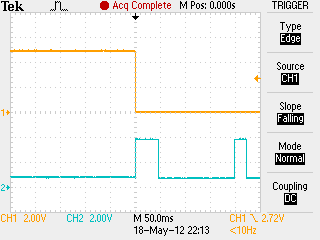
Green environment and energy saving is another popular trend that pushed home/office automation. The industry comes up with product integrated with sensors that will automatic switches off lights when no one is around, or maintaining a constant lighting intensity throughout the day. Energy efficient automated solution is also a popular theme.


STARhome is a smart home program initiated by A-STAR. I used to work with STARhome, a smart home filled with many many latest technologies, many of which are not yet available in the market.

We had technologies like face and voice recognition which can authenticate its owner and automatically open the door for you. Automated news/sports video indexing, which segment out the clip that you are interested to watch. Voice/gesture command or mobile phone to control the lighting and appliances. Robot that listen to your command and serve you a cup of freshly brew coffee. Tracking your location in the home, streaming your favorite music where ever you go. Keeping track of your groceries inventory, so that you will never run out of your favorite food. A real time language translation device which helps translate any speech to Mandarin for my grandmother at home who is unable to understand an English speaking sales-person. A bed/chair/toilet bowl that keeps track of sleeping pattern and health condition. Video/Audio surveillance system which is able to detect elderly/children fall, or any other activities at home, notifying the home owner events that they are interested in. Self sustaining and maintainence aquarium (fish tank). A platform where smart devices communicate with one another within a home. There are many more smart little gadgets.

We have collected our experience working and living in a smart home and managed to build another one, STARhome@fusionopolis.

These technologies may seems science friction, but are already possible. They are however still not within the reached of common user like you and me. Having the opportunity to work in STARhome has provided me some insight to what a smart home means to me. A smart home that is affordable, simple and easy to use. Just like how a washing machine came into our home.


Most home automation that I have seen and worked with in the market are quite impressive and contains a lot of functions. However they do not meet the smart home definition that I have in mind. Affordable, simple and easy to use. Many smart devices that are available in the market are suppose to make our life easy, but very often, I find it is even more difficult to setup and use. Even a television set that has been evolving for decades, seems more and more complex to use. The number of buttons are growing on the remote control, the functions are getting difficult to set.

Compare to an old television, the television now has more functions, but requires more steps to get a simple task done. Very often, I will have to help my parent and elderly to setup or even use the new television. The elderly may have aged, but they can still manage simple old appliances which are easiler to use.

Innovation like a thermo flask has once overwhelm me. There is a time when I spent quite a long time trying to figure out how to get the hot water out of the flask for my cup of 3-in-1 coffee. There was so many buttons on the flask and they have really confused me, making me looking like an idot. Making an electronic engineer who is working with the latest technologies, looking like an idot. The old mechanical thermo flask has only two button at most. One big push button on the top of the flask to pump out the hot water, and another one to lock the pump (for safety in case children play with the flask and get themselves scalded).

Most of the high tech stuffs reallys piss me off, because they are not designed for wonderful user experience; it is design for the seek of looking high tech. The experience has rised my awareness for a better user experience.

I would like to delicate this page to talk about the stuffs that I would like see in a automated home. Pros and cons of the existing concept of smart home gadgets available on the market. Also important things to take note when building your dream home in Singapore. Many interior designers and contractors are still green in the area of home automation, so it is important to know what you want to look for in your home. It is you who are living in your home after all.


www.pic-control.com, Singapore Network Ethernet WiFi RS232 RS485 USB I/O Controller


Structured Wiring

Smart home automation is becoming part of our home utilities, and it is important to design the infrastructure of your home to cater for the coming technologies trend. Provision wiring to meet future demands can save you cost.

The reason for provisioning the infrastructure is to avoid re-laying the cables. It is unlikely to have any further changes to the wiring, the access to the cable trunking should still be accessible. You can hide the cables but try not to seal it. Maintenance is necessary at times.

Structured wiring or cabling is a set of standard to lay the cable infrastructure, to ensure that interference is minimum. There are a few types of cable services that we can have in our home.

– AC Power 110-230Vac
– Digital data (Network, broadband)
– Analog signal (TV RF antenna, telephone line, Audio/Video)

The digital data and analog signal cable should be laid a distance of about 60mm away from the AC power line. This is to prevent noise from the AC power to be coupled over to the cables carrying digital and analog signal, especially when they run in parallel. It is also good to have the signal cables shielded to minimise the interference.

Sometimes when you switch on and off our electrical appliances or lights, you may notice that your television or radio can get disturb. For new television set, your may notice that the picture gets halt for a split seconds. The spark generated from the switch get coupled into the line. There will be no spark when the AC is at its zero crossing when it switched, but the probability is low being about to switch near the zero crossing period. A soft switch or electronic switch can minimised such spark, generating less noise.

When the AC power line and signal cables has to laid parallel to each other, it is good to keep them at least a distance of 60mm apart. Cables section that are not in parallel have less interference effect compare to those in parallel.

http://www.ehow.com/how_7934045_install-structural-wiring.html


Label of the cables is a good practice which minimise any inconvenient in future. Contractors do not bother to label the cables, because they are able to remember and managed them. As more and more cables are laid over the years, it can get more and more messy. Future contractor will have a hard time tracing the cables. It is always good to label the cables especially for structured wiring because there will be more variety of wiring which are more complex than before.

In Singapore, structured wiring can often be found in office and factory buildings, but is not adopted for home use. It is still a relatively new things for the home industry.

The typical wiring infrastructure that are adopted in our Singapore home are mainly:
– 230Vac cables (40-60A for HDB flats)
– TV RF/antenna cable
– Telephone cable

Fiber optic cable is available but not a popular choice. This is maybe due to the cost compare to other options.

In older homes, TV and telephone cable services are laid only to the living room;only the power cable is available at each room. Today with cheaper electronics products, consumers have the luxury to have more than one appliances in the same house. Each home is expected to have more than one telephone and television. It is now a common trend to see the TV and telephone cable laid to every room.

As technology evolve, the trend is starting to change. According to the statistic of Singapore 2012, there is a declining trend of household subscribing to the telephone line. This may be due to the popularity of personal mobile phone; at about 1.5 mobile phone per person. There are also new digital phone services which uses broadband to deliver voice call instead of analog phone line; the service is cheaper compare to the telephone line.


RJ11 (6pins) socket for telephone line (old type)


RJ11 (6pins) socket for telephone line (UK wall panel)


Recommended UK wall panel RJ45 (8pins) socket which is suitable for network (RJ45 jack) and telephone line (RJ11 jack) use, RJ45 jack

Telephone line is is declining. Every individual has at least a mobile phone. Telephone line (land line) that already installed are declining slowly. Most young family prefer not to install a new telephone line, as they are contactable through their mobile phone number.

Statistics on Telecom Services for 2012 (Jul – Dec)

See page ‘v’ of Report on the Household Expenditure Survey 2007/08


Telephone line may seem to be outdated, but I will still recommend the installation of infrastructure to support it. The recommendation is to install network cables instead of telephone cables. Network cable is able to host a number services like Ethernet, telephony, audio and video. This makes it a very flexible infrastructure to have.

Telephone lines do still have its unique advantages, compare to other new alternatives. Telephone line is linked directly from the phone exchange centre. The analog telephone do not requires additional power in order to work because the power comes from the telephone exchange centre. This means that in times of electricity failure, your analog phone will still works. Using a IP phones requires broadband internet and needs to be powered up from your wall power socket outlet. Using a mobile phone requires battery power. The number of mobile connection is also limited with a wireless cellular network. Power or internet connection failure will means that you will not be able to make call..

Not every household will want to install telephone line, but most will need network access in this information technology era. A recommended advise will be to laid network cables instead of the telephone lines. Network cables have 4 wire pairs which can be used for network as well as telephone purpose. Whether or not you will be using a telephone line, it is good to lay network line.

The network cables can support both the network and telephone services. RJ45 (8pins) socket is used for network cables, while RJ11 (6pins) socket is used for telephone lines. It is recommend to use a RJ45 socket, which RJ11 jack can also plug in.

The network cable has a number of grades indicating how the cable is shielded as follows,
CAT5 – no shielding
CAT5e – shielding over the cable (recommended)
CAT6 – shielding over each of the 4 twisted pair
CAT7 – shielding over the twisted pair as well the the cable

Technical information about the cable can be found here.

Laying CAT5e for the home will be more than good enough, for its performance and price. CAT7 will definately be too much. Installation using CAT6 or CAT7 cables can be quite difficult for a home, as the wire is usually thick which is difficult to install. CAT5 provide no shielding which performance can be degraded when it is laid near any noisy wires or devices.

The cables should be laid from each point to a central location where your network equipment (router) is likely to be placed. In a typical Singapore home, it will be either at the electrical box, or besides the TV console in the living room. It is recommended to lay 2 sets of cables for each location. The spare cables be use for telephone line or spare network lines, audio/video signal future use. You will never know when you will need it. It is better to provision extra cable which is cheap, compare to a wireless solution which is expensive and poor in quality.


DLINK DIR-655 WiFi router

A popular alternative to using network cables is wireless. Wireless network is convenient and easy to install, especially for existing home where it is difficult to lay new cables. Many consumers prefer to rely on wireless technology for their network services. Wireless tends to use more power and have limitation in the coverage they can support. The wireless signal can cover a distance of 30-50m under open space. The signal will find it hard to penetrate Singapore HDB flat, reducing the distance to about 10-15m. Many of my neighbors are also using WiFi in their home. At the time I am writing now, my WiFi dongle is able to detect 36 WiFi station. WiFi has a limited bandwidth over the air medium. With this limited channels across the air sharing with sharing with the desktop and laptop, the communication can be slow and drop connection can often occurred. There is also a higher possibility of being hack, compared to wired network. As far as possible, physical cable is still my preferred choice.

There are reports which indicate that wireless can cause health hazard. For consumers who are sensitive to radio frequency exposures, they may find it more comfortable with wired network. The same theory applies to the cellular phones. Many research have been produced with respect to these danger.

Health: A Cancer Muckraker Takes on Cell Phones

For me, I do still use it, but will try as much as possible to avoid it.


Aztech power line communication modem


TP-LINK PLC modem

Power line communication is also a popular choice. The network communication is done with the house existing power line. The communication is done within the home power line. Similar to WiFi, it is useful if it is troublesome to lay new wiring.

Wired ethernet network is still the best.


RF

RG6 F81 (F type connector)

RF splitter (1 in, 2 out)

Multi RF spliter(1 in, 4 out)

F type cable

try not to split more than 2 split.

centralised multiple split is preferred, in case any thing happen in future, it is simpler to reticfied.

don’t have to over tighten the connector to the socket.

Video/Audio analog signal or HDMI cables

RCA max distance, HDMI ma distance


Smart Features  


www.pic-control.com, Singapore Network Ethernet WiFi RS232 RS485 USB I/O Controller


Green and Efficient  


Useful Home Gadgets

Devices that make your home look smart.

 
available from saveone

Remote on/off applicances using any IR handheld remote controller.

Application: Using your TV remote control to switch all other entertainment system to save on the standby power consumption.

Using your TV remote control to switch on your wall plugged electrical fan or lamp.

available from saveone Night lamp, which automatically glows in the dark.
available from saveone

Digital timer to on and off appliances.

Able to select individual day/time in a week to on/off appliance.

Switch on network router or entertainment system during the day and switch them off at night. Switch on boiler or cooker at a particular time of the day, so that you can enjoy on time when you can back from work.

available from saveone

Wireless Power Monitoring.

Monitoring your home energy usage wirelessly.


www.pic-control.com, Singapore Network Ethernet WiFi RS232 RS485 USB I/O Controller


Keyword: Smart home, home automation, intelligent home, DIY smart home, affordable, efficient. Simple and easy to use Singapore home.

Electronics Tools and Equipment

My Electronic Lab Tools & Equipments

Written by Lim Siong Boon, last dated 06-Jul-08.


Kikusui variable DC power supply PAD 35-10L 0~35V 10A

Tektronix 2445A 150Mhz Oscilloscope

Tektronix 466 100Mhz Oscilloscope

Leader LAG-120B Audio Generator

Electrical Hand Drill

Soldering Iron


www.pic-control.com, Singapore Network Ethernet WiFi RS232 RS485 USB I/O Controller


  My DC Variable Power

The most important equipment that is required for electronics project. If you are looking into buying some equipment for doing electronics stuff, this should be the first one you should invest in. A good power supply can help you detect problem circuit quickly.

Some good must have features in a power supply,

– able to support high current and wattage.

– current and voltage meter.

– current limiting function.

Of course there are more high tech advance features, but these are the 3 most important function that I cannot live without.

With a higher current/voltage or wattage rating, you can power up wider range electronics devices.

Type of Usage Voltage Range (V) Current Range (A)
small scale electronics circuit testing 3 – 15 1 – 2
small to medium size motor, or large scale electronics circuit testing 3 – 24 3 – 6
motor and halogen bulb 12 – 24 6 – 12


Before connecting any load to the power supply, it is a good practice to adjust the current limit to a range which you think the load consume. When connecting to any unknown load or load that you suspected may have problem, it is a must to set a current limit, to prevent over drawing of current from the power supply. If there are short circuits in the load, current limiting can prevent huge current from flowing through and therefore reducing the chance of burning the whole circuit down. With proper limit, a short circuit wire could be warm rather than burning with red hot fire. A lot of the problem can be detected by observing the amount of current being drawn.


Specification

KIKUSUI ELECTRONICS CORP

Regulated DC Power Supply


Model: PAD 35-10L 0~35V 10A

Voltage range:

0Vdc – 35Vdc

Current range:

0A to 10A


Function


<1> adjustable current limit

To limit the current up to a value. If the current drawn is greater than the value set. The power supply will seize further current supply, such that the current supplied will not exceed the limit. With some voltage adjusted, press current limit button <5>, and turn, <1> to the required current limit.

<2> adjustable voltage

Adjusting the open terminal voltage to the requirement. This also sets the voltage limit of the power supply.

<3> over current indicator (C.C)

LED lights up if current drawn is greater than the limit set.

<4> over voltage indicator (C.V)

LED lights up if voltage at the terminal is greater or equal than the voltage setting. With open terminal (not connecting any load/circuit), the C.V LED should be lighted up. When loaded, the C.V LED should be off.

<5> current/Voltage limit button

Press the button to see the current limit being set.

<6> OVP function (over voltage protection)

Adjust a limit to the voltage, such that if the system’s voltage exceed the setting, the own power supply equipment will be shut down, and OVP LED will be lighted up. A reset (Off/On) will be required to reset the power supply to normal working conditions. This is a safety feature in case the voltage at the terminal is greater than expected unintentionally.

<7> voltage meter zeroing

see voltage calibration

<8> current meter zeroing

see current calibration

<9> V.FS (voltage full scale)

see voltage calibration

<10> A.FS (current full scale)

see current calibration

<11> V.OS (voltage offSet)

see voltage calibration

<12> I.OS (current offset)

see current calibration

<13> Voltage display

see voltage calibration

<14> Current display

see current calibration


Setting up the power supply for use:

1) Always turn current/voltage knob to minimum (anti-clockwise) before switching on the power supply.

2) Switch ON the power supply.

3) Adjust the voltage knob to the voltage required. It is important to verify the voltage using a multi-meter. Do not rely solely on the voltage reading on the power supply equipment.

4) Press the current limit button <5>, and turn the current limit knob to the maximum current allowed. Always keep the current limit as low as possible to prevent over driving faulty circuit, which may result in burning/fire.

5) Switch OFF the power supply.

6) Connect up your circuits.

7) Switch ON the power supply.

8) If the voltage and current when switched on is not of expected, switched off the equipment and think over what is happening.


Calibrating the voltage display <13>:

1) Make sure the power supply is switch OFF.

2) Adjust the OVP <6> to maximum, to prevent the protection mode from activating.

3) Adjust the voltage knob to minimum (anti-clockwise).

4) Switch ON the power supply..

5) Insert a digital VOLTAGE-meter and it should read 0V across the +ve -ve terminal.

6) If it does not read zero volt, adjust V.OS <11> until the digital multi-meter reads 0V. adjustment should be small and slow as the reading needs about a minute to be stable.

7) After the digital multi-meter reads 0V, it means that the output voltage at 0V has been tuned. Check the power supply voltage display 0V too. If the display does not show 0V, adjust the voltage meter zeroing <7> to 0V reading on the power supply equipment.

8) Adjust to increase the voltage to exactly 30V shown on the multi-meter. The voltage display on the power supply may not shows the 30V. Adjust V.FS <9> to adjust the voltage display to show the 30V on the equipment. Note that adjusting V.FS do not change the voltage output from the power supply equipment.

9) The equipment should be calibrated. Adjust to varies voltage to check if the voltage display tally the reading shown on your multi-meter.


Calibrating the current reading <14>:

1) Make sure the power supply is switch OFF.

2) Adjust the voltage/current knob to minimum (anti-clockwise).

3) Insert a digital CURRENT-meter and it should read 0V across the +ve -ve terminal. Make sure the priority is correct or else your meter will be damaged. +ve probe connected to the +ve terminal, while the -ve probe to the negative. This forms a short circuit across the power supply terminal as a amp-meter is 0 ohm.

4) Switch ON the power supply. The C.C <3> indicator will light up to indicate over current. This is because the current limit knob is turn minimum, limiting the current.

5) Increase the current knob by a bit. This should turn off the C.C indicator.

6) Increase the voltage knob by a bit. The C.C indicator could be lighted up, with a current reading on the display <14>. The display reading should reads the same as your digital CURRENT-meter. Adjust to varies current limit to check if they are of the correct reading.

7) If the reading is incorrect, A.FS <10> and I.OS <12> will need to be adjusted as it is done for the voltage calibration. The procedure will be slightly more complicated as current measurement is not as direct as voltage measurement, however the priciple is still the same. Tuning the offset first followed by the meter zeroing, and lastly the full scale tuning.


www.pic-control.com, Singapore Network Ethernet WiFi RS232 RS485 USB I/O Controller


My Tektronix 2445A 150Mhz Oscilloscope

Features    
Volts measurement cursors Specification  
Time measurement cursors Form Factor Benchtop
Cursor tracking Bandwidth 150 Mhz
Alphnumeric Readouts Rise time 2.33 ns
Time Measurement Number of Channels 4 ch
Voltage Measurement Min. Vertical Sensitivity 2 mV/div
CRT Readouts Maximum Vertical Sensitivity 5 V/div
  Vertical(or Deflection Factor) Accuracy 2 %
  Input Coupling AC,DC,GND
  Input Impedance 1 MOhm
  Input Impedance (alternate) 50 Ohm
  Maximum Input Voltage 400 V(dc+p)
  Maximum Input#2 (for Impedance #2) 5 Vrms
  Main time base – lowest 10 ns/div
  Main time base – highest 1 s/div
  B Sweep Time Base (low) 10 ns/div
  B Sweep Time Base (high) 50 ms/div
  Time base Magnification factor (X?) x10
  Timebase accuracy 0.6 %
  Trigger Source External,Internal
  Trigger Modes AC,Auto,DC,HF-REJ,LF-REJ,Normal,Single
  Display Type Color CRT
  Display Size 12.7 cm
  User Interface Proprietary
  Out of Production

Nov-01-2000

  CE Compliance Not on file
  UL Compliance Not compliant
  Power Requirements, Input Power Universal (Auto Sense and Switch)
  Physical Dimensions

Width: 330 mm

Height: 190 mm

Length: 434 mm

Weight: 9.3 kg(20.5 lb)

For more information regarding the use and operation of an oscilloscope, you can refer to the following document, the XYZ’s of Oscilloscopes  from Tektronix.

XYZs of Oscilloscopes, Tektronix 03W_8605_2.pdf


My Tektronix 466 100Mhz Analog Storage Oscilloscope

scan version of the manual for tektronix 466 oscilloscope is available in *.pdf format.


www.pic-control.com, Singapore Network Ethernet WiFi RS232 RS485 USB I/O Controller


Electronic Exhibition

Written by Lim Siong Boon, last dated 06-Jul-08.


System Integrator Exhibition, Interactive Electronic Display


I had this chance to visit Singapore Polytechnic on their open house during my secondary school days. From what I recall, this is the 1st electronic PCB project I ever build. It is a basic LED blinker. The blinking rate can be adjusted with the variable resistor on board. I had build a working circuit without knowing much about electronics at that time.
This is a electronic dice circuit board. Basically it will generate a random number 1 to 6 when the push button is pressed. I couldn’t remember how I got this circuit.
My first electronic audio project build during my first semester course “Diploma in Electronics, Computer and Communication” in Singapore Polytechnic. It is call a Melody Generator. Basically the IC contains a number of music tune. Passive component and transistor amplifier are interfaced to the IC to generate the music. The switches is for selecting operation mode, while the red push button is to activate the function.

As you can see, the PCB board is quite large, but I manage to squeeze the circuit traces onto a quarter of the board space. We start off with component purchase, PCB board routing design, PCB board fabrication, soldering up to troubleshooting in this project. My first taste of a full electronic project run through.


www.pic-control.com, Singapore Network Ethernet WiFi RS232 RS485 USB I/O Controller


My first home build power supply. 15Vdc 1A rating. I have been trying to look out for high current power supply circuit with current limit function, but failed to find one good one. All component are rather cheap except the voltage and current meter which is about S$10 each.


This a signal / function generator I build during my second year in my diploma course.


The function generator can generate sin, square and triangle signal for system testing. It is power by a signal generator IC, while the rest of the component on the PCB interface to the IC. For this project, we are involve in more engineering process from Computer Aided Design for the PCB layout, PCB fabrication, component purchase, chassis design and fabrication, soldering and troubleshooting.


My brother’s work. He is also study in electronics.


Component side


Wiring side.

Parallel port, Input/Output I/O interface board. This multiplex I/O interface is control through the parallel through a computer. The circuit uses the IC 74HC245 (bi-directional octal bus transceiver buffer), 74HC138 (active low, 3 to 8 line decoder demultiplexer) & 74HC574 (octal d-type latch flip flop, positive edge trigger) to multiple the 8 bits port into 32 bits port. The circuit is taken from a electronic cook book, “101 Circuits”.

It is one of my first few home build project that I have done. I managed to squeeze all component onto the PCB board. As seen from the photos, there is hardly any space between the components. The wiring side is very dense, as there is almost a wire soldered to each pad on the board. Quite proud of myself for this achievement.


This is suppose to be a inductor measurement circuit. The circuit uses logic gates to generate frequency for the inductor measurement. By reading the dc output voltage, we should be able to tell the inductance of the component. I didn’t really do much test to check if it is working well.


test circuit 1.


test circuit 2.


Op amp test circuit.


I am still sourcing for an affordable storage system for my components. Any suggestion?


Basic Components for Electronic Circuit Project


More Components


System Integrator Exhibition, Interactive Electronic Display


by Lim Siong Boon


DTMF Circuits

Telephony Communication
DTMF decoder using MT8870DE.
A telephone controlled device interface.

DTMF decoder using MT8870DE.

A telephone controlled device interface.

Written by Lim Siong Boon, last dated 06-Jul-08.

This circuit detects the dial tone from a telephone line  and decodes the keypad pressed on the remote telephone. The dial tone we heard when we pick up the phone set is call Dual Tone Multi-Frequency, DTMF in short. The name was given because the tone that we heard over the phone is actually make up of two distinct frequency tone, hence the name dual tone. The DTMF tone is a form of one way communication between the dialer and the telephone exchange.

A complete communication consist of the tone generator and the tone decoder. In this article, we are use the IC MT8870DE, the main component to decode the input dial tone to 5 digital output. These digital bits can be interface to a computer or microcontroller for further application (eg. remote control, phone line transfer operation, etc…).


Keypad Dial Tone Frequency Table

  1209 Hz 1336 Hz 1477 Hz 1633 Hz
697 Hz 1 2 3 A
770 Hz 4 5 6 B
852 Hz 7 8 9 C
941 Hz * 0 # D


Kit Research History

In the early days, our phone system used to be operated by human operator in a telephone exchange room. The caller will pick up the phone, giving instruction to the operator to connect their line to the destination over the other end of the telephone. As more and more people find phone technology a useful communication tools, line connection use human operator has become a tedious task.

As technology matures, pulse/dial tone method was inverted for telephony communication. It uses electronics and computer to assist in the phone line connection. Basically on the caller side, it is a dial tone generator. When a key is being pressed on the matrix keypad, it generate a unique tone consisting of two audible tone frequency. For example, if the key ‘1’ is being press on the phone, the tone you hear is actually consist of a 697hz & 1209hz sine signal. Pressing key ‘9’ will generate the tone form by 852hz & 1477hz.  The frequency use in the dial tone system is of audible range suitable for transmission over the telephone cable.

On the telephone exchange side, it has a decoder circuit to decode the tone to digital code. For example, the tone of 941hz + 1336hz will be decoded as binary ‘1010’ as the output. This digital output will be read in by a computer, which will then act as a operator to connect the caller’s telephone line to the designated phone line. The telephone exchange center will generate a high voltage signal to the receiving telephone, so as to ring the telephone bell, to notified the receiving user that there is an incoming call.

This project article focus on a simple DTMF (dual tone multi-frequency) decoder circuit. This circuit can be interface to a computer, allowing caller to computer interaction. Many communication application can be build for example, a computerize call receiving/diverting phone network system. Remote control to Home/Office electrical appliances using a telephone network.

DTMF is a popular project especially in DSP (digital signal processing) subject. DSP software algorithm can be implement to generate as well as to decode DTMF tone. It is very interesting, and I will try to cover that aspect in near future. For now we do the hardware way.


www.pic-control.com, Singapore Network Ethernet WiFi RS232 RS485 USB I/O Controller

Singapore Customized, custom made Electronics Circuits & Kits


Photos of DTMF circuit built.

DTMF Circuits

This the first DTMF circuit I build. Very small, roughly about my thumb size.


Output Logic behavior from the DTMF decoder IC.


no button press

TOE: Logic 0

  Q4: Logic 0

  Q3: Logic 0

  Q2: Logic 0

  Q1: Logic 0


‘1’ press and hold

TOE: Logic 1

  Q4: Logic 0

  Q3: Logic 0

  Q2: Logic 0

  Q1: Logic 1


release from button ‘1’

TOE: Logic 0

  Q4: Logic 0

  Q3: Logic 0

  Q2: Logic 0

  Q1: Logic 1


‘2’ press and hold

TOE: Logic 1

  Q4: Logic 0

  Q3: Logic 0

  Q2: Logic 1

  Q1: Logic 0


release from button ‘2’

TOE: Logic 0

  Q4: Logic 0

  Q3: Logic 0

  Q2: Logic 1

  Q1: Logic 0


‘0’ press and hold

TOE: Logic 1

  Q4: Logic 1

  Q3: Logic 0

  Q2: Logic 1

  Q1: Logic 0

Detection of dial tones is reflected on the bit TOE, while the output Q4, Q3, Q2, Q1 indicate the dial tone that is being detected on the telephony system. A complete table of the decoded digital output for individual dial tone is available in the coming section.


Key Tone Output Logic
Q4 Q3 Q2 Q1
1 0 0 0 1
2 0 0 1 0
3 0 0 1 1
4 0 1 0 0
5 0 1 0 1
6 0 1 1 0
7 0 1 1 1
8 1 0 0 0
9 1 0 0 1
0 1 0 1 0
* 1 0 1 1
# 1 1 0 0
A 1 1 0 1
B 1 1 1 0
C 1 1 1 1
D 0 0 0 0


These are the decoder output table for the given dial tone detected. Notice that there are key tone for A B C and D. These are special tone which are normally not found on our telephone. It is a common standard build into the decoder chip.

The circuit is relatively simple and straight forward, and all components can be easily found.

Schematics and BOM is provided below for your reference.


MT8870 datasheet

MT8870 application notes

Schematics (Click on the picture for enlarge view)


Component Layout (Silkscreen)

PCB Bottom Layer (PCB trace)


 Home fabricated circuit board


Bill of Material (BOM)

Part# Description Value Qty
C1, C2 Capacitor

should be 100nF not 100pF.

100pF, 250V x2
D1 High Conductance Fast Diode 1N4148 x1
D2, D3 1.3 Watt Power Zener Diode Zener 5.6V x2
DS1, DS2, DS3, DS4, DS5 Typical RED GaAs LED   x5
R1, R2 Resistor 56KΩ x2
R3 Resistor 150KΩ x1
R4 Resistor 47KΩ x1
R5 Resistor 330KΩ x1
R6 Resistor 100KΩ x1
R7 Resistor 68KΩ x1
R8, R9 Resistor 56KΩ x2
R10, R11, R12, R13, R14 Resistor 470Ω x5
U1 Integrated DTMF Receiver MT8870DE x1
U1 IC holder 18 pins x1
Y1 Crystal Oscillator 3.5795Mhz x1
JP1, JP2 Header, 2-Pin   x2


www.pic-control.com, Singapore Network Ethernet WiFi RS232 RS485 USB I/O Controller

Singapore Customized, custom made Electronics Circuits & Kits


Telephone Ring Detector Circuit Interface to Microcontroller


Other DTMF Tone Generator or dialer, NTE1690, TCM5589N, TP5089N (NEETRON Sim Lim Tower #B1), 5088, 4089 (YH Radio Sim Lim Tower #B1), LC7366

Other DTMF Tone Decoder 8870, SSI-202, LC7385, KT3170 (alternative to 8870 from YH Radio Basement 1 simlim)

Other DTMF Tone Generator + Decoder, 8888, 8889, 8880, HT9170C


Other Circuit References  

circuit7-LS1240, ringer.pdf
circuit8-PQUP11084YA Panasonic telephone KX-TS3MXW.pdf


www.pic-control.com, Singapore Network Ethernet WiFi RS232 RS485 USB I/O Controller


Keyword: circuit detects dial tone, telephone line, decodes keypad remote telephone, Dual Tone Multi-Frequency, DTMF, two distinct frequency tone, communication, remote control, tone generator, tone decoder, IC MT8870DE, digital output, interface computer microcontroller, Telephone Ring detector.


More Circuit Schematic

Written by Lim Siong Boon, last dated 08-Dec-09.


Click on the picture to enlarge the Schematic.

DC Motor Driver using L6203

L6203 a H-bridge driver for dc motor control. It  can drive up to a 4A rating motor. There is very few external component, and it is easy to implement. For high current driving from 1A to 4A, it is advisable to mount a heat sink to prevent overheating to the IC L6203.

Speed control can be achieve by various duty cycle control signal. In robotic maneuver speed control is necessary to accelerate and de-accelerate the robot. If there is no speed control, the robot can easily skid or experience slow acceleration.

The schematic consist of 3 dc motor driver for Spotronic use. Two driver for left/right wheel’s motor, and the third one is for camera rotation motor.


Click on the picture to enlarge the Schematic.

DC Motor Driver using Relay

DC motor control using relay is very simple compare to using transistor. It can drive very high current rating motor (depending on the relay current rating). However the relay is mechanical driven contact (produce sound), and can wear out over time.

There is not much control, only clockwise, anti-clockwise and stop.


Stepper Motor Controller/Driver Selection
Stepper Motor IC
Volt Range
Internal Mosfet
Interface
Thernal Shutdown
Micro Stepping
Rds(on)
Package
Price
Comments
L6228
8-52V
2.8A (peak), 1.4A
Logic
Yes
No
0.73Ω PowerDIP24,
PowerSO36,
SO24
S$10-S$12

DRV8825
(***)
8.2-45V
2.5A Logic Yes
Yes
0.25Ω HTSSOP (28)
S$6.03 Overcurrent protection, fault detection pin, microstep up to 1/32
A3979
35V
2.5A
Logic Yes Yes 0.28Ω TSSOP (28)
S$7.34 Cross-current protection
A4979
50V
1.5A
SPI, Logic
Yes Yes 0.50Ω TSSOP (28) S$7.88 Cross-current protection, diagnostic information
A4989
(***)
12-50V Ext Logic
Yes
TSSOP (38) $5.62
Cross-current protection, current limit


Dual FULL BRIDGE MOTOR DRIVER
L6207
L298

FULL BRIDGE MOTOR DRIVER
ISL83204A

Stepper Motor Controller
L297

Single FULL BRIDGE DC MOTOR DRIVER
MC33886


www.pic-control.com, Singapore Network Ethernet WiFi RS232 RS485 USB I/O Controller

Singapore Customized, custom made Electronics Circuits & Kits


Click on the picture to enlarge the Schematic.


DC Powered UPS System

This is a simple DC un-interrupt power system for DC powered device. When there is external power connected, the system will tap power from the external source and charged the internal battery at the same time.

When external power is withdraw, the relay will switch over which enables the internal battery to continue supplying power to the device.

The capacitor value is chosen, depends on the device. It function as a temporary supply source while the relay switches to another power source. This buffer ensure that there is no sudden dip to the power supply during the transition. If the device consume high power, a higher capacity capacitor should be use. Voltage rating of the capacitor as a guide, should be about 2 times the voltage of the supply.

The diode act as a block to prevent activation of the relay by the battery supply source. The current rating of the diode, as a guide should be about 2 times the connected device rating.


Click on the picture to enlarge the Schematic.

Signal Switching Circuit

IC ADG451 is an analog switch. It can be used to switch signal on/off or can be configure to act as a signal multiplexer. There are other configuration of analog switch from this series (ADG451 ADG452 ADG453). ADG451 consist of 4 analog switches (active high), while ADG452 consist of 4 analog switches (active low) and ADG453 is a mixture of 2 active high/low.

This circuit is designed for switching Ethernet LAN signal.


Click on the picture to enlarge the Schematic.

Adjustable PWM Generator Circuit

Design Dated: 17 Oct 2006

This is a PWM circuit which generate duty cycle rectangle pulses using the IC 555 timer. The duty cycle is adustable by a potential meter (variable resistor) from 0%-100%. PWM signal can be used to switch on/off power transistor, which can then be use to control Motor speed, LED brightness, controlled power supply, and many more. Vcc power supply to the circuit is 7V for the LED. Power supply range is quite wide for IC 555. The IC can operate with voltage within 5V to 16V.
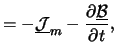
This circuit is designed to control the brightness of LED without the use of transistor to drive. For more information on using transistor to drive high current device, you can refer to project “Switch” at siongboon.com

Piezo Buzzer Interface Circuit

Design Dated: 19 Aug 2012

This is a very basic circuit to interface to a piezo buzzer. The input is a PWM rectangular wave driving the sound/tone of the buzzer. Lower frequency result in a lower tone.

Click on the picture to enlarge the Schematic.

PWM DC Motor Speed/Direction Control Circuit

Design Dated: 19 Aug 2012

This circuit can control a DC motor forward/reverse. The PWM input control the speeed of the DC motor.


Click on the picture to enlarge the Schematic.

Serial to Parallel output 16 channel

Design Dated: 20 Nov 2006

This is a serial data input to parallel output circuit. The circuits using 3 signal line, namely the data, data clock and latch clock to send the data to the IC 74HC595. Sometimes more output lines is required for control. With the constraint of limited ports from a microcontroller chip, this circuit comes handy in a project to extend the number of output ports up to infinity.

Each 74HC595 IC support 8 bit latched output, which can be cascaded to infinity number of 74HC595 IC, through is able to provide unlimited number of output ports. The trade-off for such a feature, comes with a delay time, and a relative longer firmware coding.

If the delay is not of an issue, this circuits can helps to extend the number of output ports, from 3 bit port output.

Attached is a function call routine to send the serial data to the circuit’s output. Written for the microcontroller PIC16F877a. ASM source code is here.

Click on the picture to enlarge the Schematic.

Parallel to Serial input 16 channel

Design Dated: 20 Nov 2006

This is a parallel input to serial output circuit. The circuits using 3 signal line, namely the data, data clock and parallel latch enable to read in the parallel data from the IC 74HC166. This circuit comes handy in a project to extend the number of input ports for a microcontroller.

Each 74HC166 IC support 8 bit latching parallel input, which can be cascaded to infinity number of 74HC166 IC, through is able to provide unlimited number of input ports similar to the serial to parallel circuit shown above. The trade-off for such a feature, comes with a delay time, and a relative longer firmware coding.

If the delay is not of an issue, this circuits can provide the microcontroller with more inputs, from 3 bit port input.

Attached is a function call routine to read in data from the circuit’s port to the microcontroller. Written for the microcontroller PIC16F877a. ASM source code is here.


Click on the picture to enlarge the Schematic.

2 Channel Delay Timer


Click on the picture to enlarge the Schematic.

Typical PIC16F877 Schematic


Various type of circuit interface (3.3V↔5V)

The schematic illustrate various method of interfacing line between a 3.3V and 5V digital circuits.


The information presented is from,

Download full article: 3V Tips ‘n Tricks, 41285A.pdf


Circuit design for interface (3.3V→5V)


Interface using commercial available level shifter IC (3.3V→5V)


Circuit design for interface (5V→3.3V)


12Vdc-230Vac circuit (100W

)


www.pic-control.com, Singapore Network Ethernet WiFi RS232 RS485 USB I/O Controller

Singapore Customized, custom made Electronics Circuits & Kits


by Lim Siong Boon


Energy Saving Light Bulb

It is all about energy saving light bulb/lamps for lighting.

Edited by Lim Siong Boon, last dated 22-Jan-2012.

Topic Discussion Overview

  1. Lamp Characteristic
    • LED ceiling lamp
    • Electronic PL lamp bulb G24 base
    • Energy Saving T8 fluorescent tube
    • LED strips
  2. Various Lamps Technologies
  3. Color Temperature
  4. Lamp Shape & Base


1. Lamp Characteristic


LED is the latest lightings technology in town. I was excited about LED lights for the energy efficiency it can bring. Using less energy to light up the place. After exploring the technology, and conducting a series of experiments, I realised that LED is not as wonderful as I think it should be. The truth is, not all LED lighting lamp is efficient. It depends mainly on your application. Fluorescent lamp can have efficiency equal or better than LED lamp. For some applications LED will be better.

The following presents a list of energy saving lightings products that I have considered the best among the other alternative solution. The list consist of LED as well as fluorescent, because some fluorescent bulb solution can be as good or even better than LED bulb in terms of energy saving.

With a better understanding about the lighting technologies, it can help you make a better economical choice towards saving your electricity bill. The subsequent sections will present various energy saving products and some detail analysis. Alternative technologies will also be presented in a table format for easy comparison.

Most of the solutions that are presented are products from saveOne. The company has a strong focus in energy efficient products. Most of the efficient lightings or energy saving solution can be found there, be it LED or fluorescent. They also provide experiments and measurements to allow consumer to have a better understanding of various light bulb technologies. Some of the informations is made available for comparison with the help from their technical support. Besides lighting products, the company also sells other energy saving products. The main focus here is only on the lightings, so let us begin.


Dated : 2011-02-15

This was the very first set of LED bulb that I have tested. My boss actually wanted to showcase LED bulb in our smart home.

(Click image for larger view)  
There is this two model that caught my attention. One is 12W and 7W model.
This 7W LED bulb measures to be about 6W
This model measures about 8.9W
This is a 12W CFL (compact fluorescent lamp) bulb and the consumption is 11W

The power consumption is a bit lower, but the Philips LED bulb price is quite high. The price that I have purchase at that time is about $40++. This is about 8-10 times price difference when compared to a CFL bulb (compact fluorescent lamp, or energy saving bulb).

These LED bulb do generate some heat. You can easily see it from the way the bulb is designed. Between the bulb and the screw, you can find the heavy chunk of metal. This is actually the heatsink which helps to dissipate the heat from the bulb. The lamp uses high power LED. These LED can generate very bright lights, but at the cost of the heat produce. Not all the electrical energy is converted to lights.


LED Ceiling Lamp

Product code: LEDCL2417

LED ceiling lamps

LED Ceiling Light (Surface, Round, 98*LED)
Wattage: 8W
Color: Daylight (6500k)


available from

saveOne Pte Ltd

saveOne Pte Ltd, Singapore, www.saveone.com.sg


My home toilet is bright using the LED ceiling lamps. (Installed on Jan 2012)

The LED ceiling lamps is make up many small LED bulbs. This 8W LED ceiling lamp provide brighter illumination at the center than the old CFL. The old 18W CFL (E27 base) that I used to have provides a brighter illumination on the ceiling than the LED lamp. There are pro & cons. LED is rather directional which is why the ceiling looks darker. However lightings to the floor area is very bright.

This LED ceiling lamps uses many little low power LED bulbs. The heat generated by these low power LED bulb is insignificant when compare to the fluorescent lamp. They do not generate heat, and no heat sink is required. The low heat lighting also means that the components and material can last longer when compare to heat generating lighting technology. In short, low power LED lightings is more efficiency compare to high power LED, fluorescent and other lighting technologies.

Measurement (for 8W LED ceiling lamp)

LED ceiling lamps
Wattage:6W
Current: 0.049A
Power Factor: 0.61


Measurement (my old 18W CFL bulb that was used to be in my toilet)

Wattage: 18.3W
Current: 0.118A
Power Factor: 0.664

There are other type of LED lamps that uses high power LED. These lamps uses only a few high power LED bulbs but can dissipate quite high heat. High power LED requires a heat sink (usually aluminium material) to be attached which helps to disspate heat.


LED Ceiling Lamp

Product code: LEDCL4015

LED Ceiling Light (Burger, Round, 208*LED)
Wattage: 15W
Color: Daylight (6400k)
Size: Dia 350mm


available from

saveOne Pte Ltd

saveOne Pte Ltd, Singapore, www.saveone.com.sg


2012-05-16 Upgrade My Kitchen Ceiling lamp.

I have been using the saveOne electronics ballast to power up my 2x kitchen’s ceiling fluorescent lamp for about 2 years. I wanted to change these fluorescent tube to LED but they are still functioning good. Finally one of the fluorescent (I think it is at least 5 years old) dies off. The very next moment, I ordered 2x LED ceiling lamps. Finally my kitchen is upgraded to LED.

The LED lamp itself is make of plastic, and the weight is very light. It is easy to install. I have managed to reuse the mounting holes from my old lamp by drilling holes on the plastic LED lamp base.

The lamp that is nearer in the picture is the new LED burger lamp that I have installed. The further end is the old fluorescent lamp powered by the energy saving electronic ballast. I wanted to compare the two type of lamp side by side before I change both my ceiling lamp to LED.

The LED version is very bright. Brighter than my old fluorescent lamp.

Another photo taken. The exposure is less, and we can see both the lamps clearer.

You can click on the photo for a larger view.

Lamp view from bottom up.

This is the 15W LED lamp with the cover removed. You can see that it consist of many little LED bulbs. They do not generate much heat even when operating for a long period of time. Your environment temperature can be a little cooler because of this lighting.

Typical heat generated by a magnetic ballast can be very hot. You can try to touch your magnetic ballast after operating for 10 mintues at home. It will be very hot.

The actual lamp with its plain cover.
A close up view of how the inside looks like. There are a total of 208 small little LED bulbs.

Both my kitchen lamp used to be powered by magnetic ballast. The consume was about 40W for each lamp.

The changed to electronic ballast has reduced the energy consumption to about 25-27W.

The installation of LED lamp has reduce the consumption to only 15W. This is only 38% of my old 40W lamp. These LED does not generate much heat, through expected to last longer as well. Bright and efficient, I love it.

Next LED lighting to go will be my rooms.


available from

saveOne Pte Ltd

saveOne Pte Ltd, Singapore, www.saveone.com.sg


Other interesting LED ceiling lamps products.

These lamps are integrated with motion & LUX sensor. The lamps gets to operates in the dark. When the lamp sense motion, it will switch on it’s LED light automatically. When there is no activity for about a minute, it will switch off the light automatically. These features makes it suitable for your storage room, toilet and corridor.


www.pic-control.com, Singapore Network Ethernet WiFi RS232 RS485 USB I/O Controller


Electronic PL lamp bulb G24 base (PLC)

Product code: CFLSI2154

saveOne

Lamp base: G24
Wattage: 15W
Color: 6500k, Daylight


click here for product brochure


available from

saveOne Pte Ltd

saveOne Pte Ltd, Singapore, www.saveone.com.sg


Dated: 2012-01-15

It was quite difficult for me to accept the fact that in this technological era we are still using lighting technology that are so out dated. I was not so aware about our current lighting products and technology, until I had this chance to conduct experiment on saveOne’s product.

At first look, this product is no difference from the PL bulb that we normally use in our home or office building. I did not understand what is so special about this product, until I do my some market research.

The current PL bulb that we have in our home or offices actually uses the old magnetic ballast technology. It works exactly the same as a typical magnetic ballast with a normal fluorescent tube. You can read something about the old fluorescent technology here.

http://www.siongboon.com/projects/2010-08-22%20electronic%20ballast/index.html

The old fluorescent technology requires 3 components to work.

a starter , a magnetic ballast and a fluorescent tube to work.

This old technology has a number of disadvantage.

– Use more electricity energy.
– Need to wait for the starter to kick start the bulb.
– Generate more heat due to inefficiency (draw in more current).
– Operating at lower frequency.

The typical PL fluorescent bulb from Philips that you can find in the market does not requires external starter. Most consumer will find it a very convient product over the conventional fluorescent that requires a starter to operate. What most the consumers do not realise is that it is no difference from the old traditional inefficient fluorescent bulb.

So where is the starter? The reason that you don’t get to see any starter in the setup is because the starter has already been built into the bulb itself. A typical fluorescent tube has 4 pins. PL bulb has only 2 pin because the 2 other pin is used for a mini starter installed below the tube (near the socket). This also means that if either the tube or the starter component get damaged due to wear and tear, you will have to replace the whole PL bulb. The old setup allows you to change either the starter or tube if one of them is not working. PL bulb is easy to use but there is wastage. Not that eco-friendly. A working tube can ends up in your trush bin, just because the starter that was integrated into the PL bulb was not working.

Click on the photo to enlarge the picture.

One of the saveOne PL lamp setup. (click to see a larger picture of this setup)

Click on the photo to enlarge the picture.

The typical PL lamp setup. What is inside a typical PL bulb? (click to get a larger picture of this setup)


You can easy tell if you have the old PL bulb install in your home/office. The lamp will flicker on and off for a few seconds before it can be fully turned on. The flickering is actually cause by the starter’s attempts to start up the lamp.

So what is so special about saveOne PL lamp?

Let’s do some technical measurement, to explain the differences.

This was a measurement that I took, comparing saveOne PL with a typical PL lamp + magnetic ballast.


Lamp Photo Wattage Current PF
10W saveOne PL bulb saveOne 9.1W 0.066A 0.63
typical 10W PL bulb + magnetic ballast 14.3W 0.158A 0.38


saveOne has designed the electronics to replace away with the magnetic ballast and starter system. The electronic control is more efficient consuming only 9.1W during the measurement. The PL lamp consume 9.5W at start up and drop down to 9.1W (steady state) after the tube gets to warm up. In contrast the typical PL bulb begins at 13.9W and rise up to 14.3W during the steady state.

saveOne PL lamp is driven by electronics. Users do not need to worry about the type of ballast to match with the lamp. The magnetic ballast PL bulb has a typical higher wattage consumption; this is especially true if the magnetic ballast is not match to the fluorescent tube wattage. In some cases, it wattage consume can even be higher. For the best efficiency in brightness, power consumption and lamp’s lifespan, the typical PL lamp has to match with the ballast of the correct wattage.

The current drawn by the magnetic ballast setup is also higher at 0.158A. Compare to the saveOne PL bulb 0.066A, it is about 2.4 times higher. The reason why a magnetic ballast draws more current is because of its inductive nature. Inductive load is actually an energy storage device and will draws/returns more current than its actual consumption. Unconsumed energy will be returned to the grid. This results in a higher current flowing through the magnetic ballast. The higher current flowing through a finite cable diameter will generate heat compare to a efficienct bulb that uses less current. These are actually energy losses. If you attempt to touch a magnetic ballast after switching your lights on for about 10 minutes, you will feel how hot it can be.

The power factor for the saveOne PL bulb is high at 0.63; the reason for the low current drawn. Power factor of 1.0 (which is the maximum possible reading) indicates that a device will draw the actual current it needs for its operation. Higher power factor means better efficiency.

The heat generated from the magnetic ballast is a waste of energy, and will tends to wear out the various component more. The heat will have indirect impact on the environment temperature and aircon electrcity wastage as well. If you feel the heat surrounding the old PL bulb, you can feel the heat. When you change old PL bulb, you might also find that the tube has the tendency to drop off from the base or the glass tube can break easily. These wear and tear can also expose the dangerous mecury content inside the florescent tube, which will contaminate your home/office environment.

saveOne PL lamp uses electronics to switch the fluorescent lamp. The higher operating frequency also plays a part in the efficiency of the lamp.

The saveOne PL bulb replacement over the old PL bulb is easy. There is no need to do any rewiring. Simply change the bulb. The electronics built into saveOne PL lamp is able to work with existing installed magnetic ballast. I was sceptic about its claim and also did a measurement on its performance when it is used with a magnetic ballast.

Measurement (for saveOne 10W PL bulb + magnetic ballast)
Wattage: 8W
Current: 0.042A
Power Factor: 0.74

The result was quite unexpected when I first do the measurement. The performance is even better without removing your existing magnetic ballast. This product is designed specially for consumer using the old magnetic ballast PL lamp, helping them to switch over to a more energy efficient saveOne PL lamp.

Click to enlarge the picture.

saveOne PL bulb setup without removing your existing magnetic ballast. (click here to see a larger picture of this setup)


Even though the magnetic ballast was installed with the saveOne bulb, it does not generate much heat as compared to the old PL bulb. This is much expected with the low current that the bulb is drawing.

saveOne tube is designed in a spiral shape which allow more lights to be projected out. The fluorescent tube also contains triphosphor material which allows the tube to generate brighter light using less electricity energy.

This patented product from saveOne really earns my respect for the innovation that they have put in the area of energy saving. It changes my views about the old lighting technology that we are still using in Singapore. Many places are still using the olf PL bulb.


See the following comparison table for more information.


Buy this Energy Saving PL Lamp Now at the PIC-store


Comparison among various energy saving lightings for PL fluorescent lamp. (updated Jan 2012)

Description

saveOne

Name Electronics
PLC Lamp

LED PL Lamp

Magnetic
PL Lamp

Lastest Energy Saving Lamp 15W 12-18W 18W
Electricity Energy Cost Per Year
see footnote.
$36.25 $29.00 – $43.50 $43.50
Electricity cost saving per month
(when the old magnetic PL lamp is replaced)
$0.60/mth = ($43.50-$36.25)/12 $0 – $1.21/mth = ($43.50-$29.00)/12  
Lamp Cost about $8-12 about $30-50 about $4-6
Fast ROI
(Return-On-Investment, when replaced with ballast + PL Lamp)
Lamp Cost ÷ Electricity cost saving per month
about 13 months about 25 months
Brightness Triphosphor
Lower Heat Generated magnetic ballast generate a lot of heat.
Easy to Install/Replace
Low Maintainance Cost
Instant On (no need starter) `
Safety (robust mechanical design) robust tube design no mercury content crack easily and loosen due to heat stress
Integrated Ballast (save space) external ballast is required
High Power Factor magnetic ballast has low power factor
Estimated Lifespan 7,000hr 30,000hr 7,000hr
Brand name in Singapore
– Philips
– PowerPac
– saveOne

saveOne Pte Ltd

saveOne Pte Ltd

footnote:
(assuming 24 hour operation per day, base on Singapore’s Electricity Tariffs rate of $0.2759 cents as of Jan 2012)
Electricity Cost Per Year = Bulb Watt (W) x 24 Hour x 365 days ÷ 1000 x Electricity Tariff Rate ($/KWh)


Energy Saving T8 fluorescent tube

SuperTube

Product code: FLRSL1644
saveOne Pte Ltd

Lamp base : T8
Length: 4ft
Wattage: 16W
Color: Daylight (6500k)

click here for product brochure


available from

saveOne Pte Ltd

saveOne Pte Ltd, Singapore, www.saveone.com.sg


When I first got to know of this energy saving T8 fluorescent tube, it looks just like any ordinary T8 lightings. I have learned over a series of measurements and experiements that this is no ordinary T8 fluorescent tube. It has the performance comparable to a LED T8 tube, but at a cost much lower. The design also overcome some of the shortcoming of an ordinary fluorescent tube that are available in the current market. These have make it one of the most efficient and economical lighting tube among the rest (LED T8 and T5).

Taking a closer look, the product is actually a T5 fluorescent tube, covered with a protection covering. T5 is quite well known for its lighting efficient. The T5 tube is coated with triphosphor material helps the tube project out more light using less energy..

The product’s covering provides an extra protection over the fragile tube to reduce contamination due to the leakage of mercury vapor; a common substances that is contain inside all fluorescent tube. This protection is especially important in the kitchen area where food preparation work will be done. It is also desirable for low ceiling workplace where the tube can easily be damaged. Mercury is a health hazard substances, and it important that we handle fluorescent tube with care. The covering design reduce the chance of mercury containmination.

Actual measurement was conducted shows that the wattage of this product has the same wattage consumption to a typical LED tube. This energy saving performance comes from the electronic ballast that is integrated into the lamp product itself. With the integrated electronic ballast, the tube can be connected directly to your Live and Neutral electrical wire. This simplifies the electrical connection. It means that you can save more space. A normal T8 or T5 fluorescent tube which requires a starter and external electronic/magnetic ballast in order to work with, and this will take up precious space.

Normal T8 housing can be very bulky. Magnetic ballast, starter and starter holder are housed inside the enclosure.


Space saving T8 fluorescent tube socket for direct electrical connection. Useful for ceiling/wall cove lightings where space are very tight. Setup is cheaper as well without the enclosure, starter, starter holder and magnetic ballast.


The product’s built-in integrated ballast is also designed to work with your existing magnetic ballast. This means that you do not have to change any wiring or remove the magnetic ballast from your existing setup. Simply change the old T8 tube with this new energy saving tube, and remember to remove away the starter. The new lamp turns on its light instantly without the need for any starter.

You might wonder that with the magnetic ballast working together with this new product, will it affect the energy consumption? I had the same thought as well. Measurement were taken. By using the magnetic ballast together with the product, it has insignificant changes to its performance and energy consumption. In fact the power and current drop a bit. These can be explain by the measurement result which will be presented shortly.

The power factor of the ordinary T8 tube setup is poor. This is mainly due to the magnetic ballast which is an inductive component (which is only wire coil). The poor power factor results in higher current being drawn from the electrical grid. The current drawn is 4 times higher than the saveOne’s T8 energy saving product. With such a high current flowing through the magnetic ballast, it will generate heat. This is also why it feel burning hot when you try to touch the magnetic ballast which has been operating for more than 10 minutes. This is wasted energy as a form of heat. The heat also affect your environment temperature indirectly.

In contrast, this energy saving T8 lighting product uses much less current. Less heat will be generated. Even if this low current flows through your existing magnetic ballast, it will not generate much heat. The low current is transparent to your existing magnetic ballast; there are no loss.

This is a ordinary T8 fluorescent lamp using a magnetic ballast.

The temperature is 71.8°C is taken just behind the casing housing the magnetic ballast. It is so hot even on the outside. You can imagine how hot is the ballast inside.

The whole lamp housing was removed from the ceiling and is placed on the floor. This ballast has been resting for about 10-20min. The temperature reading taken on the magnetic ballast surface is still hot at 61.0°C.

Click on the picture to enlarge.

A big contrast, another ceiling lamp housing was fitted with the saveOne T8 energy saving fluorescent tube. The magnetic ballast is still inside. Starter was removed and no wiring change was done. It has been turned on for the whole day. The temperature reading behind the lighting enclosure is only 35.0°C. This is only slightly more then the normal room temperature in Singapore. The heat is propably only from the fluorescent tube itself. The fluorescent tube itself when switched on, do produce some heat.

  As we can see, the drop in temperature is quite significant. The generated heat from the old T8 is simply a form of wasted energy.


The following measurement result shows that the power consumption for the saveOne T8 product is almost the same as a typical LED T8. Given the similar performance, the ROI (return of investment) of the product will be much better because the LED cost is high.


Lamp Photo Wattage Current PF
saveOne T8 fluorescent tube saveOne Pte Ltd 16.1W 0.082A 0.953
LED T8 tube 16W 0.080A 0.952
ordinary T8 fluorescent tube 43W 0.429A 0.439

Note: wattage various around 36W- 45W depending on the magnetic ballast


The product has indeed impressed me for its efficiency when compared to a LED T8 tube. I have also done up a product comparison table to compare against other type of lightings solution to replace the old T8 magnetic ballast fluorescent lamp.

See the followings for more information on the comparison between more types of alternative replacement solution for T8 lightings.


Comparison among various energy saving lightings for T8 4FT fluorescent lamp replacement. (updated Jan 2012)

Description saveOne Pte Ltd

saveOne Pte Ltd


Name SuperTube LED T8 to T5 Adaptor Electronic Ballast Magnetic Ballast
Lastest Energy Saving Lamp 16 – 20W 16 – 20W 23 – 28W 28 – 40W 36 – 45W
Electricity Energy Cost Per Year
see footnote.

$38.67

$38.67

$55.59

$67.67

$87.01

Electricity cost saving per month
(when the old T8 tube is replaced)

$4.03/mth = ($87.01-$38.67)/12mth

$4.03/mth = ($87.01-$38.67)/12mth

$2.62/mth = ($87.01-$55.59)/12mth

$1.61/mth = ($87.01-$67.67)/12mth

Lamp Cost about $18-$25 about $60-$90 about $12-$18 about $8-$12 about $5-$9
Fast ROI
(Return-On-Investment, when replaced with ballast + PL Lamp)
Lamp Cost ÷ Electricity cost saving per month
about 4-6 months about 15-22 months about 5-7 months about 5-7 months
Brightness Triphosphor Triphosphor
Lower Heat Generated
Easy to Install/Replace
Low Maintainance Cost
Instant On (no need starter)
Safety (robust mechanical design) protection against mercury leakage no mercury content
Integrated Ballast (save space)
High Power Factor
Estimated Lifespan 7,000hr 30,000hr 7,000hr 7,000hr 7,000hr

Brand name in Singapore
– Philips
– AZ e-lite
– Megaman
– PowerPac
– saveOne

saveOne Pte Ltd

saveOne Pte Ltd


saveOne Pte Ltd

28-32W electronic

footnote:
(assuming 24 hour operation per day, base on Singapore’s Electricity Tariffs rate of $0.2759 cents as of Jan 2012)
Electricity Cost Per Year = Bulb Watt (W) x 24 Hour x 365 days ÷ 1000 x Electricity Tariff Rate ($/KWh)


Comment:

As based on the comparison among various lamps technology, the latest energy saving LED and SuperTube lamp are both very energy efficient lamp.

LED is known to last longer than the fluorescent technology but the cost of the lamp is much higher. That is why the ROI (return on investment) is poor when compare to the fluorescent technologies.

The fluorescent technologies have similar ROI although the cost price is different. This is because the new fluorescent design has achieved an efficiency close to the LED technology..

SuperTube design has a cost slightly higher, but it offer more electricity saving, with a better protection against mercury contamination than the other fluorescent technology.

In terms of cost and efficiency, the SuperTube lamp offers a better choice over the lamps. If you are interested to find out about saveOne’s SuperTube lamps, you can contact them or visit their office for a demonstration or an experiment experience.
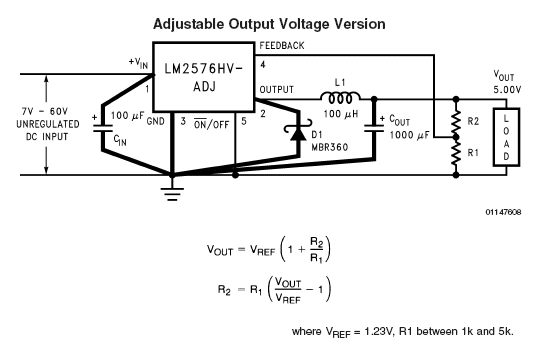


Product picture taken from saveOne Pte Ltdand


LED candle and chandelier bulb (compare to incandescent bulb)


Lamp base: E12, E14
Wattage: 0.3W (candle bulb 6xLED) , 0.6W (candle bulb 12xLED), 3W (chandelier)
Color: Red, White, Warm, Green


available from

saveOne Pte Ltd

saveOne Pte Ltd, Singapore, www.saveone.com.sg


I love these LED candle bulb. These E12 bulbs are usually used for the praying lamp on our Taoist altar table. It simulate the olden days of using candle flame..


Candle bulb with its holder.

A simple altar table using candle bulb.


Compare to the normal incandescent bulb 16W, these LED bulb only uses 0.3W. That is about 50 times saving in energy. The incandescent bulb can be very hot after turning on for a few seconds, and these can be quite dangerous especially with naughty children running around the house. These LED bulb remains cool after operating for the whole day. The lifespan of these LED bulb is much much longer compare to the incandecent version.

LED candle bulb (0.3W, E12), cool and longer lifespan Old type, incandescent bulb (16W, E12), very hot and short lifespan. Cheaper.


The old incandescent bulb cost less than a dollar, a lot cheaper then the LED bulb which cost about S$5 to S$8. Considering the 16W energy that the incandecent bulb will consume, it will actually cost more to maintain it. This is even more significant if you operate the lamp for 24 hours per day. The electricity bill that you save within 2 months of operation can easily help you recover the cost of the LED bulb purchased. Per bulb would have save you about S$3 to 4 base on the electricity tariff rate of S$0.30/Kwh. Lifespan of incandescent bulb can be short, as the heat and frequent switching on/off can burn off the filaments inside.

For these LED bulbs the brightness is lower and will not be suitable if you have a lamp covering. The cover will reduce the brightness. Considering the energy saving, temperature, safety and lifespan that this LED bulb brings, it is a much more economical choice over a incandescent bulb.


Buy this LED Candle Bulb Now at the PIC-store


Another great bulb that I will like to introduce is the LED chandelier bulb which uses only 3W compare to the incandescent version which uses 40W.

A LED chandelier bulb (3W E14), hot but much better than the incandescent bulb. The LED bulb when it is switched off.


The photo on the left is an old incandescent chandelier bulb (40W E14), very hot and short lifespan. You can see the thin filament inside the bulb.


This LED incandescent chandelier bulb uses a high power LED. The light is very bright and look very much like the incandescent bulb’s filament. The high power LED bulb do generate some heat but it is a lot less than the incandescent version. This LED bulb 3W uses about 13 times less energy than the conventioanl incandescent bulb of 40W.

These LED bulbs are worth recommending for their higher effciency, lower heat generated, safer and longer life span over the conventional incandescent bulbs.


Buy this LED Chandelier Bulb Now at the PIC-store


www.pic-control.com, Singapore Network Ethernet WiFi RS232 RS485 USB I/O Controller


LED lighting strips


Lamp base: Bare wire strip
Wattage: 4.8W, 9.6W, 14.4W, 28.8W per meter
Color: White, Warm, Green, Red, Blue, Orange, Yellow, Purple, Cyan, Pink, RGB multi-color

LED bulb: 5050, 3528
Package: IP67, IP65, IP44

1meter/reel, 50mm cuttable section

30/60/120 LED per meter


Last updated: 2012-03-13

LED strip is getting more and more popular nowsaday. Unlike other lighting, the led strip is very flexible allowing it to bend over corner and curve. They usually comes in a roll of 5m per reel and can be easily extended or cut to length in a section of 50mm.

There is usually a black line to indicate the cutting point. The line is usually between the copper pad.

You can actually cut anywhere along the strip. If the strip is not cut on the indicating line, you will end up losing about 3 LED at the strip end not lightting up. This is because the strip is usually design to have 3 LED connected in a series circuit.


The installation and wiring is very simple. It using a low voltage of 12V which is very safe to handle. There are also strip using 24V. You will not get electrical shock by touching the pair of 12V wire using your bare hand; neither will it cause nasty short circuit when it gets in contact with water. This make it suitable for installation near water or where it can easily get in contact with water or the user. Special area like toilet basin, aquarium tank lighting, floor area, bed side and lower section of the cabinet. It is much safer than any 230Vac lighting; about 20 to 30 times lower.

There are many style of installing the strip. You can lay the strips simply on the shelf. Some strips has sticker/adhesive tape on its back, allowing it to sticks itself to most surface. Remember to clean the surface before sticking the strips on it. There are also accessories which you can extend or secure the strips. The strips allows installation where traditional lamp installation is not possible.
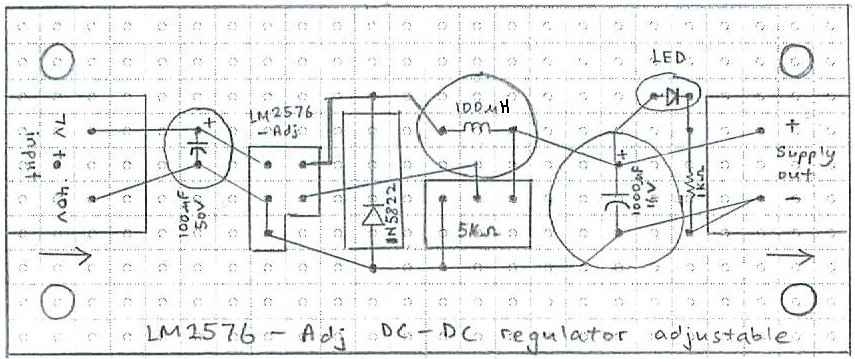
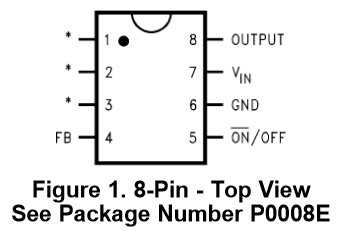
Non-silicon jacket strip comes with adhesive on the back of the strip.
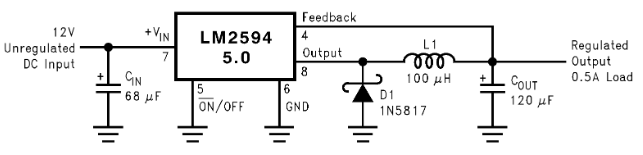
Mounting silicon bracket accessories to secure the LED strip.

Connector to extend the LED strip.

Another type of connector design.

Connector can be used for the wire as well.


The LED strip comes in a reel of 5m and comes with a wire dangling from both end of the strip. The strip can be cut into length. If a connection is required after the cut, there is also a connector available to join up the strip.

The connection is simple and quick. No soldering of strip or wire will be required.


LED strip’s socket to fit to the typical power supply adaptor’s DC barrel jack (OD=5.5mm, ID=2.1mm)


The strip is usually drive by a 12V switching regulator or power supply adpater. Like a battery, you should never short the positive and negative terminal of power adapter; the adaptor can be damage. A 12V power supply adaptor comes in various current rating. A longer strips requires more energy to light up, therefore a higher current rated power supply will be needed to drive it. A meter of 14.4W strips requires about 1.2A. If you are getting 3 meter, the current needed will be about 3.6A. The power adaptor that will be required has to be a minimum of 12V 4A. Usually I will give the power adapter more buffer. A rating of 12V 5A or more will be safer. If you use a lower current rated supply, for example 12V 2A, you will likely to cause internal damage to the power adaptor. Higher current rated power supply is better in performance, but is generally more expensive.

Power Supply Adapter or Switching Voltage Regulator

Form factor: Wall Plug
usually available for low current rating

Form factor: Desktop
usually available for high current rating


LED strip circuit is a relatively simple design. It is unlikely that you will damage the strip using a wrong rated power supply. Even if you connect the positive/negative priority in reverse, neither the strip nor the power supply will be damaged. The strip operates on 12V, and can tolerate minor voltage difference (10-13V). A voltage too high applied to the strip can damage the LED bulb.

There is a limit to how long the strip can be extended. 10m is the recommended maximum continous strip length. Extending it longer, you will find that the light intensity near the far end of the strip will become much dimmer than the other end that is near the power source. If your eye are sharp enough, you should notice the intensity difference within a 5m long strip itself. This flaw is due to the slim and narrow strip design (resistance), restricting the high current flow, preventing current to reach to the far end of the strip. The high resistance on the strip design also result in slight heat generated. This problem is more obvious with the high power strips.

You can improve the intensity at the far end of the strip by connecting the end back to the power supply. This will allows the current to reach the far end of the strip directly, without passing through the whole LED strips. To achieve a more consistant intensity, it is recommended to connect the strip in a shorter section of 2m each. Each 2m section should be connected directly to the power supply in a star wiring configuration.

The exact current consumption of the LED strips is slightly difficult to compute because of this flaw. Depending on the strip connection in series or parrallel the consumption can varies. The exact consumption can only be determine by a current meter. In general, the computation method as introduced eariler would be more than enough to drive the strip.

There are many type of strips, and they are usually classified by the following 4 characteristic.

– LED bulb size (5050, 3528)
– Number of LED per meter (30, 60, 120)
– Strip package (IP67, IP65, IP44, IP20)
– Color (Warm (2700k), Cool (6500k), other specific color)
 

The LED bulb or chip size 5050, 3528 is actually a number code for EIA standard footprint size. These standard footprint allows PCB designer to draw the correct pad size so the the LED can be mounted properly onto the PCB board. For some reason, these code has becomes a standard when ordering LED strips. 5050 actually also defines the LED size in two dimension 5.0 x 5.0mm. For 3528, LED size is 3.5 x 2.8mm. As a general guidance, 5050 LED has bigger chip size, and is expected to have a higher intensity (brighter) and wattage (consume energy) than the 3528 chip.

5050 led chip
5x5mm
(Brighter and consume more energy)

3528 led chip
3.5×2.8mm


IP code (Ingress Protection Rating) is standard define a series of code to label product’s strength of resistance against dust and water.

IP20
 no cover

IP44
covered with epoxy
IP65
covered with silicon jacket
IP68
covered with expoxy & silicon jacket
(offer no protection from water)
(dustproof, water resistance, splashing water cause no harm)
(dustproof, waterproof)
dustproof, watertight, immersion into water

<- IP protection standard reference

http://en.wikipedia.org/wiki/IP_Code


There are also LED strip that can change their color making use of RGB LED. There are also special LED strip that can generate lighting patterns. These strips will require a LED strip controller to work.

RGB LED strip looks no different from a single color strip. The noticable difference will be the 4 wire connector (black, green, red, blue).These lines will be connected to the RGB controller on the left, to allow color control of the whole strip.

This is another RGB LED. It is different from the RGB strip above. This strip can generate a pattern of colors on the strip. This means that multiple color can co-exist on the strip at the same time. The strip can be differential by the IC chip embedded onto the strip itself. Click on the photo to see the enlarged strip below. You will see the black rectangular block which is the controller IC. This strip will also need an external delicated color controller to drive its color. The external controller usually comes in a form factor of a box.

RGB pattern generating IC chip info


Funitures  
Shelf  
Cabinets  

Below Kitchen cabinet

– Provide some light during the night time

 
Rised floor platform  

Cove lighting


Toilet, and behind mirrors

LED strips operate at 12V, and is safer than T5 tube which operates at 230Vac. A normal T5 tube is made of glass and contain mecury content. Installing T5 behind the mirror which is reachable can be dangerous, comparing to the LED strip. The LED strip when submerge in water will not result in electrical short circuit. This will not be true for T5 tube.


Wardrobe

LED strips is slim and safe, allowing installation in tight space such as a closet or cabinet display.

 
Along or under the bed  

TV console  
Water features  

LED strips for aquarium. If the tank is deep, more strips may be required for the light to penetrate deep into the water.  
LED strip lights for plant  
Jewelry showcase  

PIR motion sensor accessories for LED strip  
LED strip installation guide  


reference:

http://jacksledprojects.blogspot.com/2011_10_01_archive.html


LED driver


Typical LED driver rating


Typical LED driver specification.

No. of LED in series
LED watt
Driver spec
Typical driver size
1 1W 3-4V / 300mA 35x24x19
3 1W 9-15V / 300mA 35x24x19
5 1W 15-20V / 300mA 42x24x19
6-9 1W 18-35V / 300mA 65x27x21
9-12 1W 25-45V / 300mA 108x24x19
12-15 1W 30-56V / 300mA 122x24x19
15-18 1W 40-68V / 300mA 145x24x19
18-24 1W 60-90V / 300mA 155x32x24
12-18 1W 30-70V / 300mA 112x28x24
18-24 1W 60-90V / 300mA 140x28x24
24-30 1W 70-110V / 300mA 155x32x24
30-36 1W 90-136V / 300mA 158x38x30
1 3W 3-4V / 650mA 35x24x19
3-4 3W 9-15V / 650mA 108x24x19
4-5 3W 15-20V / 650mA 122x24x19
5-6 3W 15-25V / 650mA 145x24x19
7-8 3W 20-30V / 650mA 155x32x24
6-9 3W 18-35V / 650mA 112x28x24
9-12 3W 25-45V / 650mA 140x28x24
12-15 3W 30-56V / 650mA 155x32x24
15-18 3W 40-68V / 650mA 158x38x30


2. Various Lamps Technologies


This is meant to be a general reference for various lamp technology available on the market. The following information is not comprehensive for a detail one to one comparison.

Type of lightings technology LED Fluorescent Induction Halogen Incandescent Plasma HID
Picture
Full Name Light Emitting Diode           High-intensity discharge lamp
Typical Application Room lighting Room, High Bay, Hall lighting Room lighting Display cabinet General lighting High Bay, Hall, Street lights High Bay, Hall, Street lights
Typical Wattage 10W 40W 40W 50W 40W    

Electricity Energy Cost Per Day
see footnote.

$0.0662 $0.2649 $0.2649 $0.3311 $0.2649    
Electricity Energy Cost Per Year $24.16 $96.65 $96.65 $120.82 $96.65    

footnote:
(assuming 24 hour operation per day, base on Singapore’s Electricity Tariffs rate of $0.2759 cents as of Jan 2012)
Electricity Cost Per Year = Bulb Watt (W) x 24 Hour x 365 days ÷ 1000 x Electricity Tariff Rate ($/KWh)


Manufacturer for Halogen and incandecent lamp products.


3. Color Temperature


color temp


color temp

colortemp

color index  


Defination used in Lightings

Name
SI units
Defination
Lumens
lm
A unit of luminous flux; overall light output; quantity of light, expressed in lumens.

Lamp Efficacy ( Lumens Per Watt)

lpw
The number of lumens produced by a light source for each watt of electrical power supplied to the light source. See Efficacy.
Luminaire

A complete lighting unit which contains a lamp, housing, ballast, sockets and any other necessary components.
Luminaire Efficiency

The ratio of lumens emitted by a luminaire to the total lumens emitted from the light source within the luminaire.
Luminance

Light reflected in a particular direction; the photometric quantity most closely associated with brightness perception, measured in units of luminous intensity (candelas) per unit area (sq ft or sq m)
LUX

A unit of illuminance equal to 1 lumen per square meter.
Ballast Factor (BF)
  It is the measured ability of particular ballast to produce light from the lamps it powers. It is derived by dividing the lumen output of a particular lamp/ballast combination by the lumen output of the same lamps on reference ballast. Hence, Ballast factor is the ratio of the luminous output of a lamp when operated on ballast to its luminous output when operated under standardized rating conditions. In other words, it is the percentage of rated lumens from the same lamp using commercial ballast as compared to ANSI reference ballast. Ballast factor is not a measure of energy efficiency. For example, a ballast factor of .96 means the commercial ballast produces 96% of light produced by ANSI reference ballast operating the same lamp. The ballast factor can be referred to in the catalogs from fluorescent or HID ballast manufacturers.
Ballast Efficacy Factor (BEF)
  It is the ratio of the ballast factor to input power of the ballast i.e. input watts. It identifies the efficacy of a lamp/ballast system in comparison to other systems using the same type and number of lamps. The higher the BEF within the same lamp-ballast type, the more efficient is the ballast. Unlike Ballast factor, it is the measure of efficiency of fluorescent lamp ballasts.


Color Temperature References:

http://www.feit.com/education/feitcolortemperature.html
http://micro.magnet.fsu.edu/optics/lightandcolor/colortemp.html
http://www.3drender.com/glossary/colortemp.jpg
http://www.theprojectorpros.com/images/learn/color_temperature_1.jpg
http://www.ofweek.com/Upload/News/2009-10/7/kelvin-color-temperature-scale.jpg

color%20temperature%20of%20lightings.png


4. Linear Fluorescent


reference:

http://www.answers.com/topic/fluorescent-lamp


Linear Fluorescent

Bulb Shapes

  • Circline
  • T5 (0.625″ dia, 15.9mm)
  • T6
  • T8 (1″ dia, 25.4mm)
  • T10
  • T12 (1.5″ dia, 38.1mm)
  • U-bend


Singapore commonly used bulb shape & base is highlighted in bold font.


Circular Fluorescent lampT5T6T8T10T12U-bend

 
Actual Length
Norminal Length (ft)
T5
T8 & T12
2
549mm
590mm
3
849mm
895mm
4
1149mm
1199mm


Base Types

  • Miniature Bi-Pin
  • Single Pin
  • Medium Bi-Pin
  • Recessed DC

Singapore commonly used bulb shape & base is highlighted in bold font.

  miniture bi-pinsingle pinmedium bi-pinrecessed dc


5. Compact Fluorescent


reference:

http://www.biddy-light.com.tw/lamp/PL-LAMP.htm


compact fluorescent

Bulb Shapes

  • Single Tube 2-Pin
  • Single Tube 4-Pin
  • Double Tube 2-Pin/4-Pin
  • Triple Tube 4-Pin
  • Flat Quad 4-Pin
  • Double 15mm
  • PLL 4-Pin
  • BR38
  • R20
  • R30
  • R40
  • R40 Plug-In
  • A
  • G Globe
  • PAR20
  • PAR30
  • PAR38
  • B13
  • GU24
  • Spiral
  • Spiral Plug-In
  • T20


Singapore commonly used bulb shape & base is highlighted in bold font.


Single Tube 2-Pin Single Tube 4-PinDouble Tube 2-Pin/4-PinTriple Tube 4-PinFlat Quad 4-PinDouble 15mmPLL 4-Pin

BR38R20R30R40R40 Plug-In

AG GlobePAR20PAR30PAR38

B13GU24SpiralSpiral Plug-InT20

Base Types

  • G23
  • GX23
  • GX23-2
  • G24q-1
  • G24q-2
  • G24q-3
  • G24d-2
  • GX24q-3
  • GX24q-4
  • GX24q-5
  • GX25d-3
  • 2G11
  • 2GX7
  • Medium E26 E27
  • E12


Singapore commonly used bulb shape & base is highlighted in bold font.


G23GX23GX23-2G24q-1G24q-2G24q-3G24d-2

GX24q-3GX24q-4GX24q-5GX25d-32G112GX7Medium E26 E27E12

G24 lamp & socket G24 lamp


6. Halogen


halogen

Bulb Shapes

  • AR111
  • BR
  • BT15
  • J Type Tubular
  • JC
  • JD
  • T10
  • JDR
  • JDR/S
  • MB
  • MR
  • MR-DC
  • MR-GU10
  • PAR14
  • PAR16
  • PAR20
  • PAR30
  • PAR36
  • PAR38
  • PAR46 PAR56 PAR64

Singapore commonly used bulb shape & base is highlighted in bold font.


AR111 BRBT15J Type TubularJCJDT10

JDRJDR/SMBMRMR-DCMR-GU10PAR14

PAR16PAR20PAR30PAR36PAR38PAR46 PAR56 PAR64

Base Types

  • Screw Terminal
  • DC Bayonet BA15d
  • G53
  • G6.35 or GY6.35
  • G8
  • G9
  • G4
  • GU5.3
  • SC Miniature Bayonet BA9s
  • GU10
  • Intermediate E17
  • Medium E26 E27
  • Mini-Can E-11
  • Mogul End Prong GX16d
  • Recessced Single Contact R7s
  • SC Bayonet BA15s

Singapore commonly used bulb shape & base is highlighted in bold font.


Screw TerminalDC Bayonet BA15dG53G6.35 or GY6.35G8G9G4GU5.3

SC Miniature Bayonet BA9sGU10Intermediate E17Medium E26 E27Mini-Can E-11Mogul End Prong GX16dRecessced Single Contact R7sSC Bayonet BA15s

Filament Types

  • CC-2V
  • C-6
  • C-7A
  • C-8

Singapore commonly used bulb shape & base is highlighted in bold font.

  CC-2VC-6C-7AC-8


7. Incandescent


incandescent

Bulb Shapes

  • A Arbitrary
  • BR Bulge Neck Reflector
  • B Cylinderical
  • CA8-CA10 Candelabra Base
  • B8-B10 Candelabra Base
  • CA8-CA10 Edison Base
  • ER Elliptical Reflector
  • B8-B10 Edison Base
  • F Flame
  • CA5 Candelabra Base
  • G Globe Candelabra
  • G Globe Medium
  • MB Mid-Break Reflector
  • PAR36 Parabolic Reflector
  • PAR Parabolic Reflector
  • PS Pear Straight Neck
  • R Reflector
  • S Straight Side
  • T Tubular

Singapore commonly used bulb shape & base is highlighted in bold font.


A ArbitraryBR Bulge Neck ReflectorC CylindericalCA8-CA10 Candelabra BaseB8-B10 Candelabra BaseCA8-CA10 Edison BaseER Elliptical ReflectorB8-B10 Edison BaseF Flame

CA5 Candelabra BaseG Globe CandelabraG Globe MediumMB Mid-Break ReflectorPAR36 Parabolic ReflectorPAR Parabolic ReflectorPS Pear Straight NeckR ReflectorS Straight SideT Tubular

Base Types

  • Screw Terminals
  • Slip-On Terminals
  • DC Bayonet BA15d
  • Cadelabra E12
  • E14
  • Intermediate E17
  • Medium E26 E27
  • Medium Side Prong
  • Medium Skirted E26/Skt
  • Mogul E39
  • Mogul End Prong

Singapore commonly used bulb shape & base is highlighted in bold font.


Screw TerminalsSlip-On TerminalsDC Bayonet BA15dCadelabra E12E14

Intermediate E17Medium E26 E27Medium Side ProngMedium Skirted E26/SktMogul E39Mogul End Prong

Filament Types

  • C-2V
  • C-3A
  • C-5
  • C-6
  • C-7A
  • C-8
  • C-9
  • C-9M
  • C-13

Singapore commonly used bulb shape & base is highlighted in bold font.

  C-2VC-3AC-5C-6C-7AC-8C-9C-9MC-13


8. HID lamps (High-intensity discharge)


HID lamps

Bulb Shapes

  • A23
  • BT37
  • BT56
  • ED17
  • ED18
  • ED23.5
  • ED25
  • ED37
  • PAR20 PAR30L
  • PAR38
  • R40
  • T6 T7 T8 Double Ended
  • T6 T7 Single Ended
  • T15 T16


Singapore commonly used bulb shape & base is highlighted in bold font.


A23 BT37BT56ED17ED18ED23.5ED25

ED37PAR20 PAR30LPAR38R40T6 T7 T8 Double EndedT6 T7 Single Ended T15 T16

Base Types

  • BY22d SC Bayonet
  • FC2
  • G12 Medium Bi-Pin
  • R7s Recessced Single Contact
  • POMB Position Oriented Mogul Base
  • EX39 Exclusionary Mogul Base
  • E39
  • E26 E27 Medium

Singapore commonly used bulb shape & base is highlighted in bold font.


BY22d SC BayonetFC2G12 Medium Bi-Pin R7s Recessced Single Contact

POMB Position Oriented Mogul BaseEX39 Exclusionary Mogul BaseE39E26 E27 Medium


9. Specialty


specialty

Bulb Shapes

  • ALR
  • C7/C9 LED
  • G6
  • G7
  • MR11 LED
  • MR13
  • MR16 LED
  • PAR16 LED
  • PAR20
  • PAR30
  • PAR36
  • PAR64
  • PAR46 PAR56 PAR64
  • RP11
  • R12
  • S8
  • T1.75
  • T2
  • T2.5
  • T3
  • T3.25
  • T3.25/T5
  • T4 E11
  • T4
  • T4.25
  • T5/T6
  • T6
  • T7

Singapore commonly used bulb shape & base is highlighted in bold font.


ALR C7/C9 LED G6G7MR11 LEDMR13MR16 LEDPAR16 LED PAR20PAR30

PAR36PAR64PAR46 PAR56 PAR64RP11R12S8T1.75T2

T2.5T3T3.25T3.25/T5T4 E11T4T4.25T5/T6T6T7

Base Types

  • E11 Mini-Can
  • E12
  • E17
  • E26 Medium
  • G4
  • G6.35
  • G5.3/GX5.3
  • G9.5/GZ9.5
  • P28s Medium Prefocus
  • R7s
  • SC Bayonet BA15s
  • DC Bayonet BA15d
  • SC Midget Flanged
  • SC Miniature Bayonet BA9s
  • Screw Terminals
  • Slip Terminals
  • Slide #5
  • Plastic Wedge
  • Wedge

Singapore commonly used bulb shape & base is highlighted in bold font.


E11 Mini-CanE12E17E26 MediumG4G6.35

G5.3/GX5.3G9.5/GZ9.5P28s Medium PrefocusR7sSC Bayonet BA15sDC Bayonet BA15d

SC Midget FlangedSC Miniature Bayonet BA9sScrew TerminalsSlip TerminalsSlide #5Plastic WedgeWedge

Filament Types

  • C-2F
  • C-2R
  • C-2V CC-2V
  • C-6 CC-6
  • CC-7A
  • C-8 CC-8

Singapore commonly used bulb shape & base is highlighted in bold font.

  C-2FC-2RC-2V CC-2VC-6 CC-6CC-7AC-8 CC-8


10. Others


Bulb Shapes

  • A-15
  • A-19
  • A-21
  • A-23
  • B-10 1/2
  • B-13
  • BA-9
  • BA-9 1/2
  • C-7
  • F-10
  • F-15
  • F-20
  • G-16 1/2
  • G-25
  • G-40
  • P-25
  • PS-35
  • BR-25
  • BR-30
  • BR-40
  • R-20
  • R-30
  • R-40
  • RP-11
  • S-8
  • S-11
  • S-14
  • PAR-16
  • PAR-20
  • PAR-30S
  • PAR-30L
  • PAR-36
  • PAR-38
  • PAR-64
  • PAR-84
  • T-4 1/2
  • T-5
  • T-6
  • T-8
  • T-10

Singapore commonly used bulb shape & base is highlighted in bold font.


Bulb Shapes

Base Sizes

  • Mini Cand Screw E11
  • Cand Screw E12
  • Intermediate E17
  • 3 Contact Med E26
  • Med Screw E26
  • Mog Screw E39
  • 3 Contact Mogul E39D
  • Mog Pf P40s
  • Med Skirt E26/50×39
  • Can DC Bay
  • Can SC Bay B15
  • 2-Lug Sleeve B22d
  • 3-Lug Sleeve B22-3
  • Med Pf P28s
  • Mogul BiPost G38
  • Screw Terminal
  • Disc Base
  • Single Contact
  • Med BiPost
  • Med Side Prong
  • Ext. Mog End Pr.
  • Mog End Prong

Singapore commonly used bulb shape & base is highlighted in bold font.

  Base Sizes

BA15s

BAU15s

BA15d

BAY15d


BAZ15d

BAZ15d-3


SBC B15d

BC B22d

Singapore commonly used bulb shape & base is highlighted in bold font.


BA15s BAU15s BA15d BAY15d

ba15sbau15sbay15dbaz15dbaz15d3

SBC B15d, BC B22d

MES E10

SES E14

ES E27

GES E40

Singapore commonly used bulb shape & base is highlighted in bold font.

  MES E10, SES E14, ES E27, GES E40
A-Shape   A-Shape
Chandelier   chandelier
Globe   globe
GU10   gu10
PAR30   PAR30
PAR38   PAR38
R20   R20

G4

GY6_35

  G4, GY6_35
MR16 G10   MR16 G10
MR16 G5.3   MR16 G4M16


Useful accessories for lamp installation


1) ETON Connectors


Reference:

Graphics in this webpage are re-compiled from the following website:
http://www.superiorlighting.com/Light_Bulb_Shape_and_Size_Reference_Guide_s/218.htm
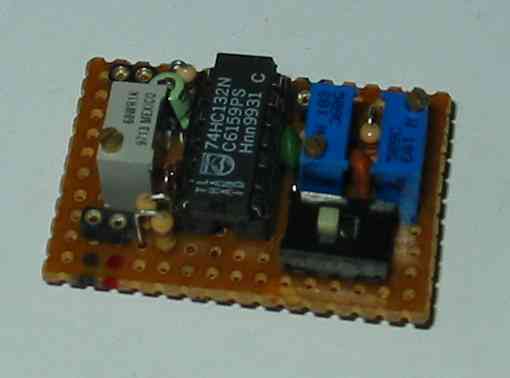
http://www.ledlight.com/LED-Information.aspx

http://www.nzlightingltd.co.nz/Useful+Hints/Choosing+a+Bulb.html

http://www.customdynamics.com/bulb_identification_help.htm
http://www.homedepot.ca/webapp/wcs/stores/servlet/DisplayTemplate?storeId=10051&catalogId=10051&langId=-15&display=brand_philips

Keyword: Lamps, LED, Fluorescent, Singapore, Energy saving, Bulb shape and base